Sending text messages
X
Call up the address book (Y page 125).
X
To select a contact: turn and press the con-
troller.
The details for the contact are displayed.
X
To highlight the telephone number: turn the
controller.
X
To select G: slide 9 the controller.
X
To select Send Text Message: turn and
press the controller.
The entry fields for a text message are dis-
played (
Y page 139).
Observe the requirements for the message
function (
Y page 135).
Sending an e-mail
X
Call up the address book (Y page 125).
X
Select an entry: turn and press the control-
ler.
The details for the contact are displayed.
X
To select an e-mail address: turn and press
the controller.
The entry fields for an e-mail are displayed
(
Y page 140).
Observe the requirements for the message
function (
Y page 135).
Displaying sub-entry information
X
Call up the address book (Y page 125).
X
Select an entry: turn and press the control-
ler.
The details for the contact are displayed.
X
To highlight the desired entry: turn the con-
troller.
X
To select G: slide 9 the controller.
X
To select Details: turn and press the con-
troller.
The display is shown in full.
Editing a contact
X
Call up the address book (Y page 125).
X
To select a contact: turn and press the con-
troller.
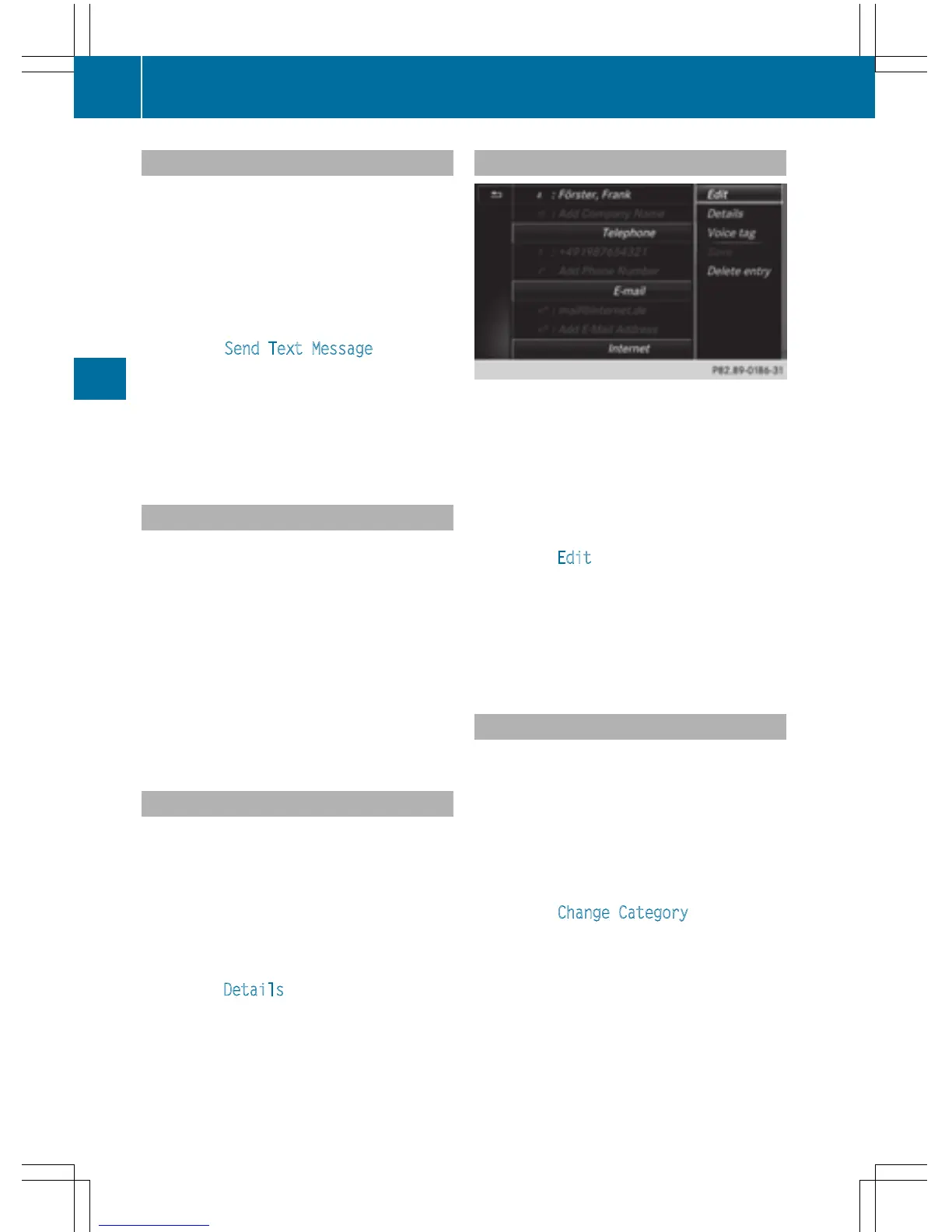
The details for the contact are displayed.
X
To highlight the desired entry: turn the con-
troller.
X
To select G: slide 9 the controller.
X
To select Edit: turn and press the control-
ler.
The entry field for the selected entry is dis-
played.
Information about character entry
(
Y page 31).
Changing the category of an entry
X
Call up the address book (Y page 125).
X
Select an entry: turn and press the control-
ler.
The details for the contact are displayed.
X
To highlight the desired entry: turn the con-
troller.
X
To select G: slide 9 the controller.
X
To select Change Category: turn and
press the controller.
X
To select a category: turn the controller and
press to confirm.
128
Address book
Telephone



 To Next Page