Favorites button
With the favorites button, you can select, add
or edit favorites.
X
Press the favorites button on the controller.
The favorites are displayed.
X
To select a favorite: turn and press the
controller.
Other functions (
Y page 34).
Touchpad
For COMAND with touchpad: alternatively,
you can use the touchpad to select and enter
information (
Y page 24).
Multifunction steering wheel
:
Multifunction display
;
Right control panel
=
Left control panel
Right control panel
~
R
Rejects or ends a call
R
Exits the telephone book/redial
memory
6
R
Makes or accepts a call
R
Switches to the redial memory
W
X
R
Adjusts the volume
8
R
Mute
ó
Switches on the Voice Control Sys-
tem (see the separate operating
instructions)
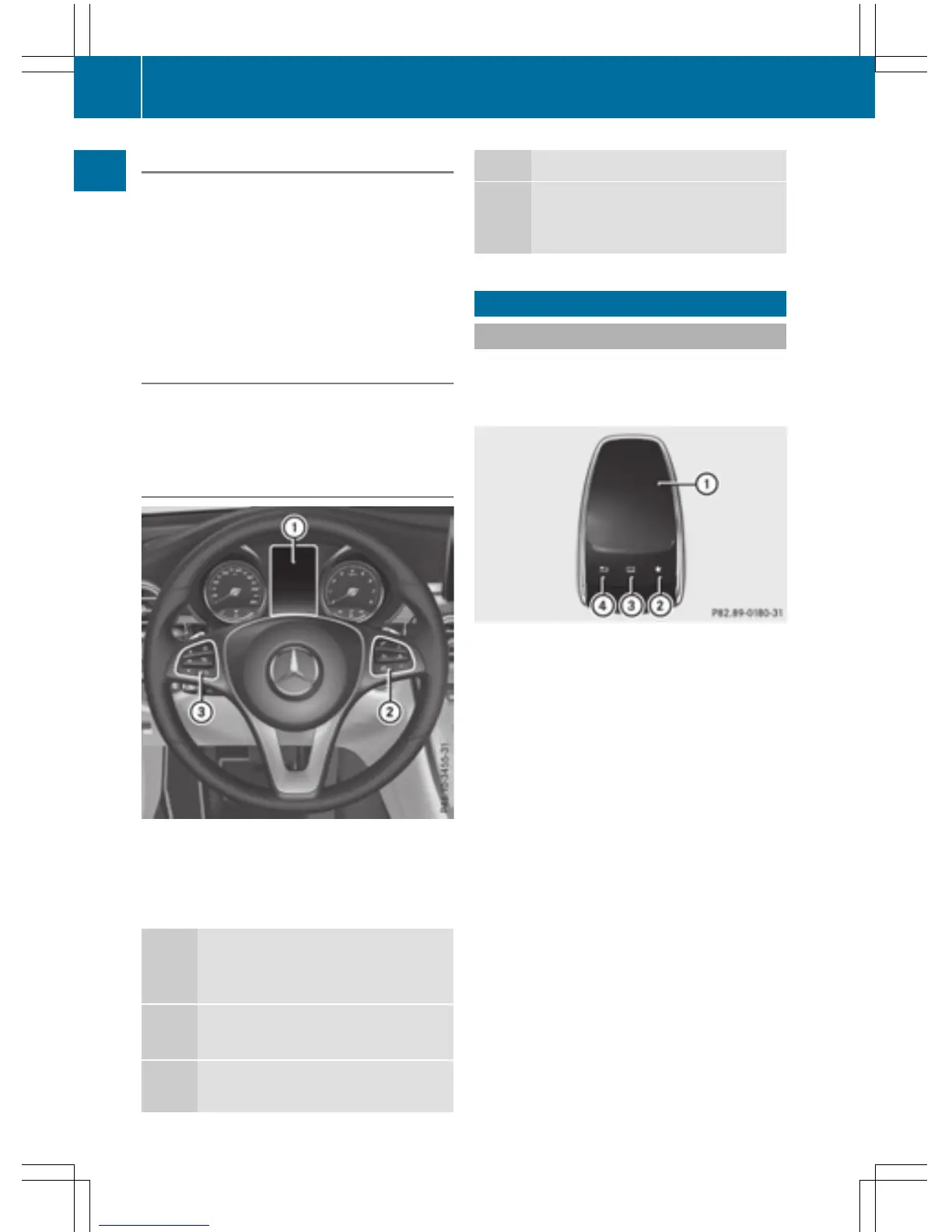
Touchpad
Touchpad overview
!
Do not use any sharp objects on the
touchpad. This could damage the touch-
pad.
:
Touch-sensitive surface
;
Favorites button
=
To call up quick access for audio and tele-
phone
?
Back button
Using the touchpad, you can:
R
select menu items in the display
(
Y page 25).
R
enter characters (handwriting recognition)
(
Y page 27).
R
control the active audio source
(
Y page 29).
R
create, manage and call up favorites
(
Y page 34).
R
enter destinations in navigation
R
save entries
Further information on operating the touch-
pad (
Y page 25).
24
Touchpad
Overview and operation



 To Next Page