Object detection
The rear view camera can detect moving and
stationary objects. If, for example, a pedes-
trian or another vehicle is detected, these
objects are marked with bars. The system is
able to detect and mark stationary objects
when your vehicle is moving. Moving objects
will always be detected and marked.
Switching object detection on/off
X
To select Object Detection in the rear
view camera menu: turn and press the con-
troller.
The function is switched on O or off ª,
depending on the previous status.
Opening the camera cover for clean-
ing
X
To select Open Camera Cover in the rear
view camera menu: turn and press the con-
troller.
The Please
Wait... message appears for
approximately three seconds.
The camera cover opens.
The camera cover closes automatically if:
R
the ignition is switched off
R
the vehicle pulls away
Climate control settings
Overview
You can adjust the climate control settings
using the climate control bar (
Y page 54) or
the climate control menu (
Y page 55).
You can set the most important climate con-
trol functions, such as temperature
(
Y page 54), airflow (Y page 55) and air
distribution (
Y page 55) using the climate
control bar. The climate control bar is visible
in most displays.
You can find all available climate control func-
tions in the climate control menu. You can use
the climate control bar (
Y page 54) to
switch to the climate control menu.
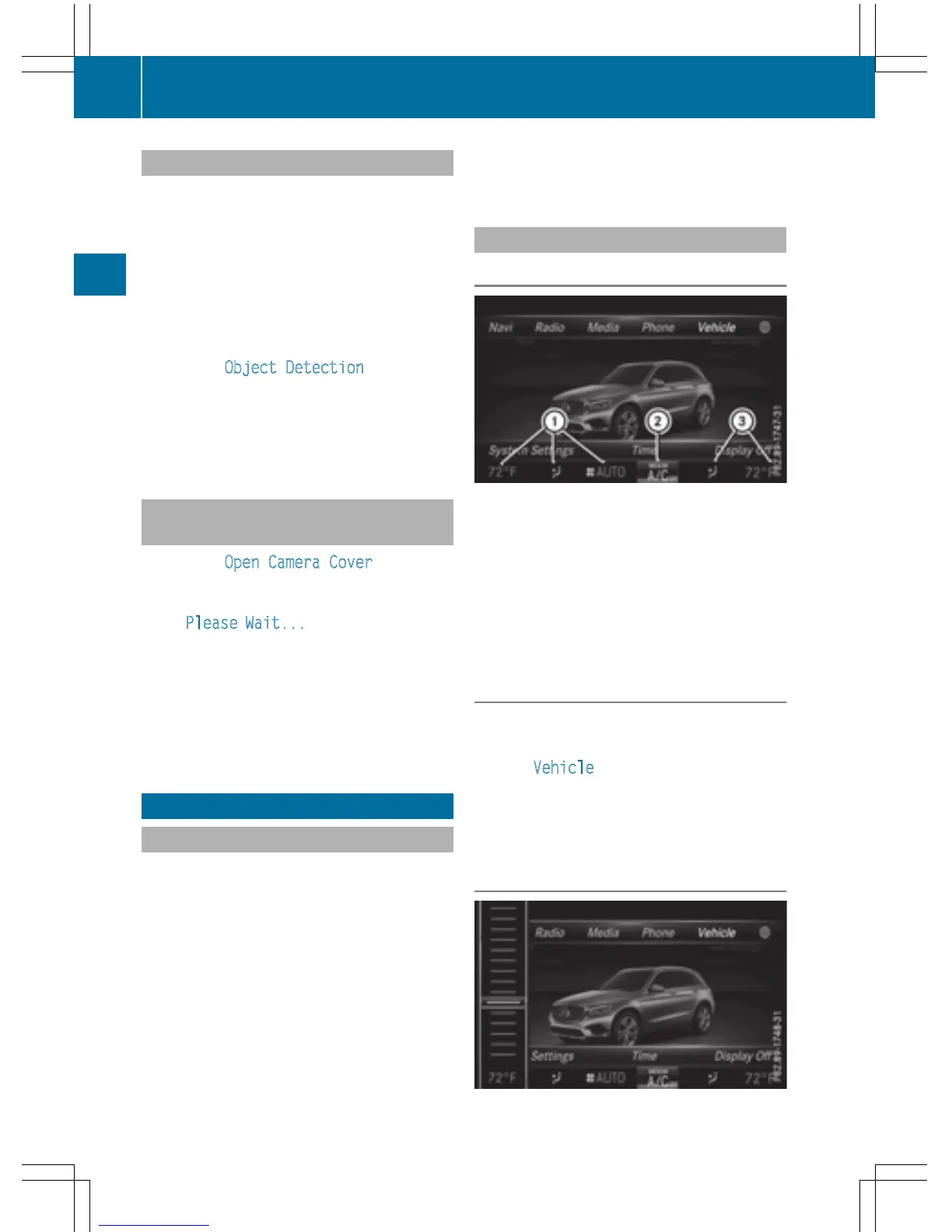
Settings in the climate control bar
Overview
:
Adjusts temperature and air distribution
on the left and displays the current setting
;
Calls up the climate control menu, dis-
plays the current cooling and climate
mode setting
=
Adjusts temperature and air distribution
on the right and displays the current set-
ting
Calling up the climate control bar
X
Press the Ø button.
or
X
Press Vehicle in the main function bar.
The vehicle menu is displayed.
X
Slide 6 the controller repeatedly until the
climate control bar is activated.
Setting the temperature
54
Climate control settings
Vehicle functions



 To Next Page