X
Call up the sound menu (Y page 208).
X
Turn the controller until Balance/Fader is
brought to the front and then slide 6 the
controller.
X
To activate the menu for balance and fader:
press the controller.
X
To adjust the balance focus: slide 8 or
9 the controller.
X
To adjust the fader focus: slide 6 or 5
the controller.
An image shows the sound focus set.
X
To exit the menu: press the % button.
Burmester
®
surround sound system
General notes
The Burmester
®
surround sound system has
a total output of 640 watts and is equipped
with 14 loudspeakers.
The Burmester
®
surround sound system is
available for all functions in the radio and
media modes.
Calling up the sound menu
You can make various sound settings for the
different audio and video sources. It is possi-
ble to set more bass for radio mode than for
CD audio mode, for example. The respective
sound menu is called up from the menu of the
desired mode.
X
Switch to radio mode (Y page 166).
or
X
Switch to media mode (Y page 178).
X
To switch to the menu bar: slide 6 the
controller.
X
To select à: turn and press the control-
ler.
The menu appears with the last setting
accessed, e.g. Equalizer
.
Overview of Burmester
®
surround sound sys-
tem
Function Options
Equalizer Sets treble, mid-
range and bass
Balance/fader Moves the sound
focus: left/right and
front/rear
Surround Optimizes sound
playback for all
seats
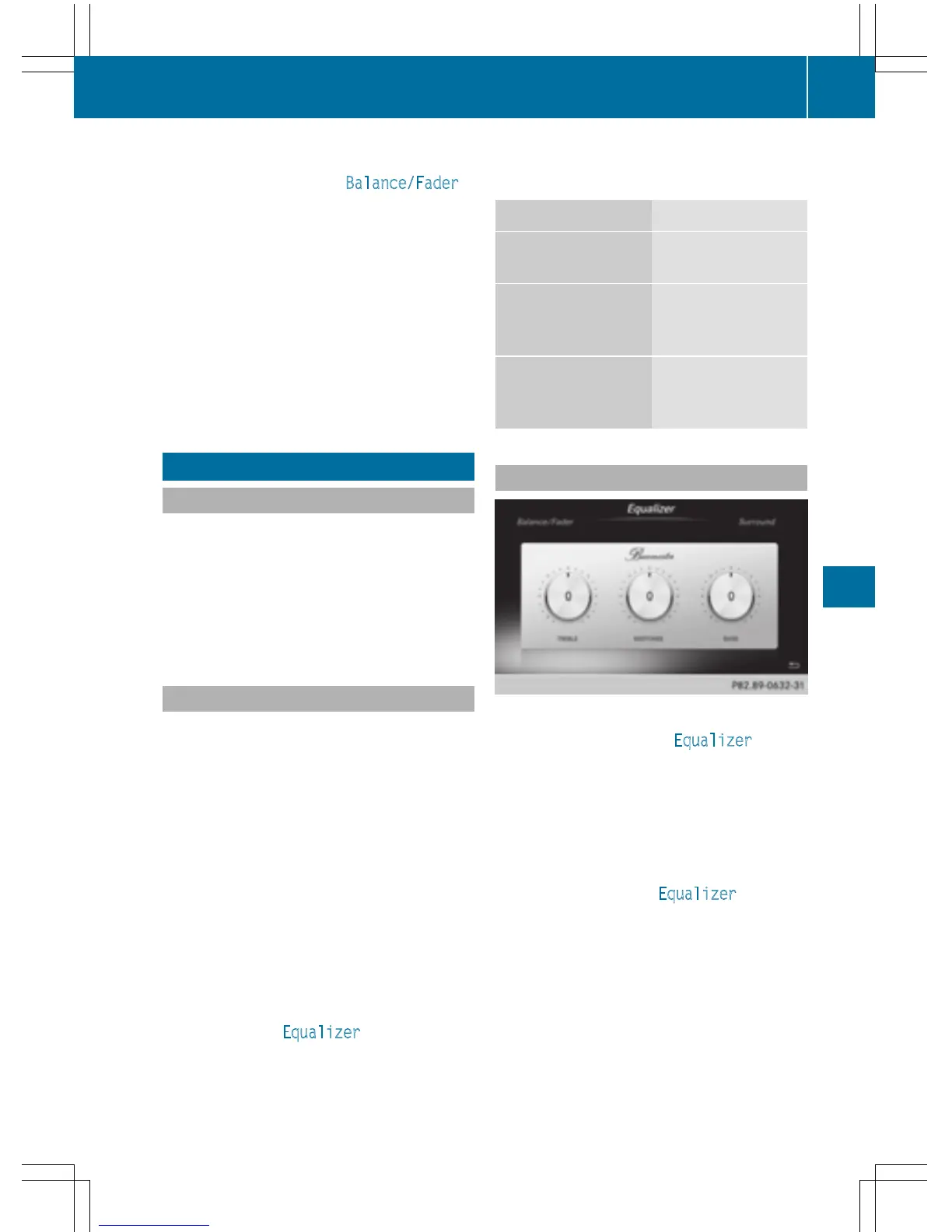
Setting treble, mid-range and bass
X
Call up the sound menu (Y page 209).
X
Turn the controller until Equalizer is in the
center.
X
Slide 6 the controller.
The rotary menus for treble, mid-range and
bass are activated.
X
To switch between the rotary menus: slide
8 or 9 the controller.
X
To make the desired Equalizer settings:
turn the controller.
The rotary menus show the set values.
X
To return to the menu: slide 5 the con-
troller.
X
To return to the basic menu: press the %
button briefly.
Burmester
®
surround sound system
209
Sound



 To Next Page