Switching to satellite radio
X
To show the main function bar: slide 5
the controller.
X
To select Radio: turn and press the con-
troller.
The radio display appears. You will hear the
last station played on the last waveband
selected.
X
To select Radio in radio mode: slide 5
and press the controller.
The menu with the available radio modes
appears.
X
To select Sat Radio: turn and press the
controller.
The No Service
message appears if there is
no signal.
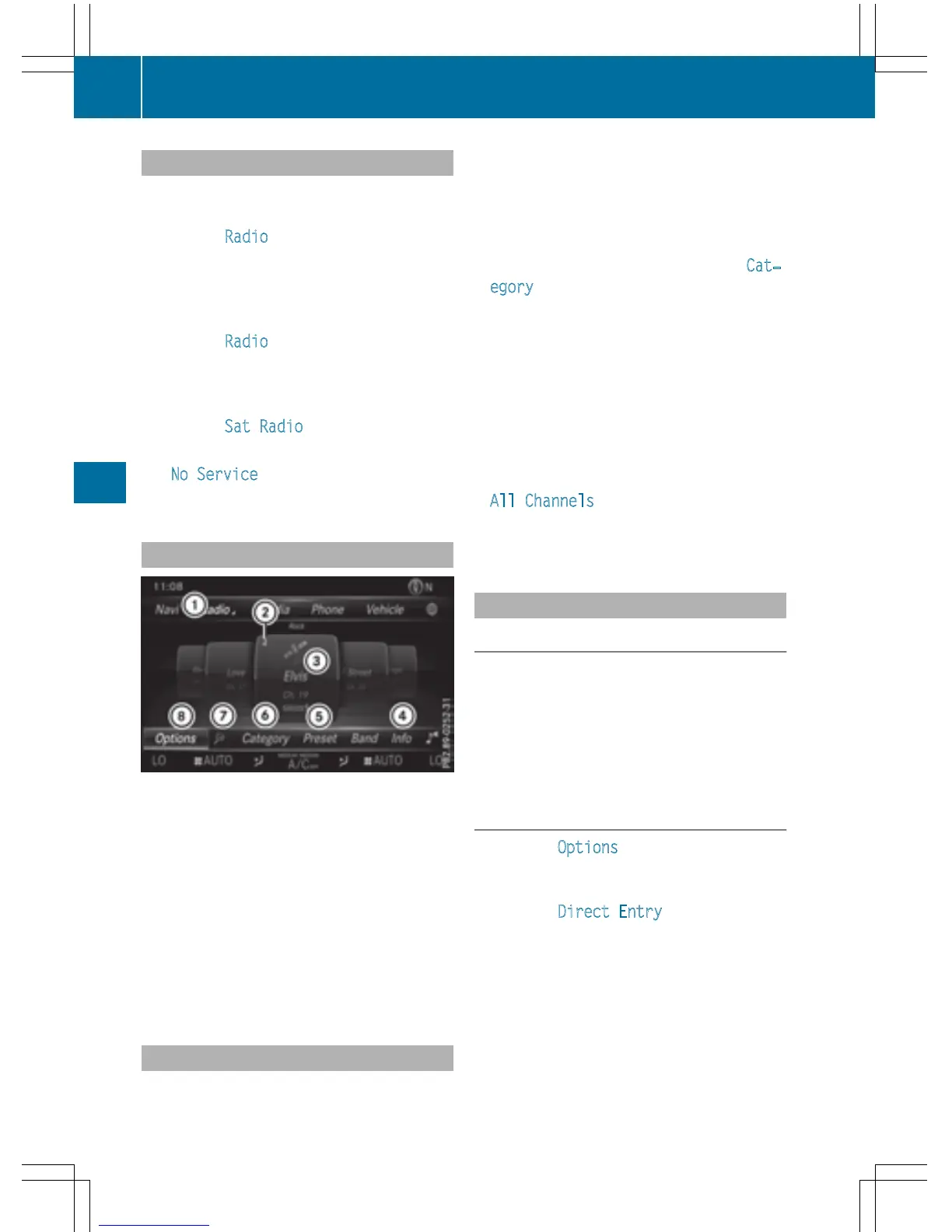
Satellite radio overview
:
Main function bar
;
Preset
=
Channel name and channel number
?
Channel information
A
Station presets menu
B
Category list
C
Keyword search
D
Options menu
Channel information ? can be viewed in
detail (
Y page 175).
Selecting a category
Satellite radio channels are sorted into vari-
ous categories. You can choose between var-
ious categories such as News/Discussions,
Sports and Country (if available). The cate-
gory list is sorted alphabetically. The content
of the categories is sorted by channel num-
bers.
X
To call up the category list: select Cat‐
egory in the menu bar by turning and
pressing the controller.
The category list appears.
X
To select a category: turn the controller
and press to confirm.
The category selected is shown in the dis-
play. You hear the station last selected for
this category.
The # dot indicates the current setting.
At the beginning of the category list, the
All Channels
category appears. This cat-
egory enables you to browse all available
channels.
Selecting a channel
Channel search
X
When the display/section window is selec-
ted, slide 8 or 9 the controller.
COMAND searches in both directions
(ascending and descending) and stops at
the next channel found in the selected cat-
egory.
Entering channel numbers directly
X
To select Options in the radio menu bar:
turn and press the controller.
The satellite radio menu appears.
X
To select Direct Entry: turn and press
the controller.
An input menu appears.
X
To select a channel number: turn and press
the controller.
X
COMAND sets the selected channel.
i
You can only select currently permitted
digits.
172
Satellite radio
Radio



 To Next Page