i
If you switch to another main function,
e.g. navigation, while receiving vCards, the
reception of vCards will be terminated.
Deleting imported contacts
X
To change to the menu bar when in the
address book or the telephone menu: slide
6 the controller.
X
To select Options: turn and press the con-
troller.
X
To select Delete Contacts: turn and
press the controller.
X
Select one of the following options:
R
Internal Contacts
R
Imported from Storage Device
R
Imported from Bluetooth Devices
R
Downloaded from Phone
Turn and press the controller.
X
To select Yes: turn and press the controller.
The contacts are deleted.
or
X
To select No: turn and press the controller.
The process is canceled.
Closing the address book
X
Press the % button one or more times.
Call lists
Introduction
If your mobile phone supports the PBAP Blue-
tooth
®
profile, the call lists from the mobile
phone are displayed in COMAND. When con-
necting the mobile phone, you may have to
confirm the connection for the PBAP Blue-
tooth
®
profile.
If your mobile phone does not support the
PBAP Bluetooth
®
profile, COMAND generates
its own call lists. These are not the same as
the call lists in your mobile phone.
The Call list option is not available unless a
mobile phone is connected to COMAND.
If the contact for an incoming call is not saved
in the address book, you can use the call list
to save the telephone number. You can save
this telephone number as a new contact in the
address book or add it to an existing contact
(
Y page 133).
i
If you connect a different mobile phone to
COMAND, the call lists from the new mobile
phone are displayed.
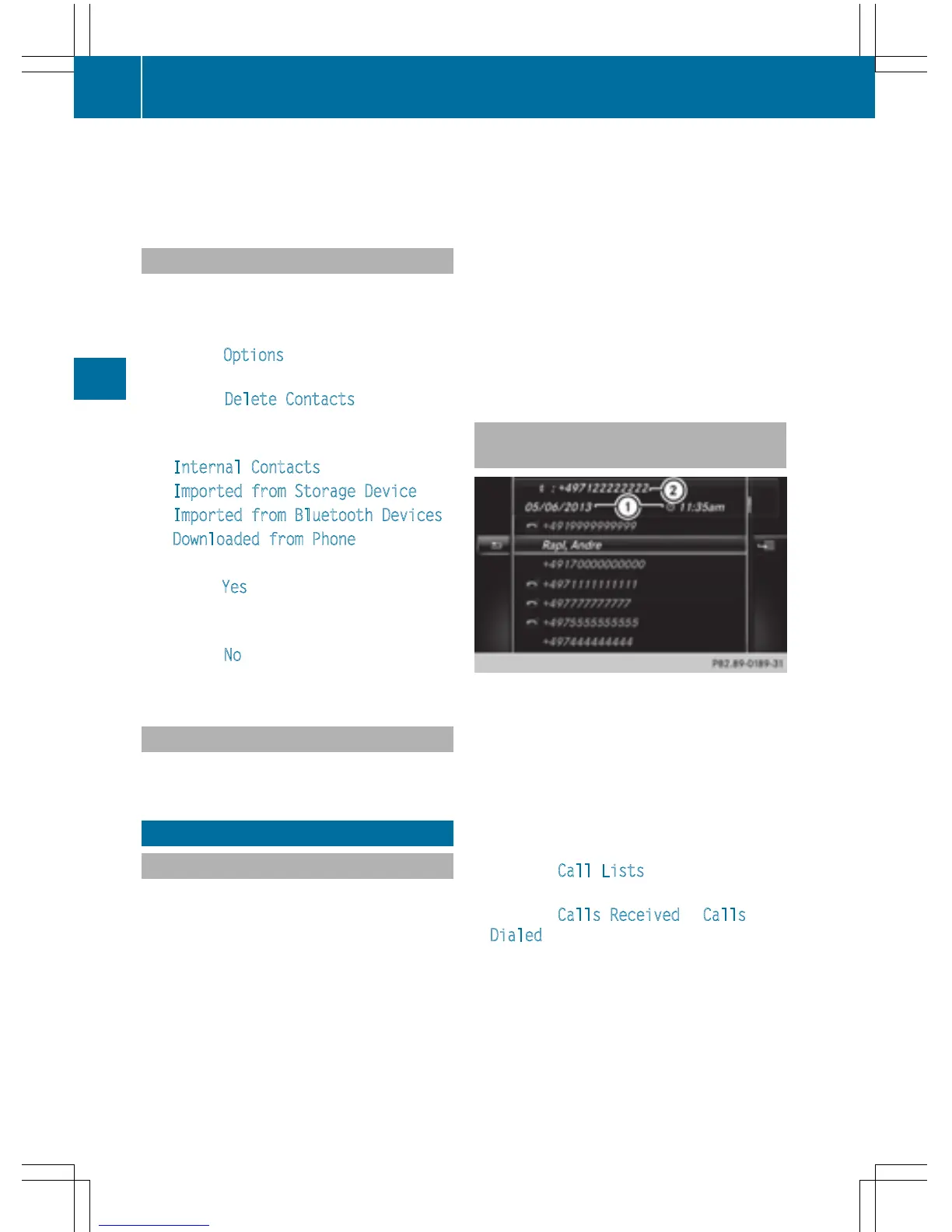
Opening the call list and selecting an
entry
List of selected phone numbers (example)
:
Date and time (if available)
;
Telephone number of the highlighted
entry and symbols (if assigned)
X
To call up the telephone menu: press the
% button.
X
To switch to the menu bar: slide 6 the
controller.
X
To select Call Lists: turn and press the
controller.
X
To select Calls Received or Calls
Dialed: turn and press the controller.
The relevant list is displayed.
X
To select an entry and make a call: turn and
press the controller.
132
Call lists
Telephone



 To Next Page