Navigating the website
Step Result
X
Turn the control-
ler.
Navigates from one
selectable item (e.g.
link, text field or
menu) to the next
and highlights the
respective element
on the website.
Sliding the control-
ler:
X
Left or right
1
X
Up or down 4
X
Diagonally 2
Moves the pointer
on the page.
X
Press the control-
ler.
Opens the selected
item.
X
Press %. Calls up the menu.
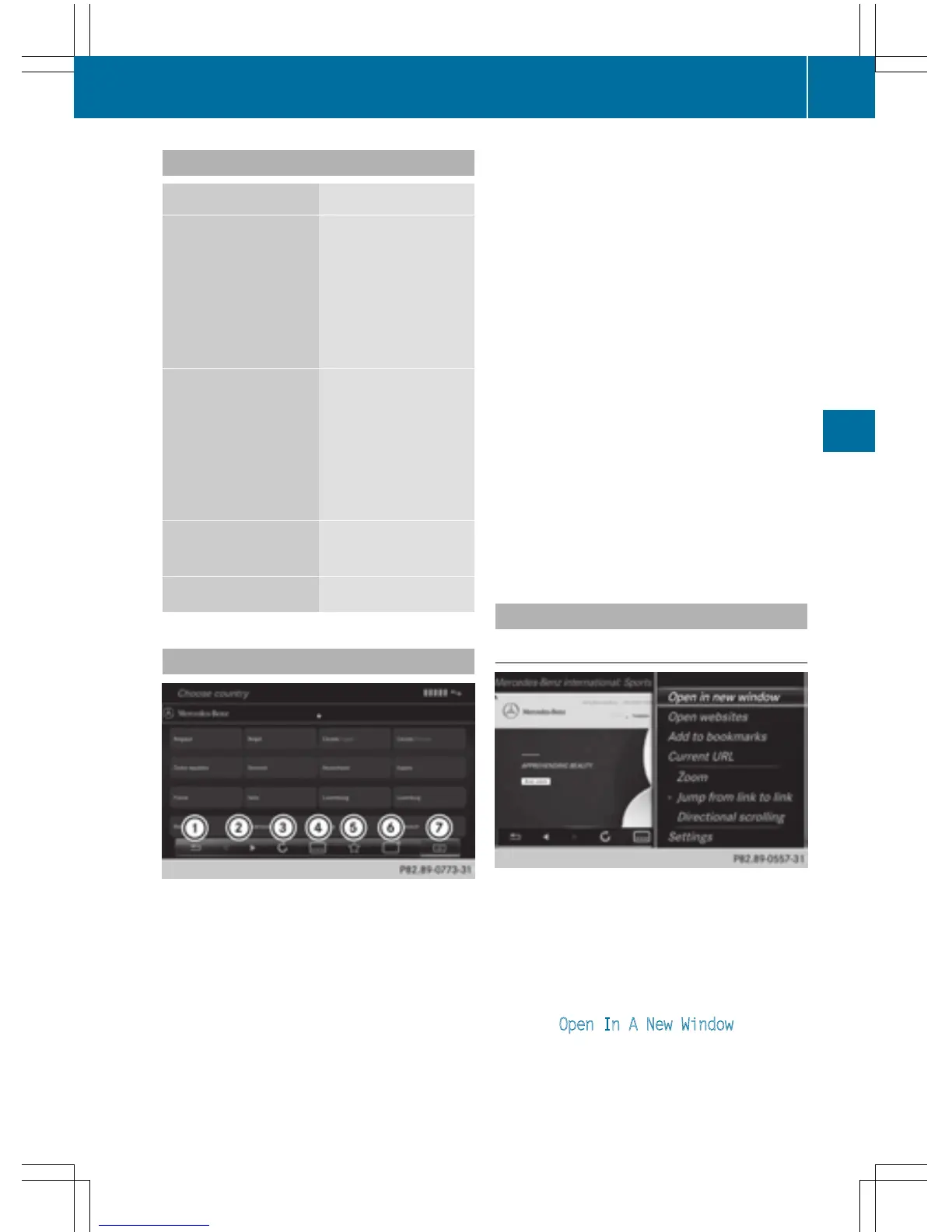
Menu functions
:
Closes the browser
;
Goes back/forward
=
Updates/cancels
?
URL entry
A
Favorites
B
Closes the window
C
Options
X
To show the menu: press the % but-
ton.
X
To call up the Options menu: select 3
by turning and pressing the controller.
X
To close the website: select &.
X
To call up the previous website: select
t.
X
To call up the next website: select u.
X
To refresh the website: select Î.
The website is refreshed. This procedure
may take some time.
i
While the website is loading, a cross
appears in the menu. This can be used to
cancel the loading procedure.
X
To enter a URL: select g.
X
Enter a web address (URL) (Y page 158).
X
Favorites: select f.
X
To close the active window: select h.
Options menu
Opening in a new window
In order to be able to use this function, the
cursor must be on a link.
X
To show the menu: press the % but-
ton.
X
To select 3: turn and press the control-
ler.
X
Select Open In A New Window.
The website is opened in a new window.
Web browser
159
Online and Internet functions
Z



 To Next Page