In the display, you will then see the Road Not
Mapped message, an arrow and the distance
to the destination. The direction arrow shows
the compass heading to the destination.
As soon as the system can assign the vehicle
position to the map again, route guidance
continues in the usual way.
Real-time traffic reports
Prerequisites
This function is currently not available for
Canada.
In order to receive real-time traffic reports via
satellite radio, you need to subscribe to SIR-
IUS XM Satellite Radio Traffic Message Ser-
vice.
Further information on satellite radio
(
Y page 170).
COMAND can receive traffic reports via sat-
ellite radio and take account of these for
route guidance in the navigation system.
Received traffic reports are displayed on the
map either as text or as symbols.
Real-time traffic reports on the map
COMAND can show certain traffic incidents
on the map with symbols (type of incident)
and colored lines (extent). Traffic reports are
shown on the map at scales of 1/32 mi to
20 mi.
When : is displayed, traffic reports can be
received or traffic reports are available. If it is
not displayed, no reception is possible.
X
To hide the menu: slide 5 and press the
controller.
The map can be seen in the full-screen dis-
play.
X
To set the map scale: turn the controller
until the desired map scale is selected.
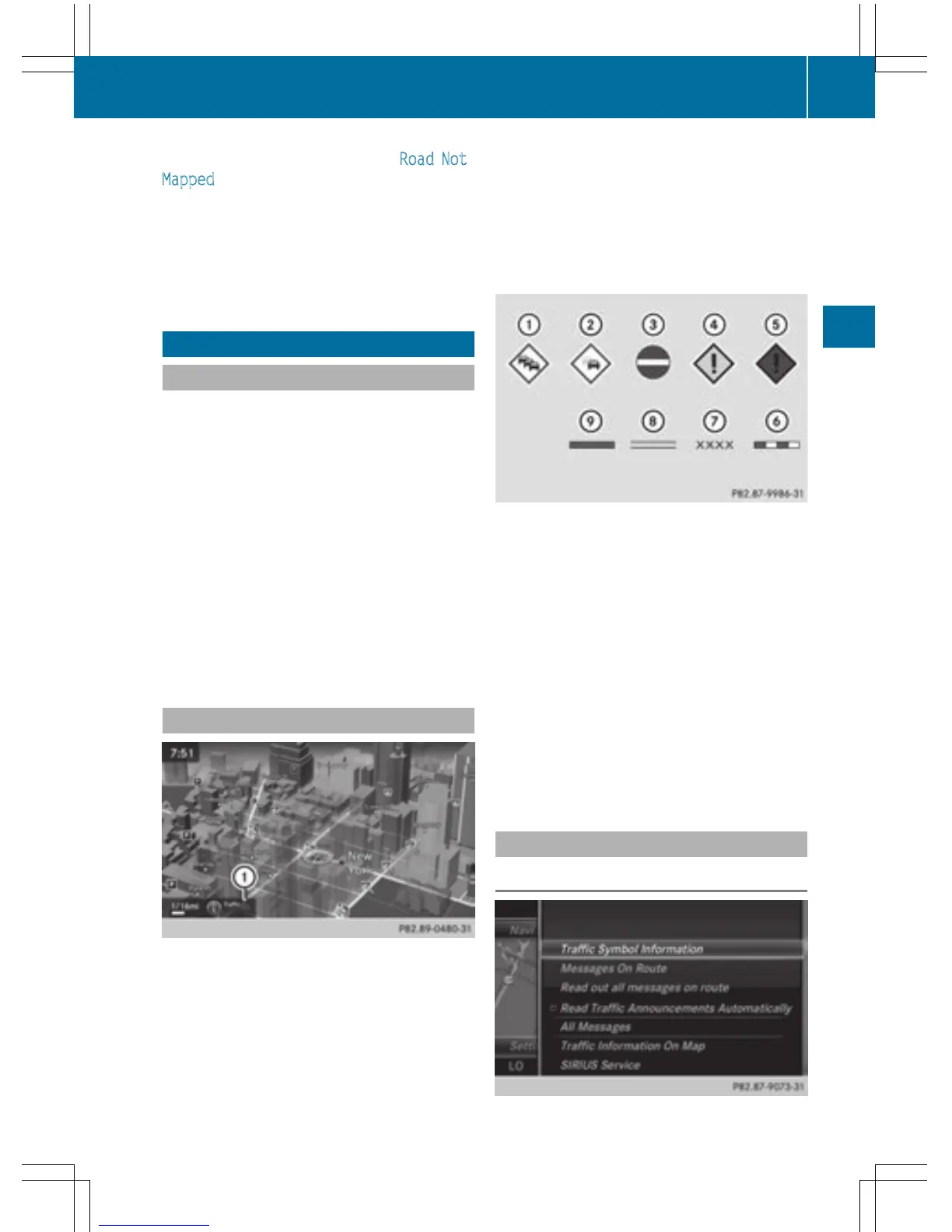
:
Traffic jam on the route
;
Slow-moving traffic on the route
=
Road blocked
?
Traffic disruption
A
Traffic warning
B
Dashed red and white line delimiting the
traffic warning
C
Road block (crosses along the affected
road)
D
Slow-moving traffic (orange line along the
affected route)
E
Traffic jam (red line along the affected
route)
Displaying real-time traffic reports
Starting a search for traffic reports
Real-time traffic reports
91
Navigation
Z



 To Next Page