Page 100
ILD1700 Tool
optoNCDT 1700
10. ILD1700 Tool
The software ILD1700 Tool
- transfers and reads sensor parameters and
- reads and displays measuring results in a diagram.
All data are transmitted through a RS422 interface and can be saved on demand.
i
Disconnect or connect the D-sub connection between RS422 and USB converter when the sensor is
disconnected from power supply only.
10.1 Installation and Preparation for Measurements
10.1.1 System Requirements
The following system requirements are recommended:
- Windows 2000, Windows XP or Windows 7 / Pentium III ≥ 1 GHz / 1 GB RAM
- Free USB port or IF2008
10.1.2 Cable and Program Routine Requirements
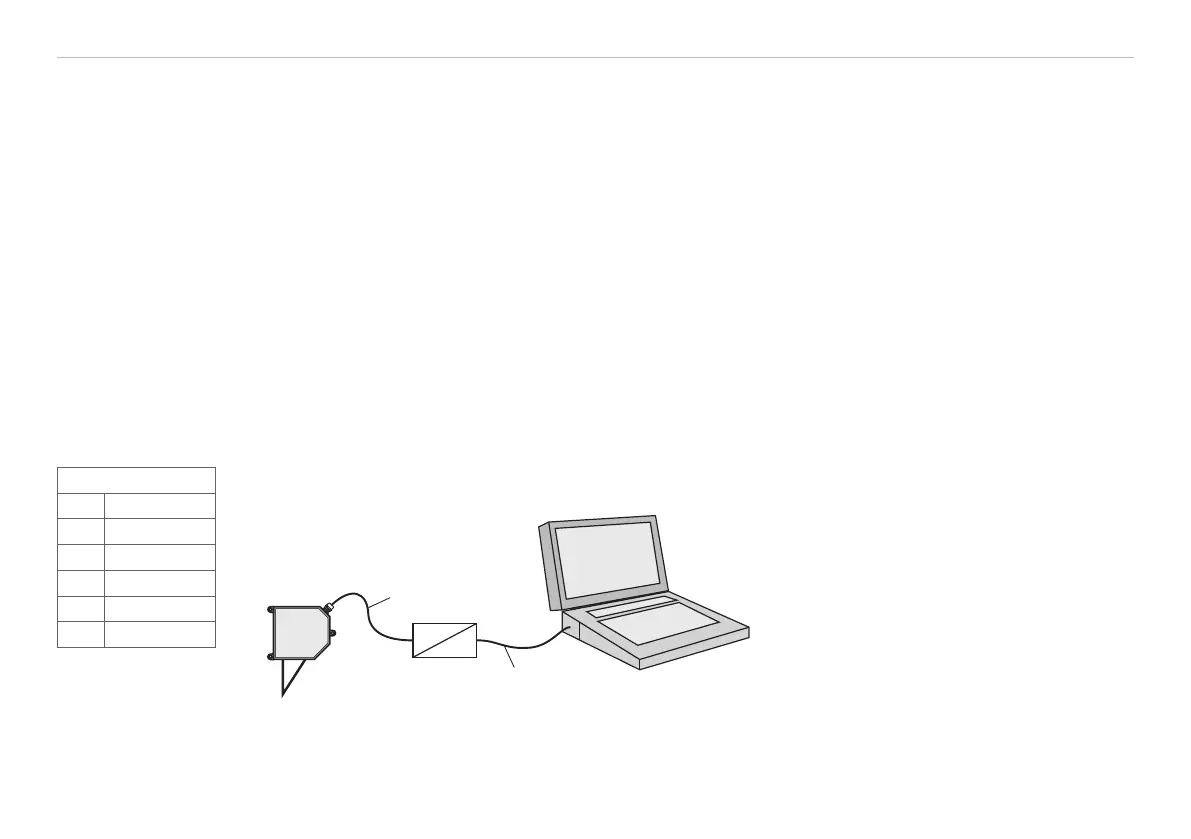
- PC1700-x/USB/IND Sensor cable with RS422-USB converter and 24 V power supply
- ILD1700 Tool Configuration and measurement program
- RS422/USB converter, inclusive CD with driver
optoNCDT
1700
RS422
USB
PC1700-x/USB/IND
USB cable
Fig. 53 Setup of the system for the demon-
stration software
You will find the actual drivers respectively program routines under:
www.micro-epsilon.com/link/opto/1700
You will find details to the driver installation in the mounting instructions „Converter RS422 to USB“.
PC1700-x/USB/IND
Pin Signal
1 RX -
2 Rx+
3 TX+
4 TX -
5 GND
Pin assignment,
9-pol. D SUB


 To Next Page