© Microhard Systems Inc. 16
2.0 Quick Start
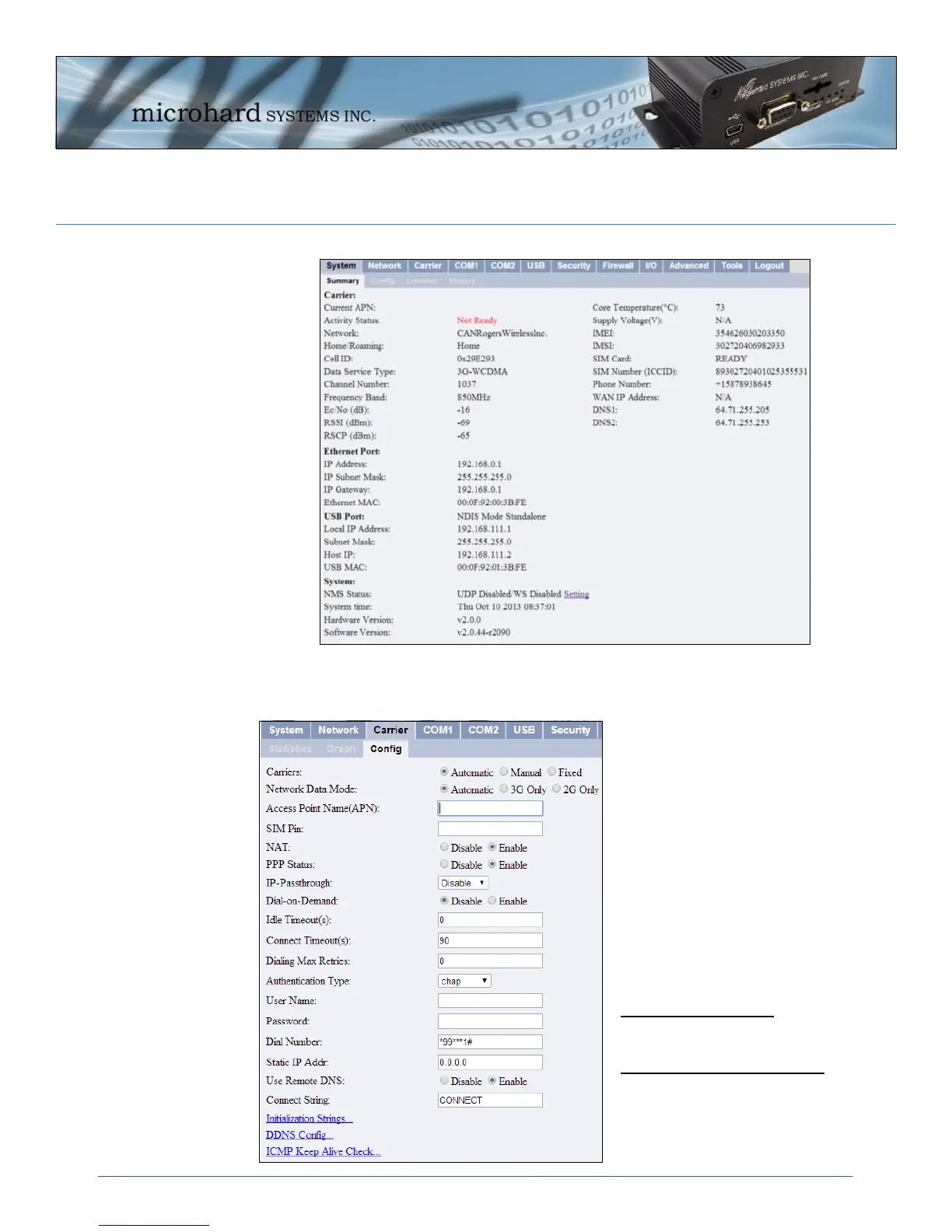
Once successfully logged in, the System Summary Window will be displayed.
To establish basic wireless connectivity with your carrier, the information in the
Carrier > Config menu must be completed as provided by your carrier.
Carriers may require different
information to be filled out.
Contact them for specific con-
nection information.
For SIM Cards issued with Dy-
namic IP addresses most carri-
ers simply require the correct
APN. SIM Cards assigned Static
public IP address often require
additional login details.
Wireless Carriers require the
following information:
Always Required:
Access Point Name (APN)
Some Carriers Require:
Authentication Type
User Name
Password



 To Next Page