© Microhard Systems Inc. 85
4.0 WebUI Configuration
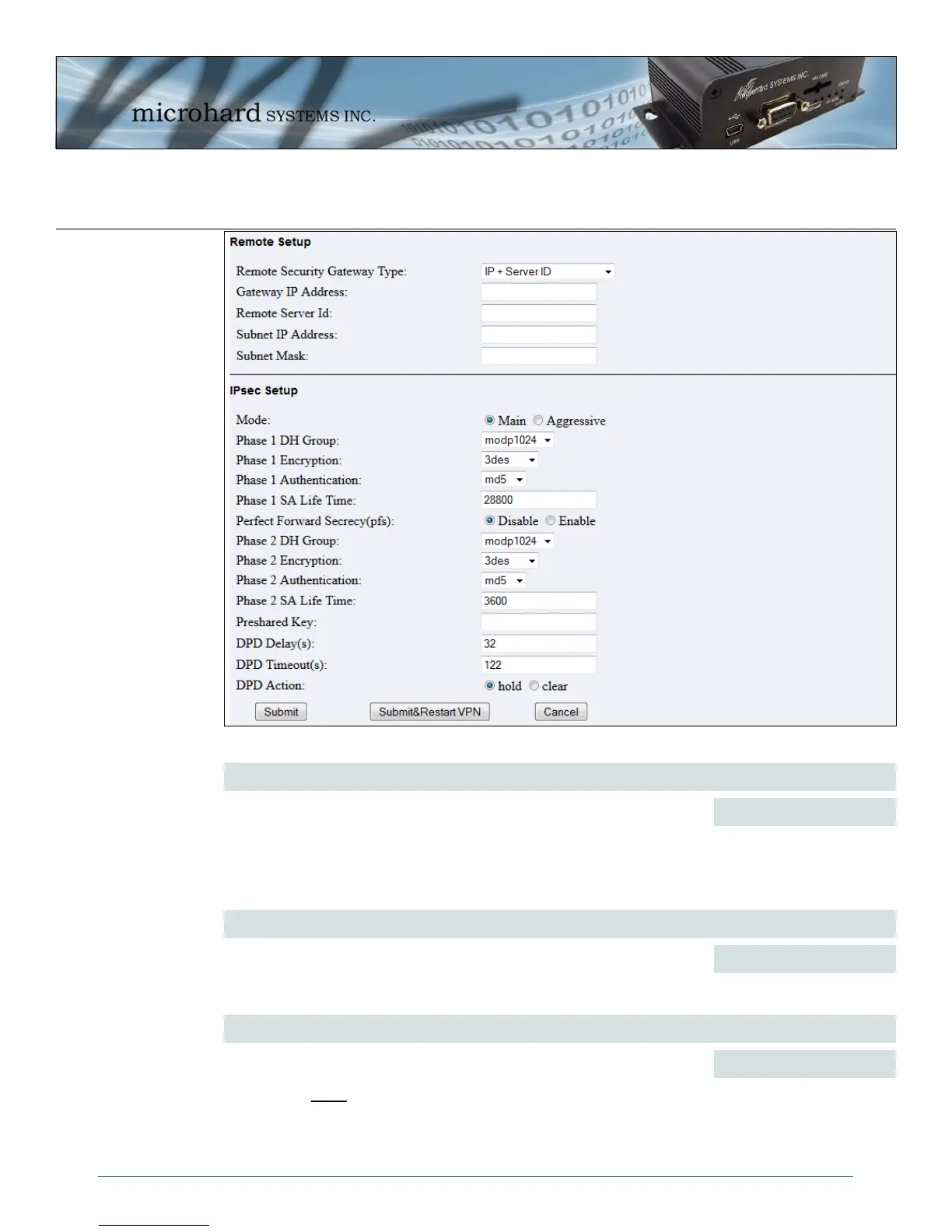
Image 4-48: VPN IPsec, Site-to-Site Submenu
Remote Setup > Gateway IP Address
If the remote VPN router has a static IP address, enter the IP address of
the remote VPN Gateway here.
Values (IP Address)
(no default)
Remote Setup > Remote Security Gateway Type
Values (selection)
Specify the method for identifying the router to establish the VPN tunnel.
The Local Security Gateway is on this router; the Remote Security
Gateway is on the other router. At least one of the routers must have either
a static IP address or a dynamic IP with server id to make a connection.
(See Local Group Setup for details)
IP Only
IP + Server ID
Dynamic IP + Server ID
Remote Setup > Remote Server ID
Values (characters)
This option appears when the Remote Security Gateway Type specifies
that the Server ID is required for the connection. The Server ID must be in
the format @name, where name can be anything. Both routers must know
each others names to establish a connection.
(no default)



 To Next Page