Panel Functions 103
________________________________________________________________________________________________
_______________________________________________________________________________________________
MICROPLEX Operator’s Manual LOGIJET T4 /T6 /RFID Edition 1.3
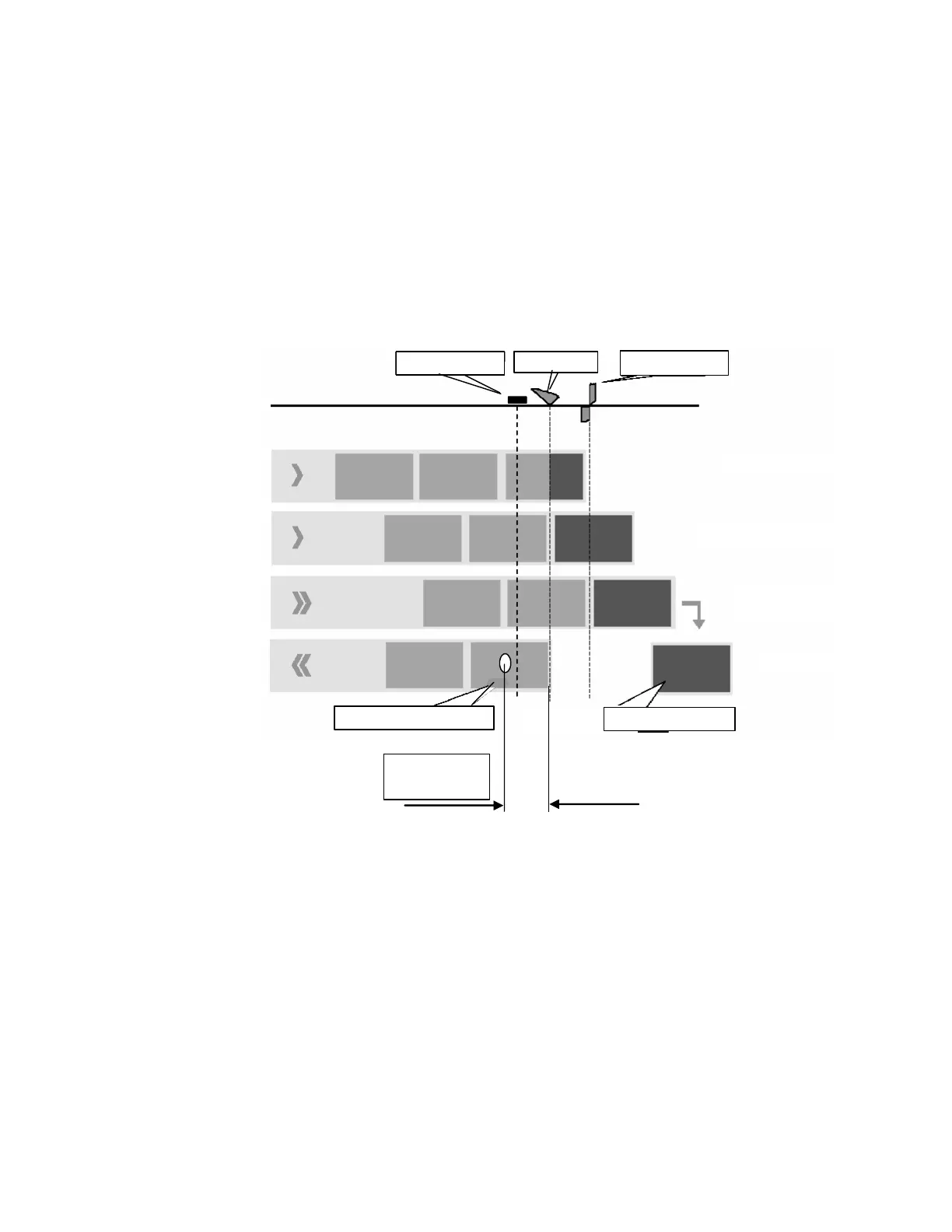
Real 1:1 Mode
The whole surface of the label is printable.
The label is pushed forward to the tear off edge for tear off (see
the previous section: Selecting the Tear Off Mode). After the tear
off, the beginning of the next label is drawn back under the print
head. This reduces the output volume (in relation to a certain time).
Tear off edge
1. Prin
2. Print end
3. Feed,
then cut
4. Return
Antenna
Prin
head
Tag Position
(example)
Label, printed
Label, unprinted
Hints: In the RFID mode a tear off (single label operation) is useful only
on condition that the distance between the transponder and the
beginning of the label is greater than 31 mm (Tag Position).
(See section 8.2.1 Selecting the RFID Mode and 8.2.3 Adjusting
the Transponder Position as well as the comments in figure
8.4.1.a).
Using the optional cutter, RFID labels equipped with a tag
position shorter than 31 mm are cutted not before the next page
is ready to print.



 To Next Page