140 Operator Maintenance
_______________________________________________________________________________________________
_______________________________________________________________________________________________
MICROPLEX Operator’s Manual LOGIJET T4 /T6 /RFID Edition 1.3
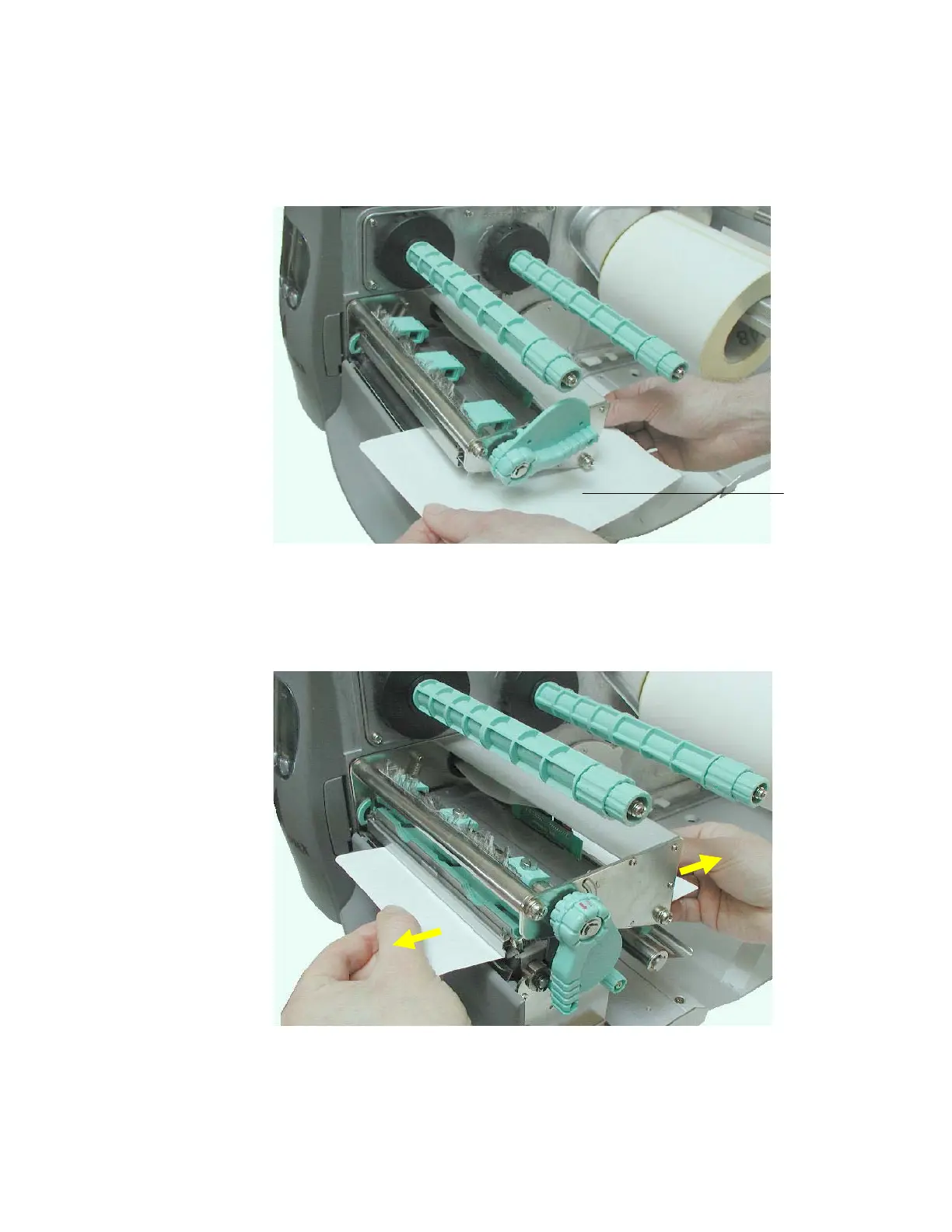
b) Using a Cleaning strip:
• Take a cleaning strip and feed it to the printer (see figure
9.1.2.b; rough side uppermost).
Fig. 9.1.2.b Cleaning the printhead using a cleaning strip
• Close the printhead pressure lever and then move the cleaning
strip in and against the paperfeed direction (see figure 9.1.2.c).
This working step has to be repeated several times.
Fig. 9.1.2.c Moving the cleaning strip in both directions
• Release the printhead pressure lever, remove the cleaning strip
from the printer and discard the cleaning strip.
Cleaning
strip



 To Next Page