50 Control Panel
________________________________________________________________________________________________
_______________________________________________________________________________________________
MICROPLEX Operator’s Manual LOGIJET T4 /T6 /RFID Edition 1.3
ESC
+
NEXT
!
Key combinations
The panel key on the right can be combined with other keys (similar to
the Shift key on a PC keyboard), to reach additional key designations.
This is how you get access to the key designations PREVIOUS
(PREV) and VALUE- (VAL-).
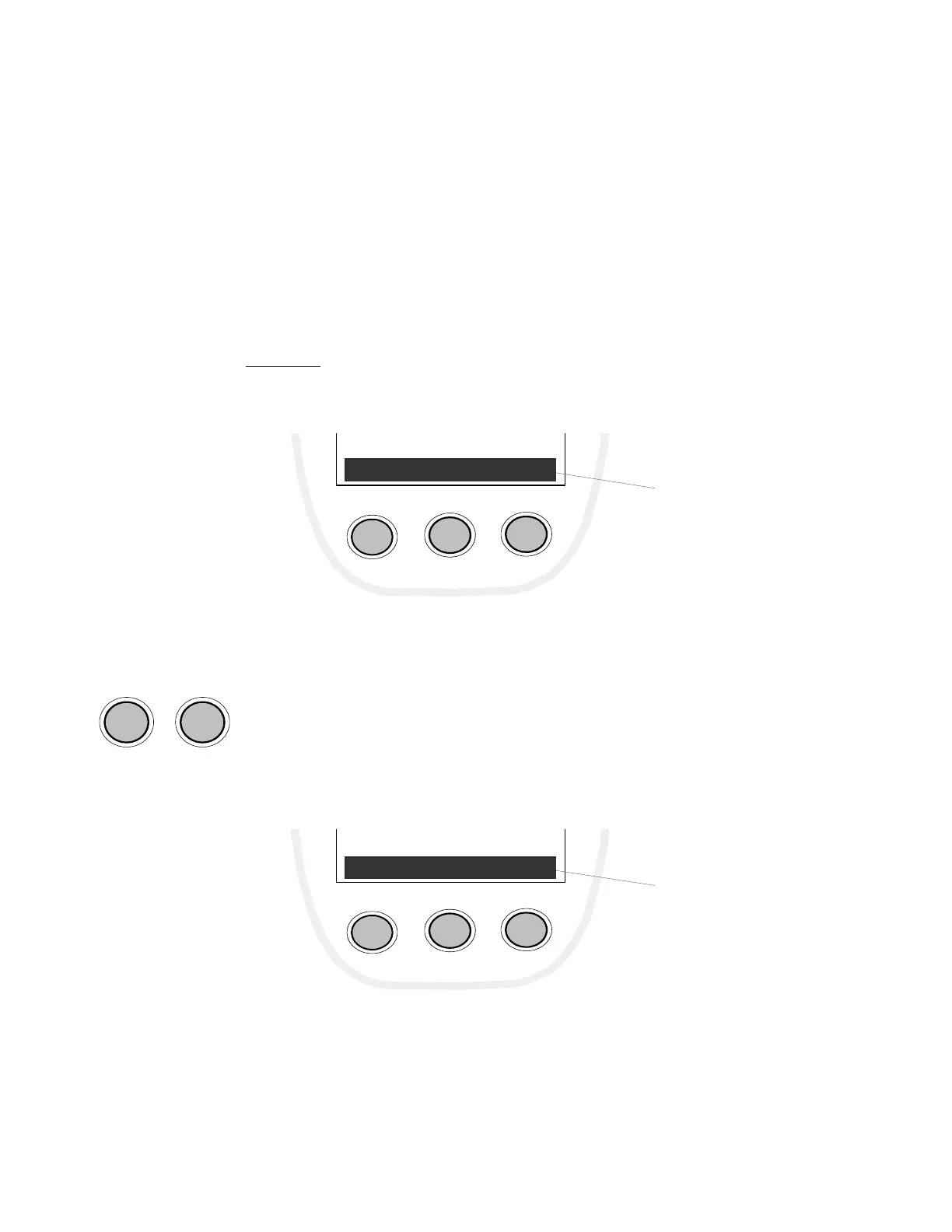
Example:
The key NEXT is used to move forward in the menus.
FEED
PAUSE
CANCEL
NEXT ENTER ESC
Current
meaning of the
function keys
Using the following key combination enables to move one or more
steps back:
Press and hold the ESC key, and then press the NEXT key additionally.
Hint: The new key designation PREVIOUS (left panel key, see figure
below) will not be displayed until the ESC key is pressed for a
longer time.
FEED
PAUSE
CANCEL
PREV ENTER
Current
meaning of the
function keys
The descriptions above are valid in a similar manner for getting access
to the key designation VAL-. (Alternation from VAL+ to the key
designation VAL- to enable the reduction of function values.)



 To Next Page