Troubleshooting 137
_______________________________________________________________________________________________
_______________________________________________________________________________________________
MICROPLEX Operator’s Manual SOLID 50 A3 - 3 Edition 2.1
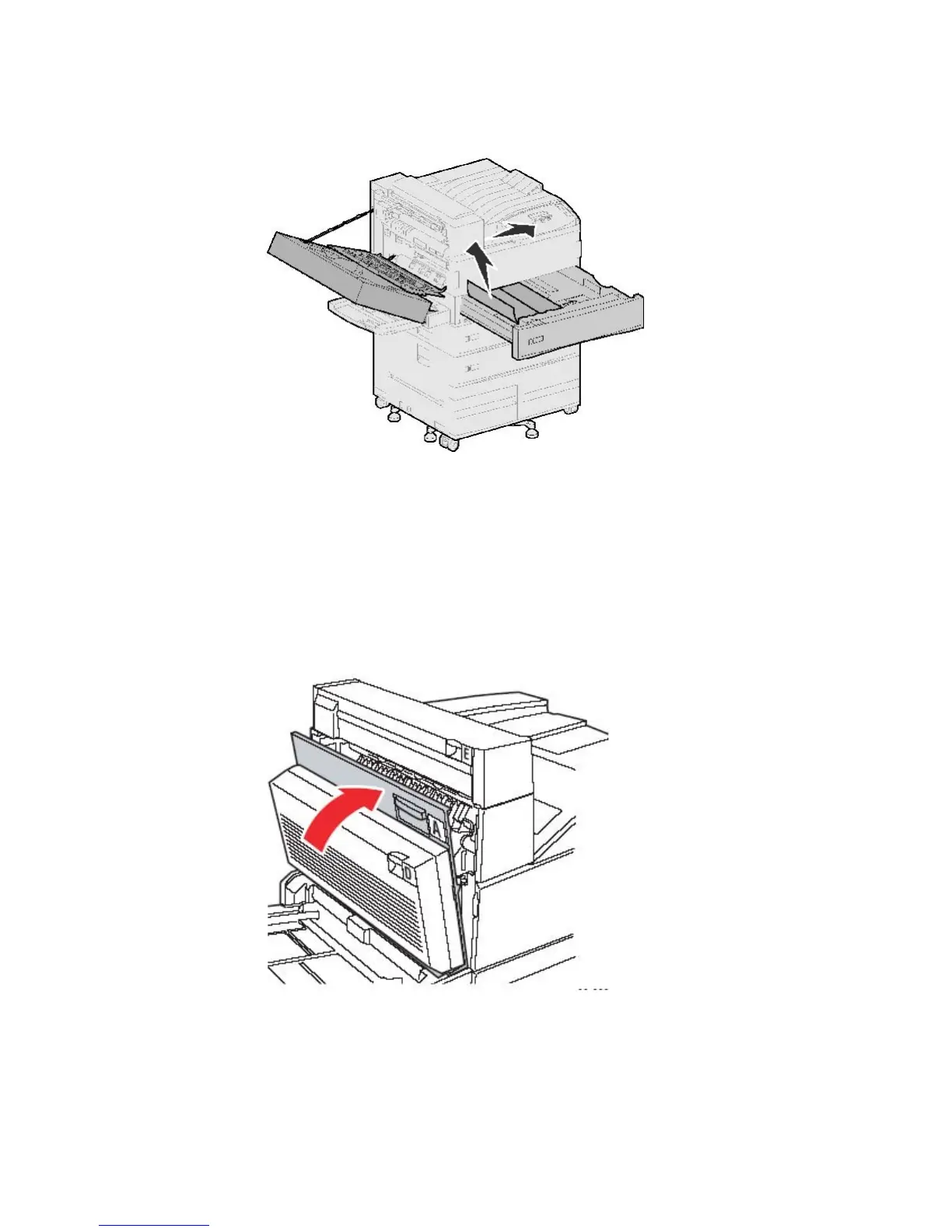
5. Pull cassette 1 open.
Fig. 7.4.3.d Removing jammed paper
6. Pull the paper to the right, and then straight out.
7. Confirm that all paper fragments are removed.
8. Close cassette 1.
9. Close the printer side door (Door A).
Fig. 7.4.3.e Closing the printer side door (Door A)



 To Next Page