Panel Functions 91
_______________________________________________________________________________________________
_______________________________________________________________________________________________
MICROPLEX Operator’s Manual SOLID 50 A3 - 3 Edition 2.1
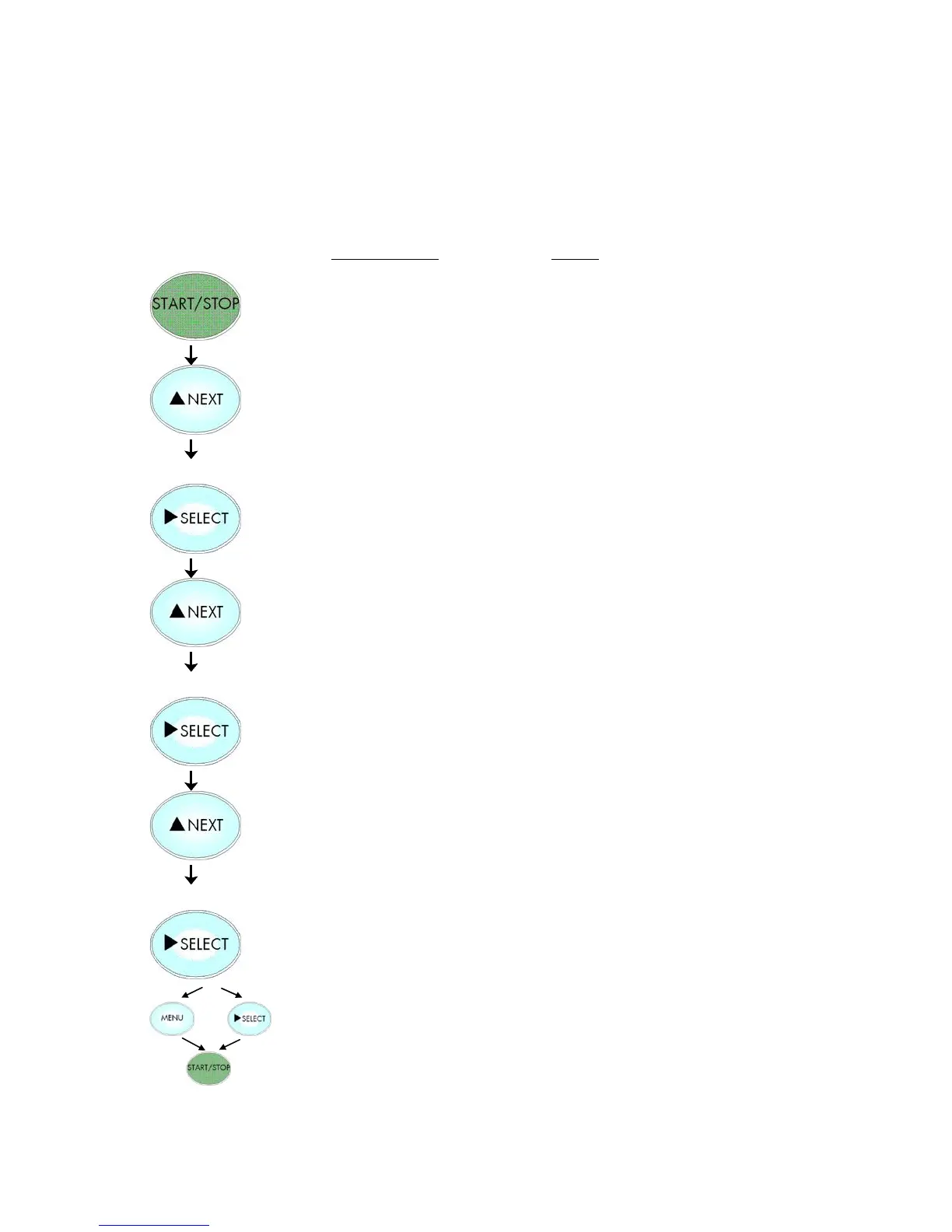
5.16. Emulation Selection
Notes
Turn the printer OFF LINE with this
key.
Press the NEXT or PREVIOUS key until
[Configuration ] is displayed.
Press the NEXT or PREVIOUS key until
[Emulation ] is displayed.
Press the NEXT or PREVIOUS key until
the desired emulation (e.g. HP PCL 5)
is displayed.
The emulation HP PCL 5 is selected.
In addition this new value can be
saved as setup value (using the
SELECT key), before the printer is
turned ON LINE again.



 To Next Page