Panel Functions 103
_______________________________________________________________________________________________
_______________________________________________________________________________________________
MICROPLEX Operator’s Manual SOLID 50 A3 - 3 Edition 2.1
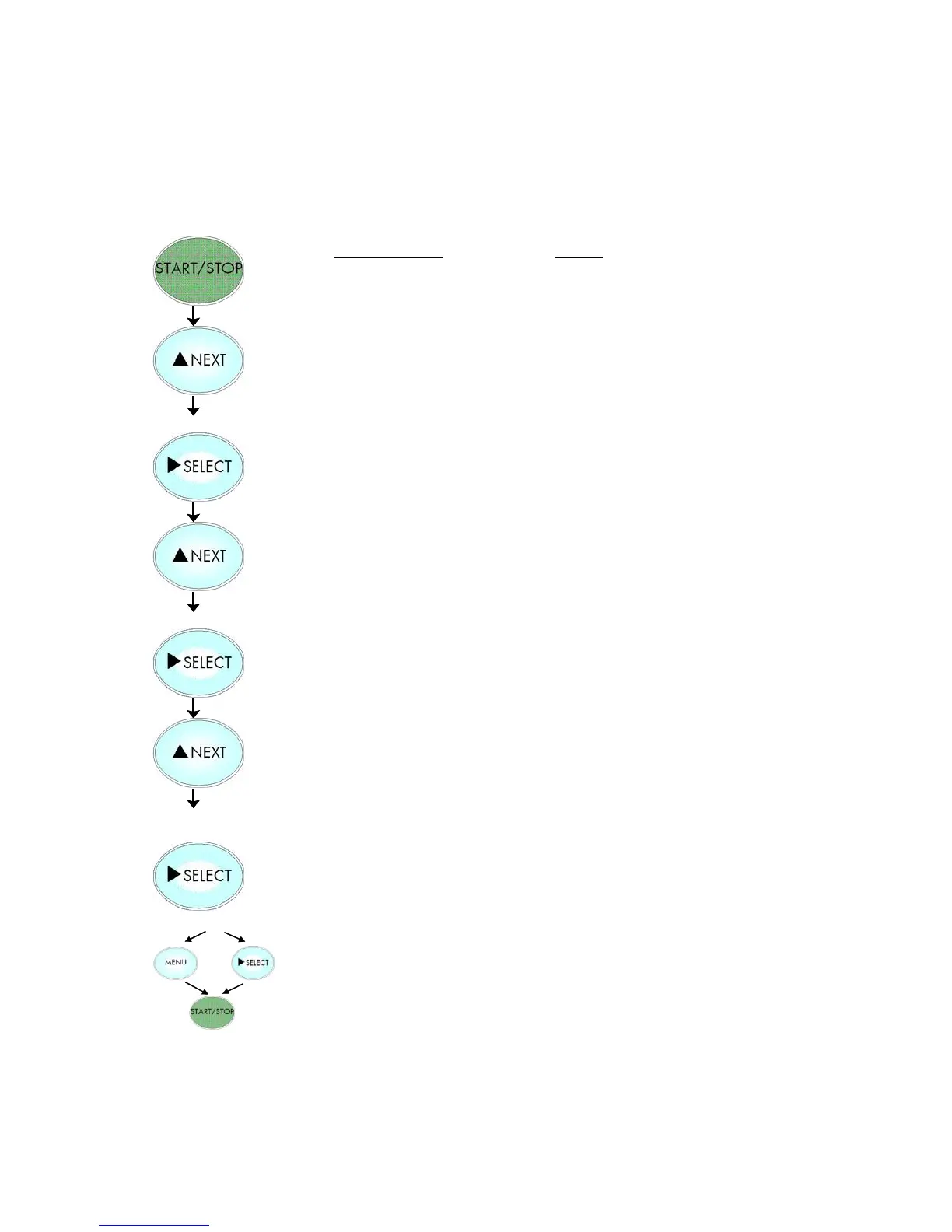
5.25. Image Shifting to the X-Direction
This function shifts the print image in relation to the paper to the
X-direction (crosswise the print direction).
Notes
Turn the printer OFF LINE with this key.
Press the NEXT or PREVIOUS key until
[Engine ] is displayed.
Press the NEXT or PREVIOUS key until
[Image X-Pos. ] is displayed.
The panel function Image Shifting to the
X-Direction is selected.
8/300 inch = currently set value.
Operating the NEXT or PREVIOUS key
the value for the image shift can be
altered. Settable are pos. and neg.
values up to about 1 inch (= 25.4 mm).
Now the image has been shifted for
16/300 inch (about 1.36 mm) to the
right.
In addition this new value can be saved
as setup value (using the SELECT key),
before the printer is turned ON LINE
again.



 To Next Page