EasyManua.ls Logo

Microplex SOLID 50 A3 - 3 - Page 21

Microplex SOLID 50 A3 - 3
157 pages
Print Icon
To Next Page IconTo Next Page
To Previous Page IconTo Previous Page
Loading...
Installation 21
_______________________________________________________________________________________________
_______________________________________________________________________________________________
MICROPLEX Operator’s Manual SOLID 50 A3 - 3 Edition 2.1
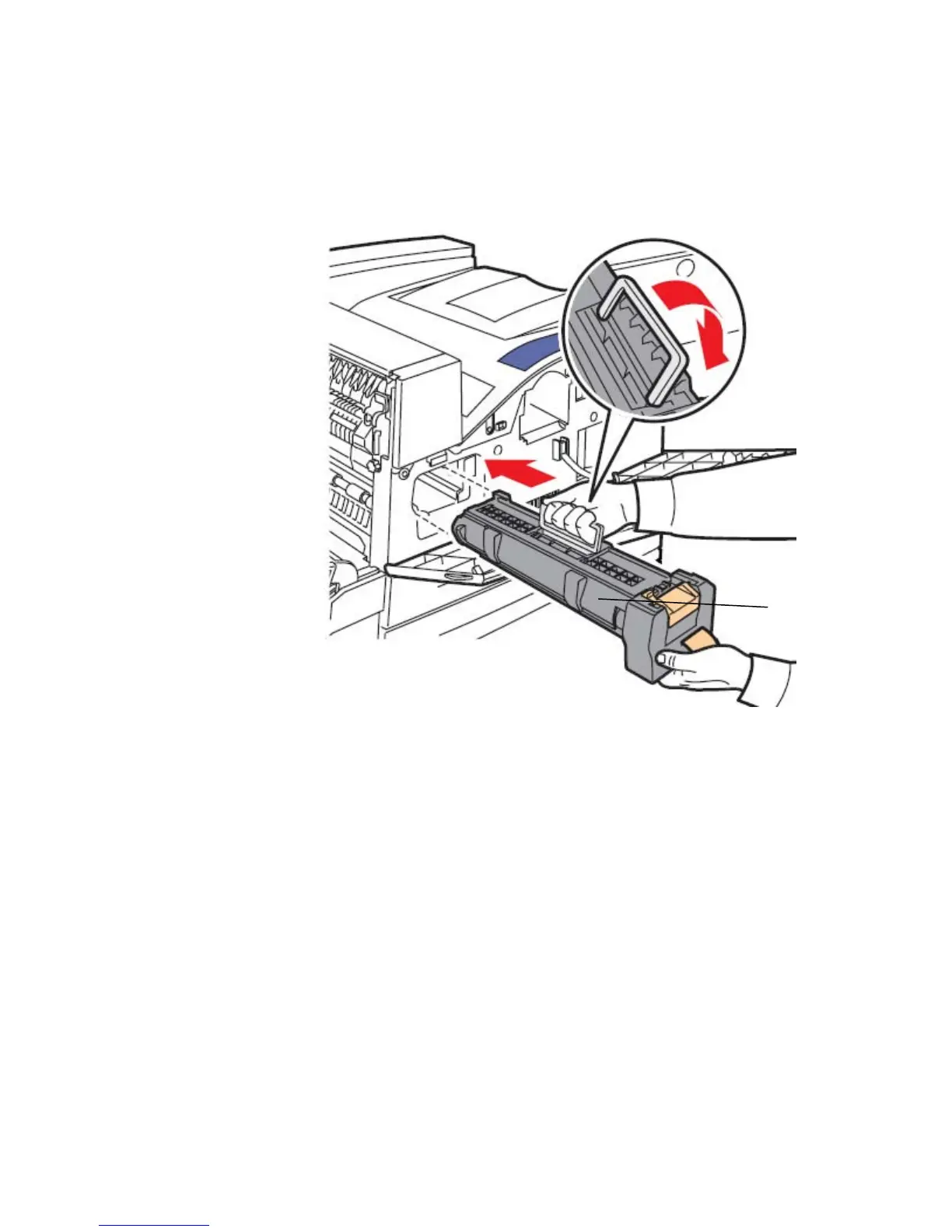
7. Holding the new drum cartridge by the handle and one end,
align the cartridge with the slots inside the printer and slide
the drum cartridge halfway in.
Fig. 2.3.f Inserting the guides of the new drum cartridge
8. Drop the handle back into place.
9. Push the drum cartridge into the printer until the cartridge clicks
into place.
New drum
cartridge

Table of Contents

Related product manuals