OM-267357 Page 34
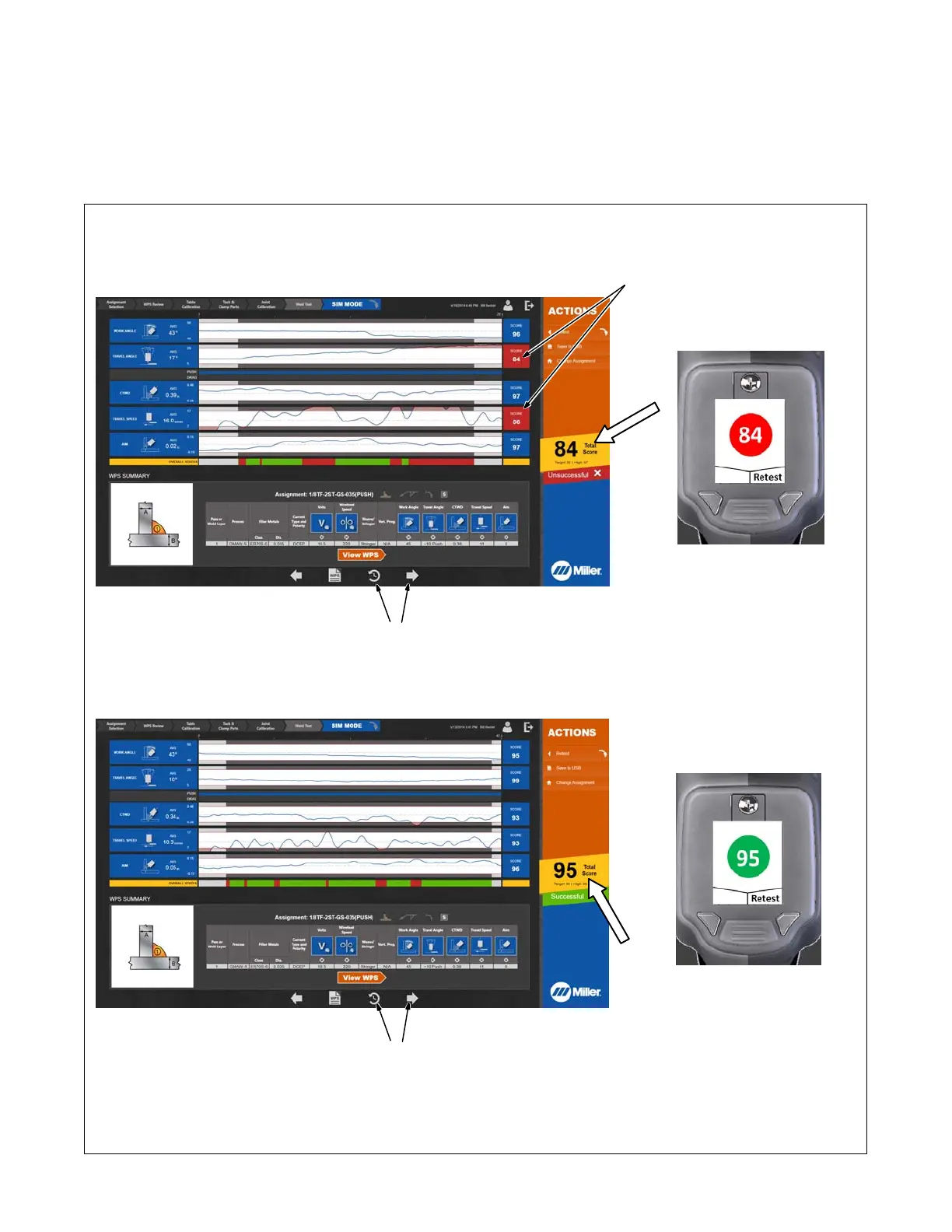
6. Position SmartGun near weld joint. Pull trigger and move gun along entire length of weld joint (4 in. [101 mm] for Miller assignments) in the correct
orientation
and speed as specified on the touchscreen. Release trigger and check score (Figure 7-17). If you fail the simulated test (score less than
90 for Miller assignments), examine scores in individual categories (gun angle, gun speed, contact tip to work distance [CTWD], etc.) to determine
areas of failure.
The requirements for weld joint length, passing test score, and number of passing tests required can be changed by the system administrator
(Section 9).
Touch WPS on screen to review WPS assignment. Touch clock symbol on screen to see test history (Figure 7-18).
Unsuccessful Simulated Test
Successful Simulated Test
Touch to view test history.
Failed test in two categories.
Touch to view test history.
Corresponding
SmartGun Display
Corresponding
SmartGun Display
Figure 7-17. Examining Simulated Weld Test Score















 To Next Page