Mitel 5614 DECT Phone User Manual for MiVB
Accept Invitation Received as Message (PTT Advanced)
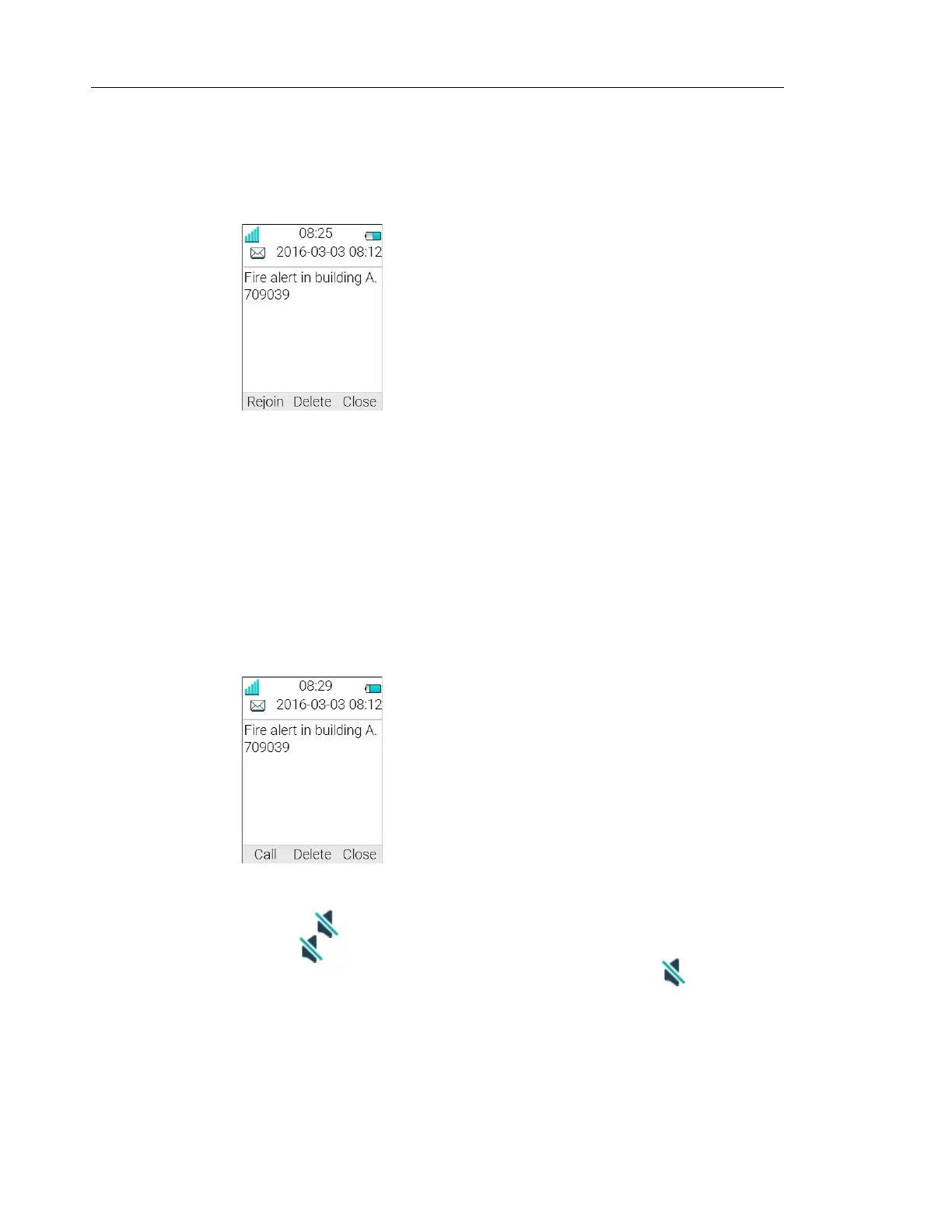
A PTT invitation received as a message is viewed the same way as an ordinary message. The
message can contain up to 1000 characters. See figure 3 on page 82.
Figure 3. Incoming Invitation Received as a Message
1 Press "Accept".
The handset may accept the invitation automatically, start in inverted mute and loudspeaking
mode, depending on the configuration of the received invitation.
When the invitation is accepted, the following screen appears (see figure 4). The invitation can
now be deleted or closed by clicking the soft key Delete or Close, respectively. The call is not
disconnected by clicking these soft keys. The soft key Call is used for re-joining a group only, see
Re-join a Group on page 83.
Figure 4. Accepted PTT Invitation
2 Press and hold to open the microphone for transmitting. The microphone is muted
again when is released.
3 The Multifunction button may have also been configured to act as the button.
NOTE: The support for Multifunction button is dependent on what model of handset that
is used. For more information, see Functions and Accessories on page 3.
Invitation Received as Message during an Ongoing Call
If a user receives an invitation during an ongoing call, the call is disconnected and the PTT call
connected if the following conditions apply:



 To Next Page