VJ-1624X/1624WX/1924WX OPERATION MANUAL 4 Handling the printer
4.2 Media 181
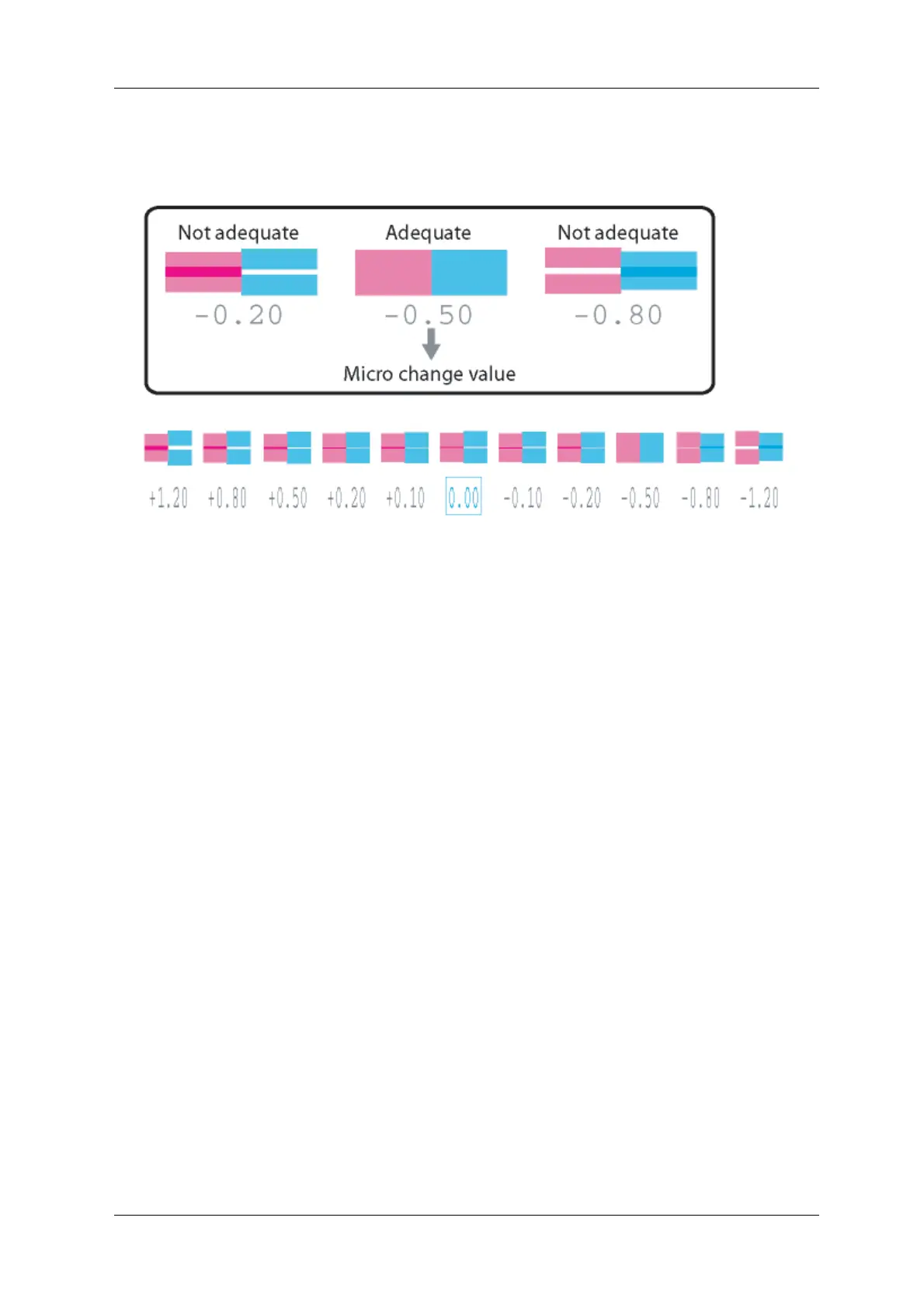
• In the pattern, look for a place that has least white lines or overlapping in images.The number
printed below the adequate pattern is the micro change value.
• After the micro adjustment printing is completed, “Micro Change: 0.00%” is displayed on
Operation panel.
8. Sets up Micro Adjustment Change.
a. Press the [+] key or [–] key and enter the micro adjustment value according to the printing result
in Step 7.
b. Press the [Enter] key on Operation panel.
• The micro adjustment value is saved. (The saved micro change value will be always shifted
to the base value for the pattern printing.)
• “PF4: Micro Print” is displayed on Operation panel.
• The adjustment of media feed compensation value is complete.















 To Next Page