VJ-1624X/1624WX/1924WX OPERATION MANUAL 5 Panel setup menu
5.1 Setup menu 231
5.1.4 Media Initial menu
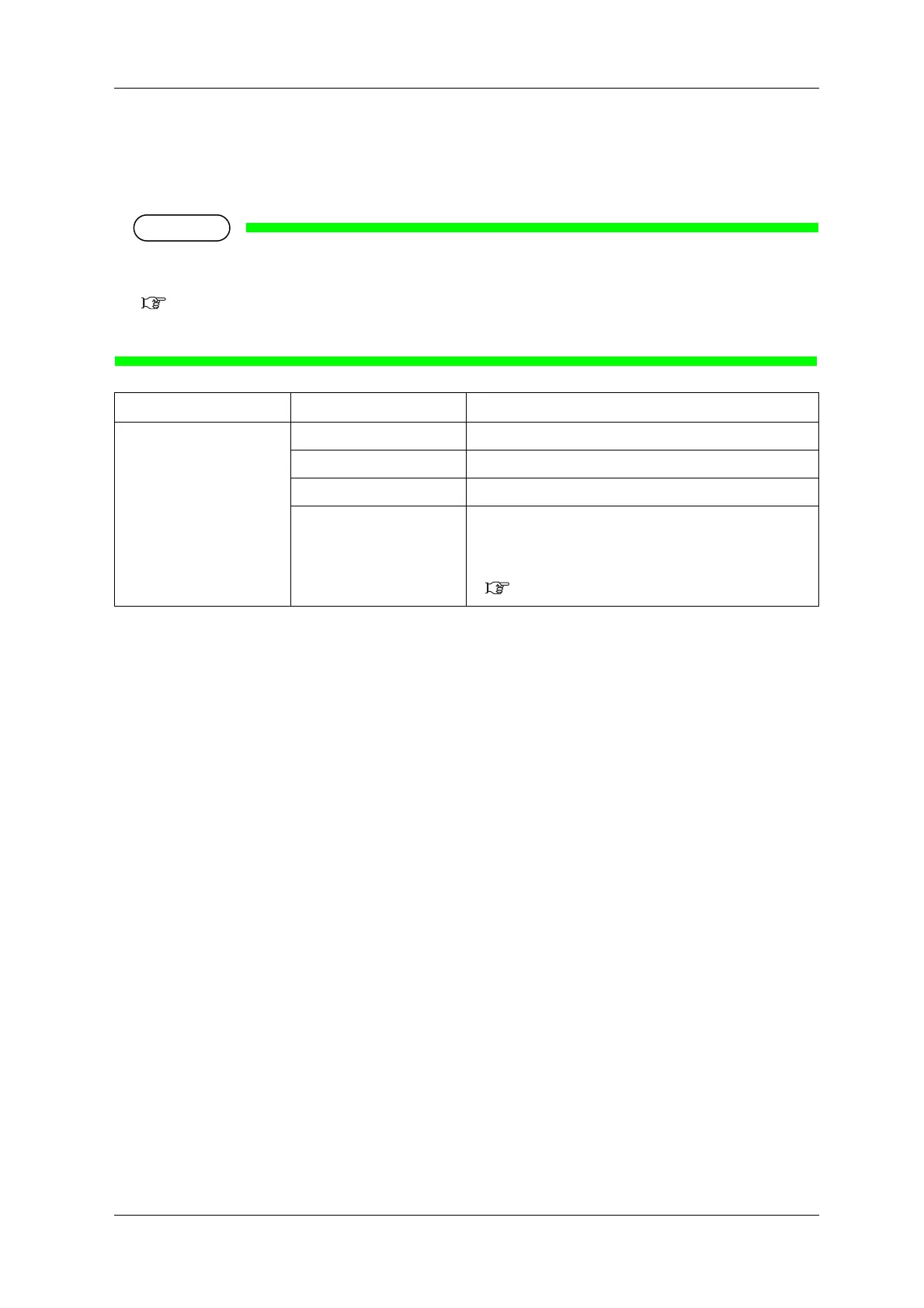
Sets whether to detect the media width and edge while initializing the media.
• When Media Detection menu is set to "Off", set the media width of the current media in Media
Width menu.
5.1.5 Media Width menu
• When the the media detection is set to "Off", the media cannot be cut automatically.
Setup item Setting Description
Init. Off The media will not be detected.
Top&Width Detect the media width and edge while initializing the media.
<Width> Detect the media width while initializing the media.
— • [Enter] key: saves the setting and shifts to the previous
menu.
• [Cancel] key: cancels the setting and shifts to the previous
menu.
5.1 Setup menu















 To Next Page