4 Handling the printer VJ-1624X/1624WX/1924WX OPERATION MANUAL
186 4.3 Menu setups on Operation panel
4.3 Menu setups on Operation panel
4.3.1 Menu setup procedure
Follow the procedure below to configure each setup menu.
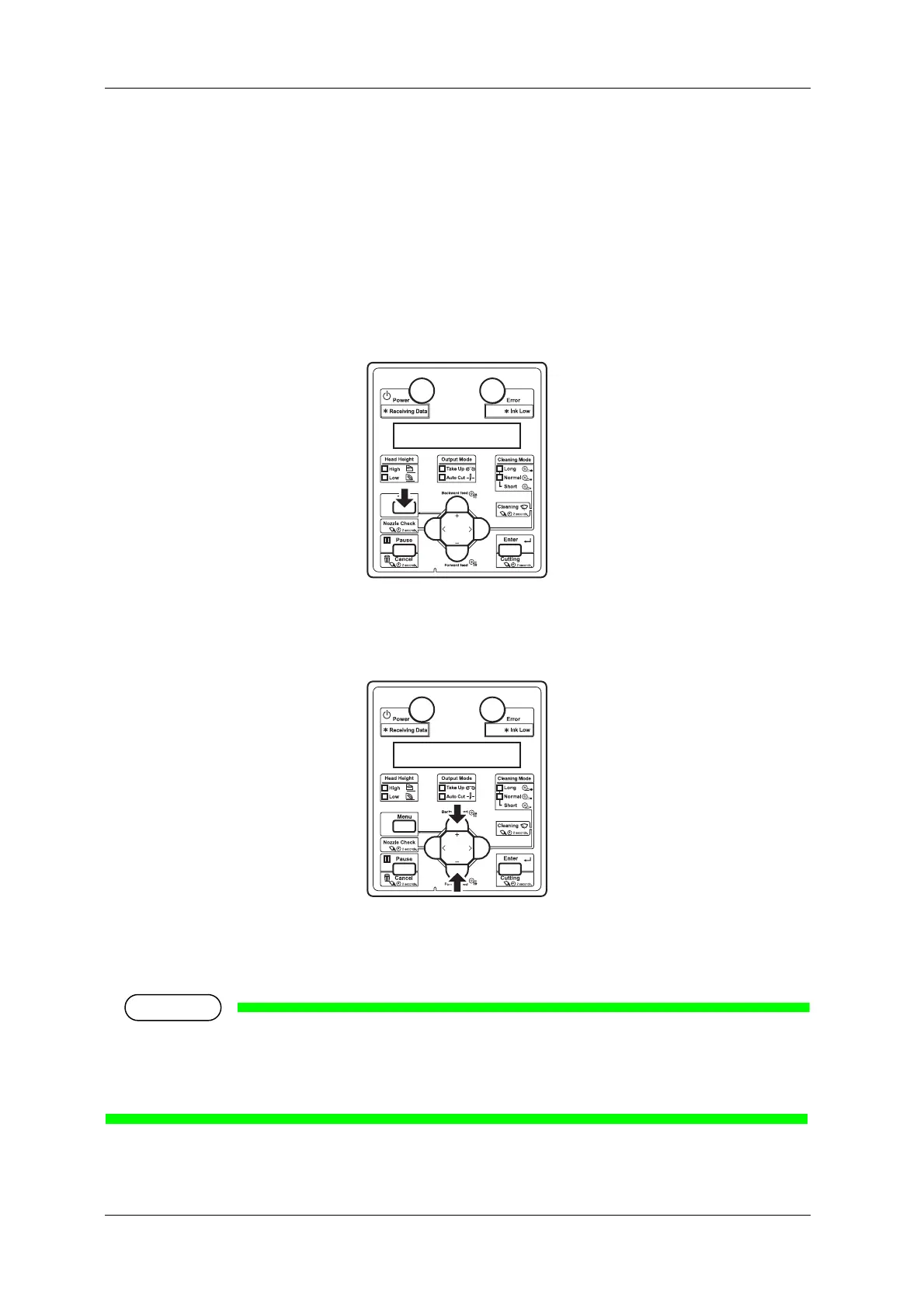
1. Confirm that Operation panel is Normal.
2. Press the [Menu] key on Operation panel.
• "Menu1: Setup>" is displayed on Operation panel.
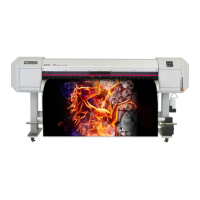
3. Press the [+] key or [-] key on Operation panel to select a setup item and press the [>] key.
• The settings will be confirmed.
• When setup items have a submenu, the display shifts to the next menu.
• When a setup item has a submenu, ">" is displayed on the right end of LCD monitor of Operation
panel.
• For the general outline of each setup item, refer to 4.3.2 Panel setup menu overview.







 To Next Page