EasyManua.ls Logo

Nikon D300S - Page 173

Nikon D300S
501 pages
Print Icon
To Next Page IconTo Next Page
To Previous Page IconTo Previous Page
Loading...
II
Copying
White
Balance
from
d-O
to
Presets
d-
7-d-4
Follow
the
steps
below
to
copy a measured value for
white
balance
from
d-O
to
any
of
the
other
presets
(d-l-d-4).
,
..
I
White
balance
-.:.
~
Incandescent
II
**
Fluorescent
I
!~~wM~
ti'~'
t\..
Shade
!!!~.~
13
Choosecolor
temp.
(.'/;"
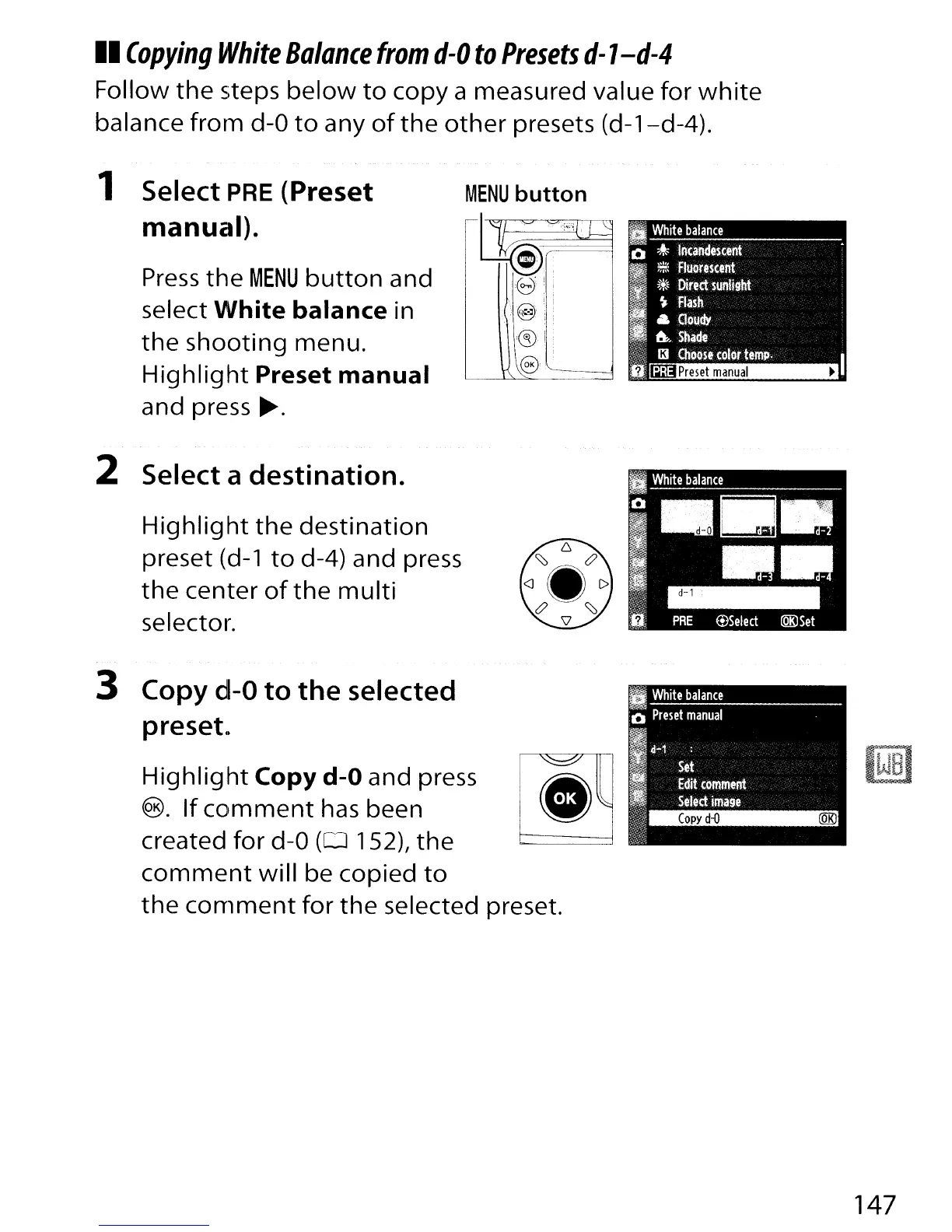
1 Select PRE
(Preset
manual).
Press
the
MENU
button
and
select
White
balance
in
the
shooting
menu.
Highlight
Preset
manual
and press
~.
MENU
button
~~0
18!:
..
@
:e§)
r
@.------------l
-==:..;..;.;..;;.;..;.;.;.;.;.;=:...--~
2 Select a
destination.
Highlight
the
destination
preset
(d-l
to
d-4) and press
the
center
of
the
multi
selector.
3 Copy
d-O
to
the
selected
preset
..
Highlight
Copy
d-O and press
®.
If
comment
has
been
created
for
d-O
(0
152t
the
comment
will
be copied
to
the
comment
for
the
selected preset.
147

Table of Contents

Other manuals for Nikon D300S

Related product manuals