EasyManua.ls Logo

Nikon D300S - Page 187

Nikon D300S
501 pages
Print Icon
To Next Page IconTo Next Page
To Previous Page IconTo Previous Page
Loading...
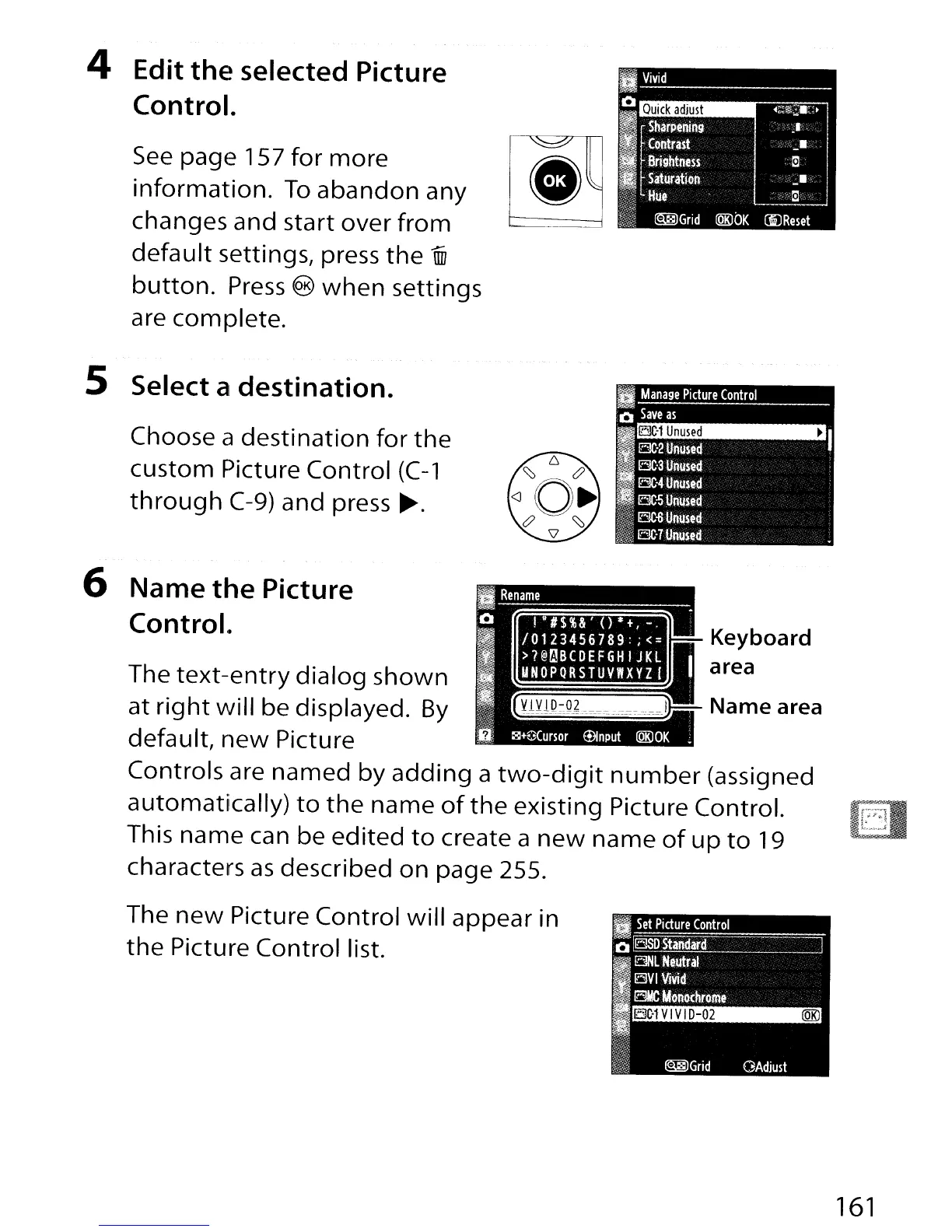
4 Edit the selected Picture
Control.
See
page 157
for
more
[
*~
information.
To
abandon
any
changes and start over
from·-·-
default
settings, press
the
lID
button.
Press
@
when
settings
are complete.
1BC·1
Unused
~
,.
Manage
Picture
Control
o
Save
as
1IlBC-2
Unused
I
...
"'
1BC·3
Unused
~
1BC-4
Unused
11BC-5
Unused
[~~~~~~:::
Choose a
destination
for
the
custom Picture Control
(C-1
through
C-9)
and press
~.
5 Select a destination.
Keyboard
area
The
text-entry
dialog shown
at
right
will
be displayed.
By
default,
new
Picture
Controls are named by
adding
a
two-digit
number
(assigned
automatically)
to
the
name
of
the
existing Picture Control.
This name can be
edited
to
create a
new
name
of
up
to
19
characters
as
described
on
page 255.
6 Name the Picture
Control.
lBC-1
VIVI
D-02
@Rl
II
Set
Picture
Control
Q~
I
fBNL
Neutral
ElVI
Vivid
.~_M_ro
..
The
new
Picture Control
will
appear in
the
Picture Control list.
~Grid
OAdjust
161

Table of Contents

Other manuals for Nikon D300S

Related product manuals