No
Yes
@K)
II
Manage
Picture
Control
o
Delete
from
card
I
(1)
:~:::R:;:_~7troll
Sharing Custom Picture Controls
Custom Picture Controls created using
the
Picture Control
Utility
available
with
ViewNX
or
optional
software such
as
Capture
NX
2
can be copied
to
a
memory
card and loaded
into
the
camera,
or
custom Picture Controls created
with
the
camera can be copied
to
the
memory
card
to
be used in
compatible
cameras and software
and
then
deleted
when
no
longer
needed
(if
two
memory
cards
are inserted,
the
card in
the
primary
slot will be used;
QJ
72).
To
copy custom Picture Controls
to
or
from
the
memory
card,
or
to
delete custom Picture
Controls
from
the
memory
card,
highlight
Load/Save in
the
Manage
Picture Control
menu
and press
~.
The
following
options
will
be displayed:
•
Copy
to
camera:
Copy custom Picture Controls
from
the
memory
card
to
custom Picture Controls
C-1
through
C-9 on
the
camera
and name
them
as
desired.
•
Delete
from
card:
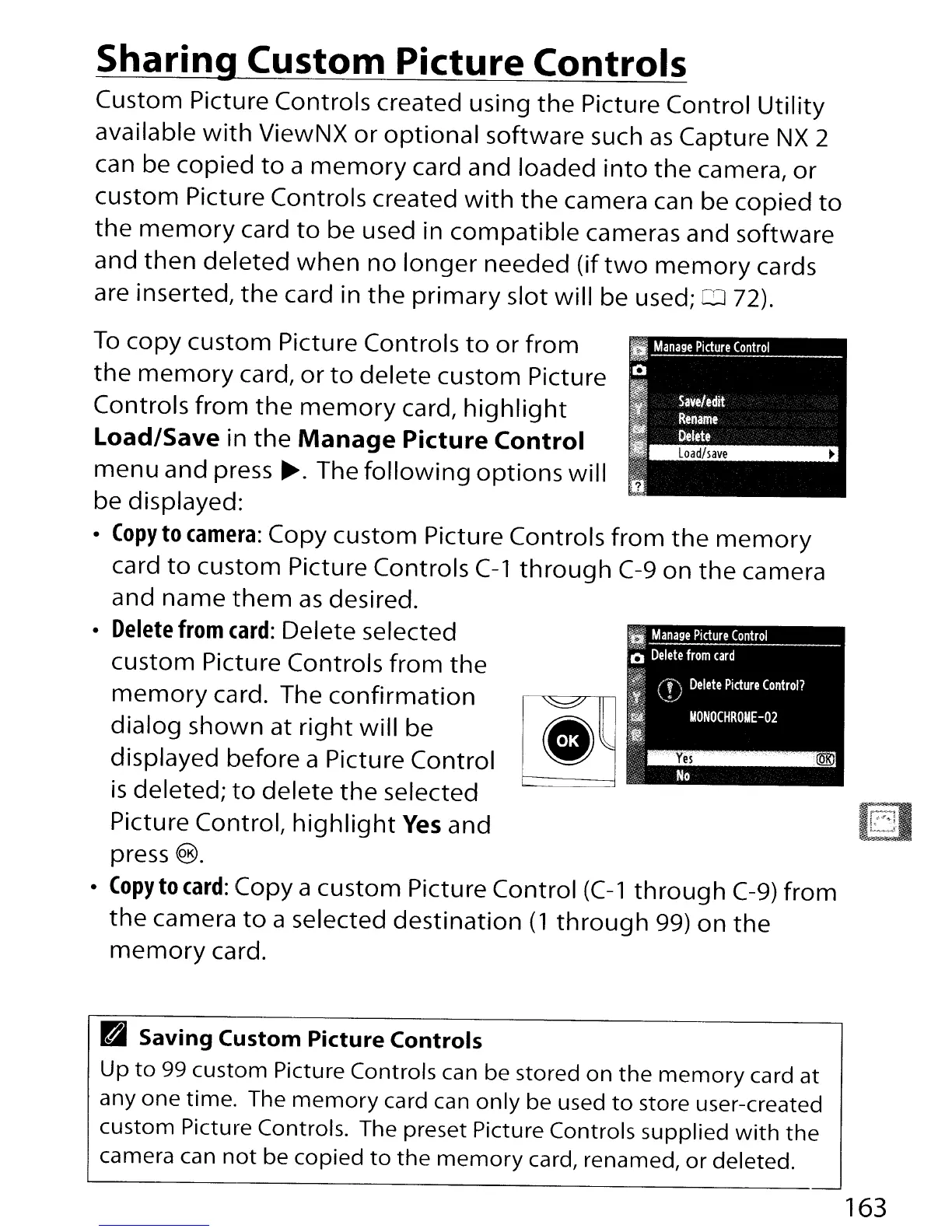
Delete selected
custom Picture Controls
from
the
memory
card. The
confirmation
~
dialog shown at
right
will
be
e""'
displayed before a Picture Control W
is
deleted;
to
delete
the
selected
Picture Control,
highlight
Yes
and
press
®.
•
Copy
to
card:
Copy a custom Picture Control
(C-1
through
C-9)
from
the
camera
to
a selected
destination
(1
through
99)
on
the
memory
card.
Pai
Saving Custom Picture Controls
Up
to
99 custom Picture Controls can be stored on
the
memory
card at
anyone
time. The
memory
card can
only
be used
to
store user-created
custom Picture Controls. The preset Picture Controls supplied
with
the
camera can
not
be copied
to
the
memory
card, renamed,
or
deleted.
163



 To Next Page