EasyManua.ls Logo

Nikon D300S - Page 47

Nikon D300S
501 pages
Print Icon
To Next Page IconTo Next Page
To Previous Page IconTo Previous Page
Loading...
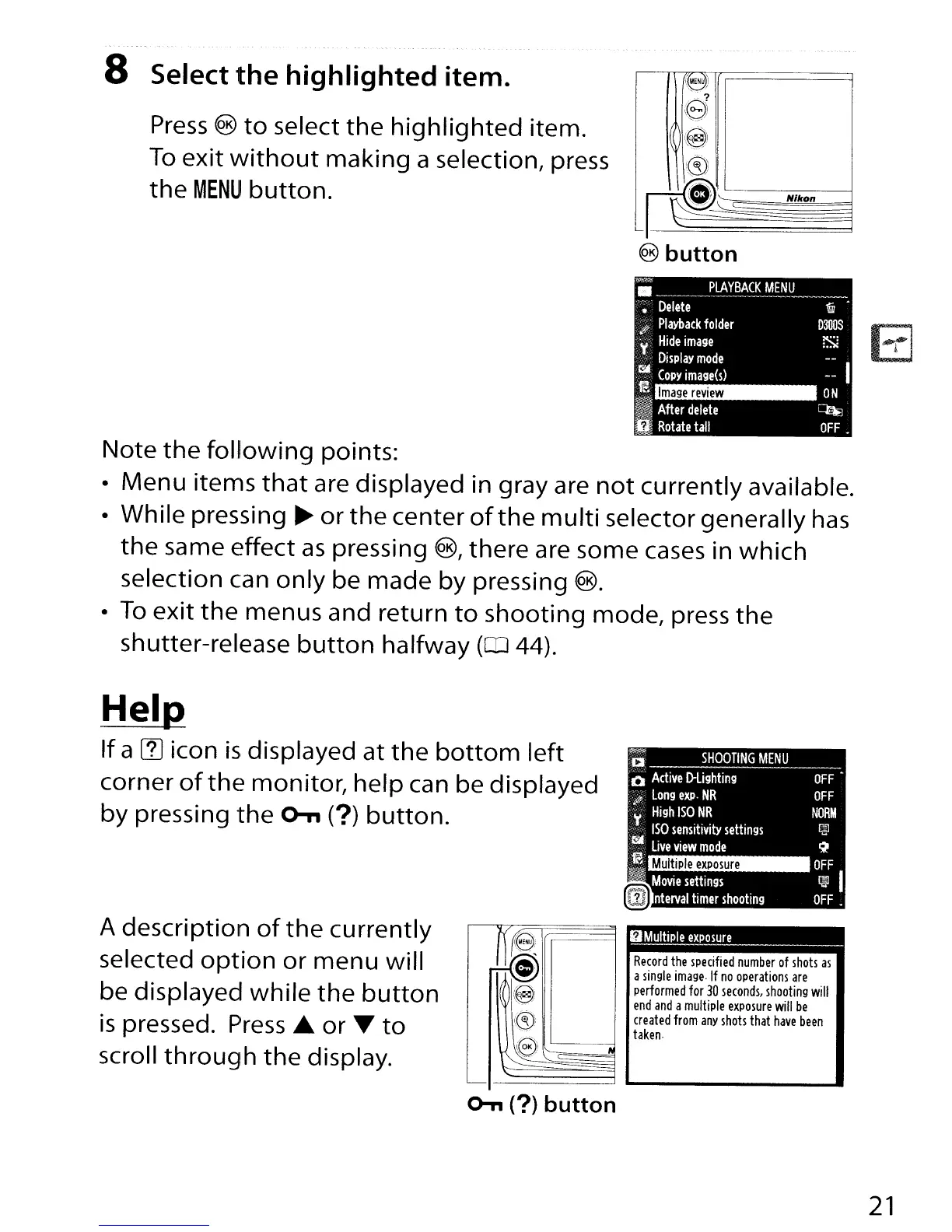
8 Select the highlighted item.
Press
®
to
select
the
highlighted
item.
To
exit
without
making
a selection, press
the
MENU
button.
Note
the
following
points:
Menu
iterT1S
that
are displayed in gray are
not
currently available.
While pressing
~
or
the
center
of
the
multi
selector generally
has
the
same effect
as
pressing
@,
there are some
cases
in
which
selection can
only
be made
by
pressing ®.
To
exit
the
menus and return
to
shooting
mode, press
the
shutter-release
button
halfway
(CD
44).
Multiple
exposure
Hel~
If
a
(1J
icon
is
displayed at
the
bottom
left
corner
of
the
monitor, help can be displayed
by
pressing
the
o-n
(?)
button.
~~
'a
SHOOTING
MENU
o
Active
D-lighting
-$
Long
exp·
NR
~
High
ISO
NR
ISO
sensitivity
settings
.r:lI.
Live
view
mode
m
~
~<
,
Movie
settings
II
nterval
timer
shooting
OFF
OFF
NORM
~
~
OFF
~
I
OFF.
A description
of
the
currently
selected
option
or
menu will
be displayed
while
the
button
is
pressed. Press£.
or
~
to
scroll
through
the
display.
UMultiple
exposure
_
Record
the
specified
number
of
shots
as
a
single
image
If
no
operations
are
performed
for
30
seconds,
shooting
will
end
and
a
multiple
exposure
will
be
created
from
any
shots
that
have
been
taken
o-n
(?)
button
21

Table of Contents

Other manuals for Nikon D300S

Related product manuals