Getting Started
893-00992-E
1-25
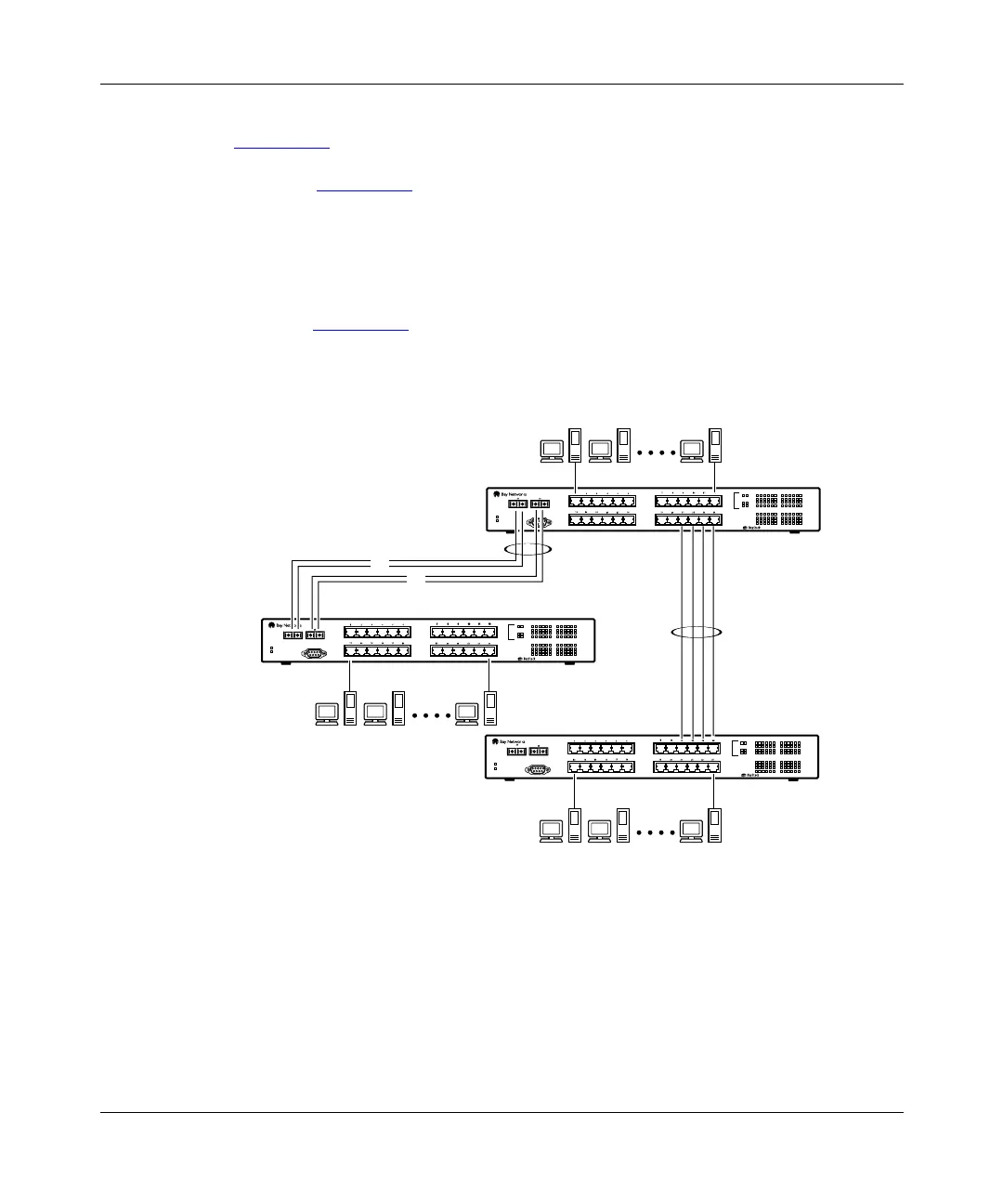
You can configure individual trunks between multiple switches as shown in
Figure 1-15
.
Although Figure 1-15
shows only two inter-switch trunks (I1 and I2) connecting
switch SW1 to switches SW2 and SW3, you can configure any BayStack 350
switch with up to four inter-switch trunks.
You can configure MultiLink trunks with up to four switch ports to provide up to
800 Mb/s aggregate bandwidth through each trunk, in full-duplex mode. As
shown in Figure 1-15
, when traffic between switch-to-switch connections
approaches single port bandwidth limitations, creating a MultiLink trunk can
supply the additional bandwidth required to improve the performance.
Figure 1-15. Inter-switch trunk configuration example
6122ED
SW1
SW2
SW3
I1
I2
Diagnostics
Comm Port
Power
123456
F Dx
26
100
Activity
25
Activity
F Dx
10
100
789101112
13 14 15 16 17 18
Activity
F Dx
10
100
19 20 21 22 23 24
350F-HD
10/100 Autosense Switch
Diagnostics
Comm Port
Power
123456
F Dx
26
100
Activity
25
Activity
F Dx
10
100
789101112
13 14 15 16 17 18
Activity
F Dx
10
100
19 20 21 22 23 24
350F-HD
10/100 Autosense Switch
Diagnostics
Comm Port
Power
123456
F Dx
26
100
Activity
25
Activity
F Dx
10
100
789101112
13 14 15 16 17 18
Activity
F Dx
10
100
19 20 21 22 23 24
350F-HD
10/100 Autosense Switch
F
F














 To Next Page