PART 1: CX-Programmer
APPENDIX A – Toolbars and Keyboard Shortcuts OMRON
CX-Programmer _Page 124
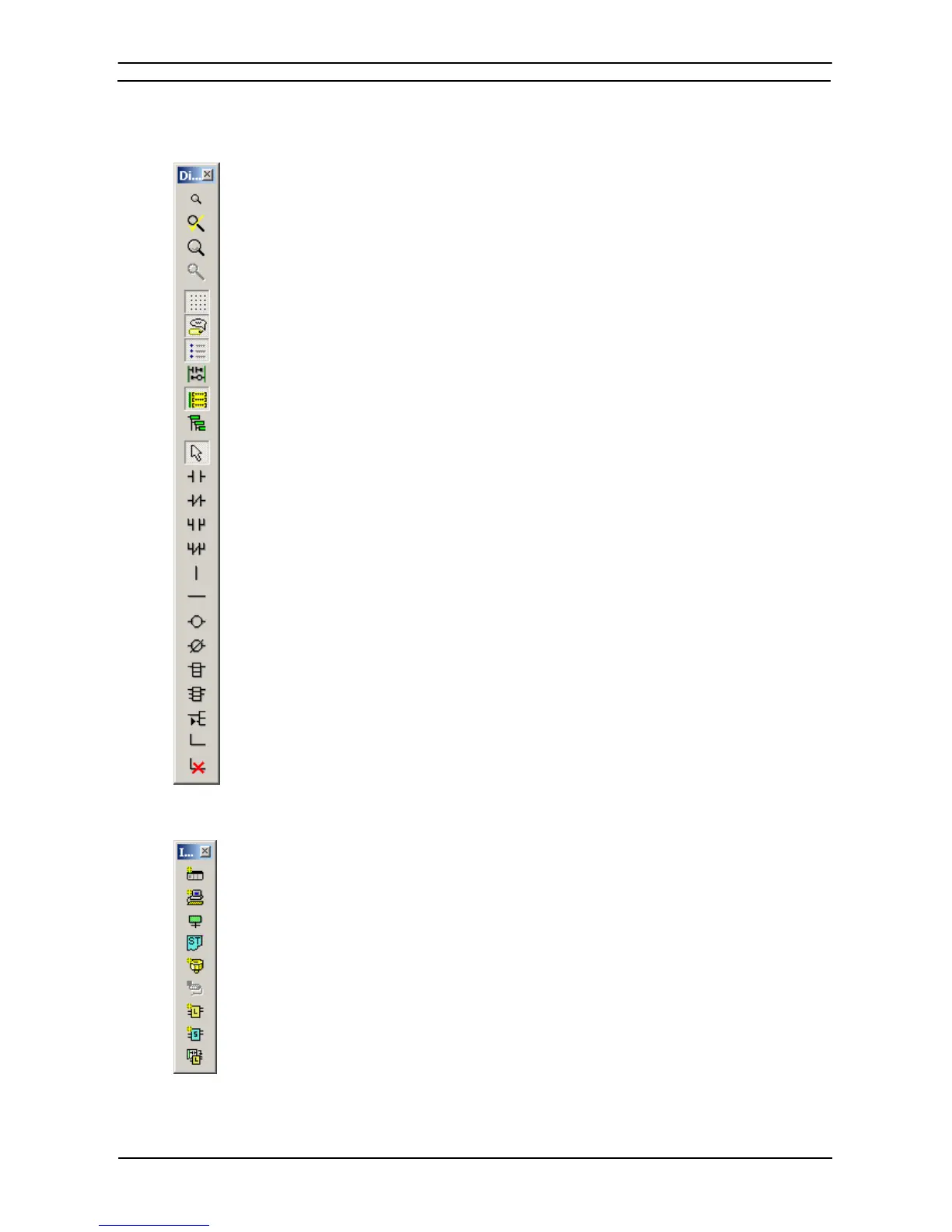
Diagram Toolbar
Zoom Out – zooms out the display of the ladder editing window.
Zoom To Fit – zooms the display to fit ladder program width into the window.
Zoom In – zooms in the display of the ladder editing window.
Zoom Reset – Reset the zoom display of the window.
Grid – toggles the display of the diagram grid.
Show Comments – toggles the symbol comments On and Off.
Show Rung Annotations – toggles the rung annotation On and Off.
Monitor in RungWrap – Wraps the rungs when monitoring.
Show Program/Section Comments – shows comments on top of the ladder view.
Multi-Interlock Map – shows the nesting of interlocks.
Selection Mode – returns to normal mouse selection mode.
New Contact – creates a new normally open contact.
New Closed Contact – creates a new normally closed contact.
New Contact OR – creates a new normally open OR contact.
New Closed Contact OR – creates a new normally closed OR contact.
New Vertical – creates a new vertical connection.
New Horizontal – creates a new horizontal connection.
New Coil – creates a new normally open coil.
New Closed Coil – creates a new normally closed coil.
New PLC Instruction – creates a new PLC instruction call.
New Function Block Call – creates a new Function Block call in the program.
New Function Block Parameter – creates a new Function Block parameter of a Function Block cell.
Line Connect Mode – enables creating connection lines.
Line Delete Mode – enables deleting lines.
Insert Toolbar
New PLC – inserts a new PLC into the project.
New Program – inserts a new program into the PLC program list.
Insert SFC Program – Creates a new SFC Program.
Insert ST Program – Creates a new Structured Text Program.
New Section – inserts a new section into program section list.
New Symbol – inserts a new symbol into the symbol table.
New Ladder Function Block – inserts a new Ladder Function Block
into the Function Block list.
New Structured Text Function Block – inserts a new Structured Text
Function Block into the Function Block list.
Function Block (ladder) generation − Generate Function Block
(ladder)








 To Next Page