PART 1: CX-Programmer
OMRON APPENDIX A – Toolbars and Keyboard Shortcuts
CX-Programmer _Page 125
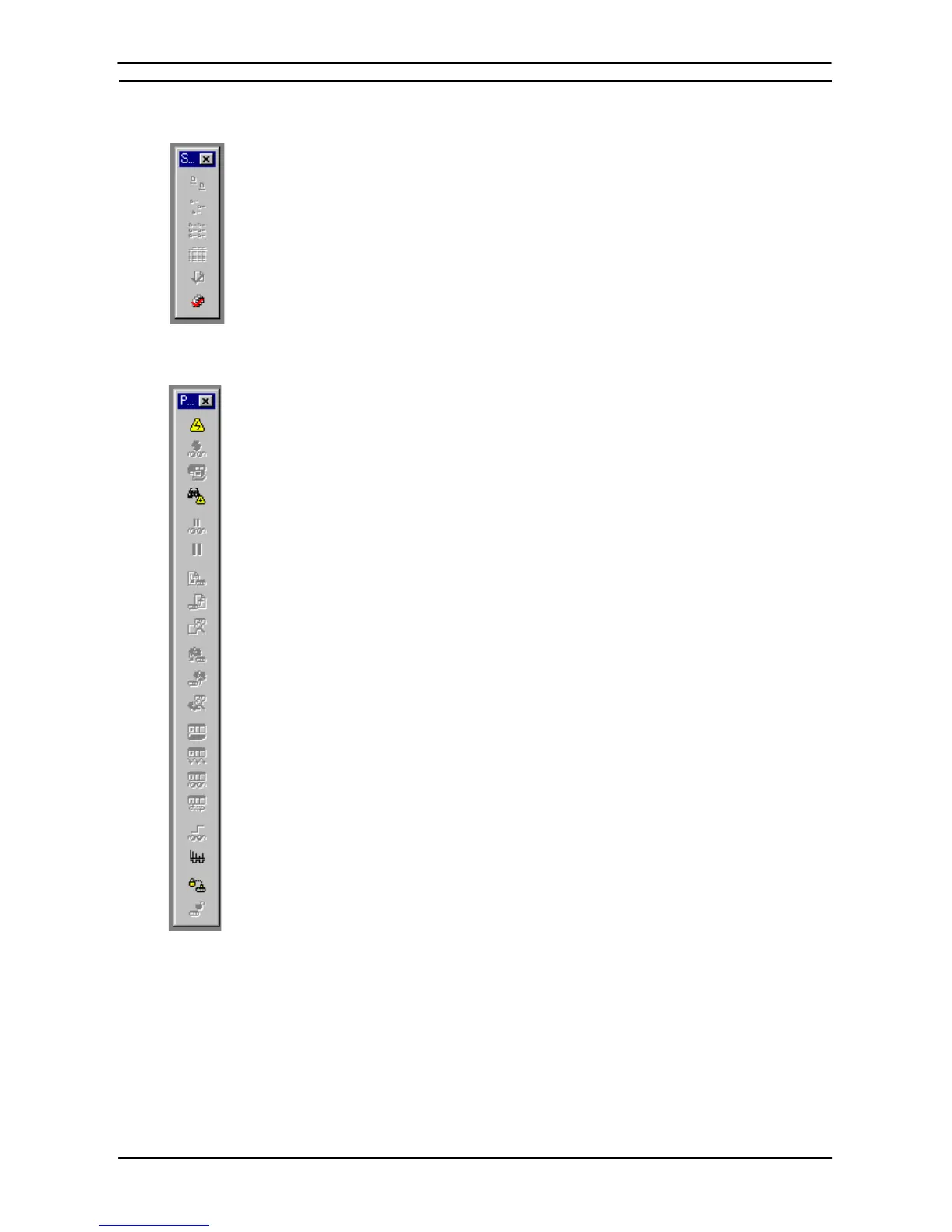
Symbol Table Toolbar
Large Icons – displays items using large icons.
Small Icons – displays items using small icons.
List – displays items as a list.
Details – displays items as a report.
Validate Symbols (Selected Item) – checks the current symbol table.
Validate Symbols (All) – checks all symbol tables in the PLC.
PLC Toolbar
Work Online – toggles the connection to the selected PLC.
Toggle PLC Mounting – toggles monitoring for this PLC.
Work Online Simulator – toggles the connection to the Simulator.
Auto Online – toggles the connection to the PLC automatically.
Pause Upon Trigger – begins a pause monitoring operation.
Pause – toggles monitoring On and Off.
Transfer to PLC – writes program information into the PLC.
Transfer from PLC – reads program information from the PLC.
Compare with PLC – compares program information with the PLC.
Task Transfer to PLC – writes individual tasks to the PLC.
Task Transfer from PLC – reads individual tasks from the PLC.
Compare Task with PLC – compares individual tasks with the PLC.
Program Mode – switches the PLC into program operation mode.
Debug Mode – switches the PLC into debug operation mode.
Monitor Mode – switches the PLC into monitor operation mode.
Run Mode – switches the PLC into run operation mode.
Differential Monitor – monitors for a change in a bit.
Data Trace – traces PLC memory contents.
Set Password – sets password protection in the PLC.
Release Password – releases password protection in the PLC.








 To Next Page