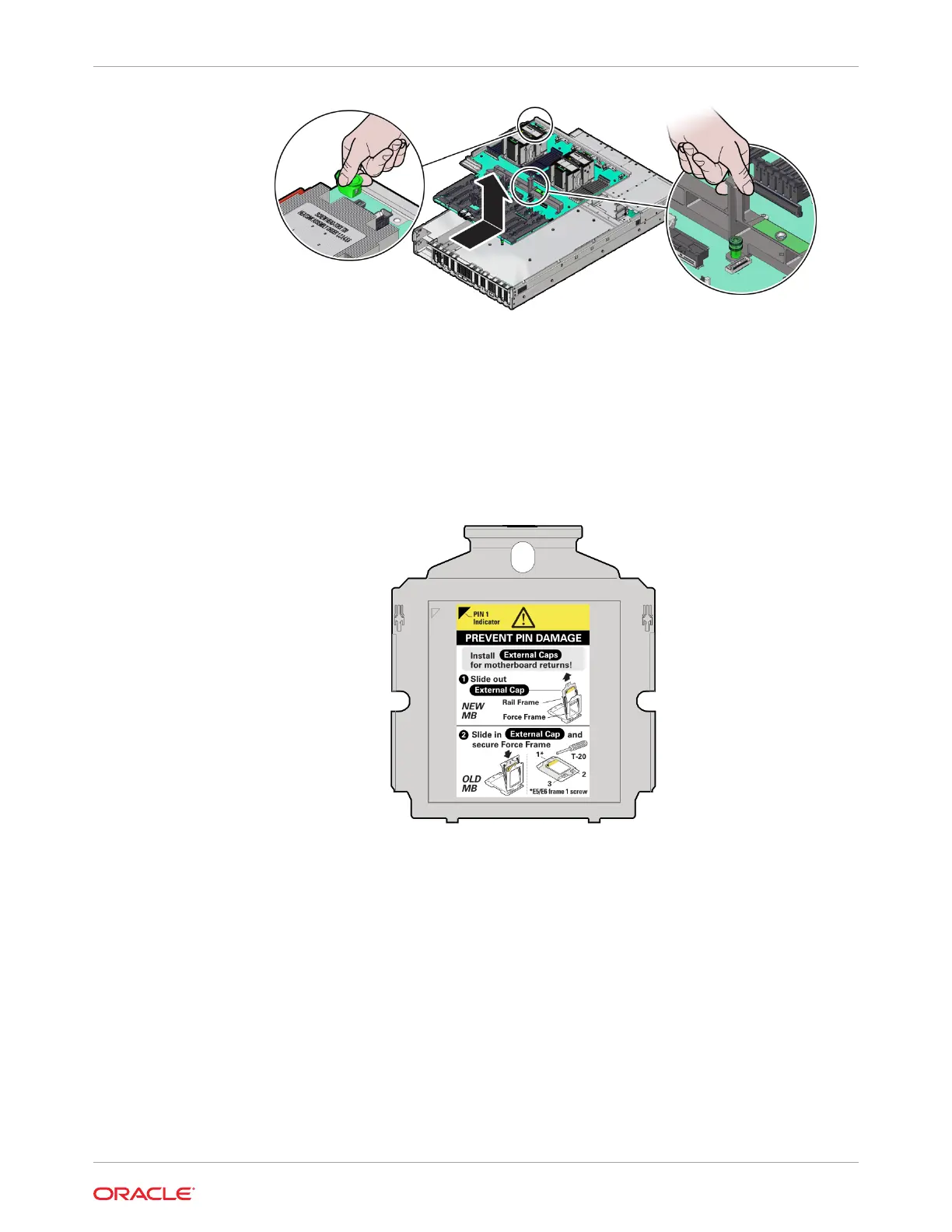
c. Place the motherboard assembly on an antistatic mat.
11. Unpack and place the new motherboard assembly on an antistatic mat by the old
motherboard.
12. Remove the External Cap(s) from the new replacement motherboard:
The external cap is used to protect the socket pins if the processor is not installed. It must
be removed before a processor can be installed. The following figure shows the External
Cap.
a. Unscrew the socket Force Frame.
Using a Torx T20 screwdriver, fully loosen the captive Force Frame Retention Screw
that secures the Force Frame to the socket. Apply counter-pressure to the spring-
loaded force frame when opening.
Chapter 5
Servicing the Motherboard Assembly (FRU)
5-43












 To Next Page