range Pi User Manual Copyright reserved by Shenzhen Xunlong Software Co., Ltd
92
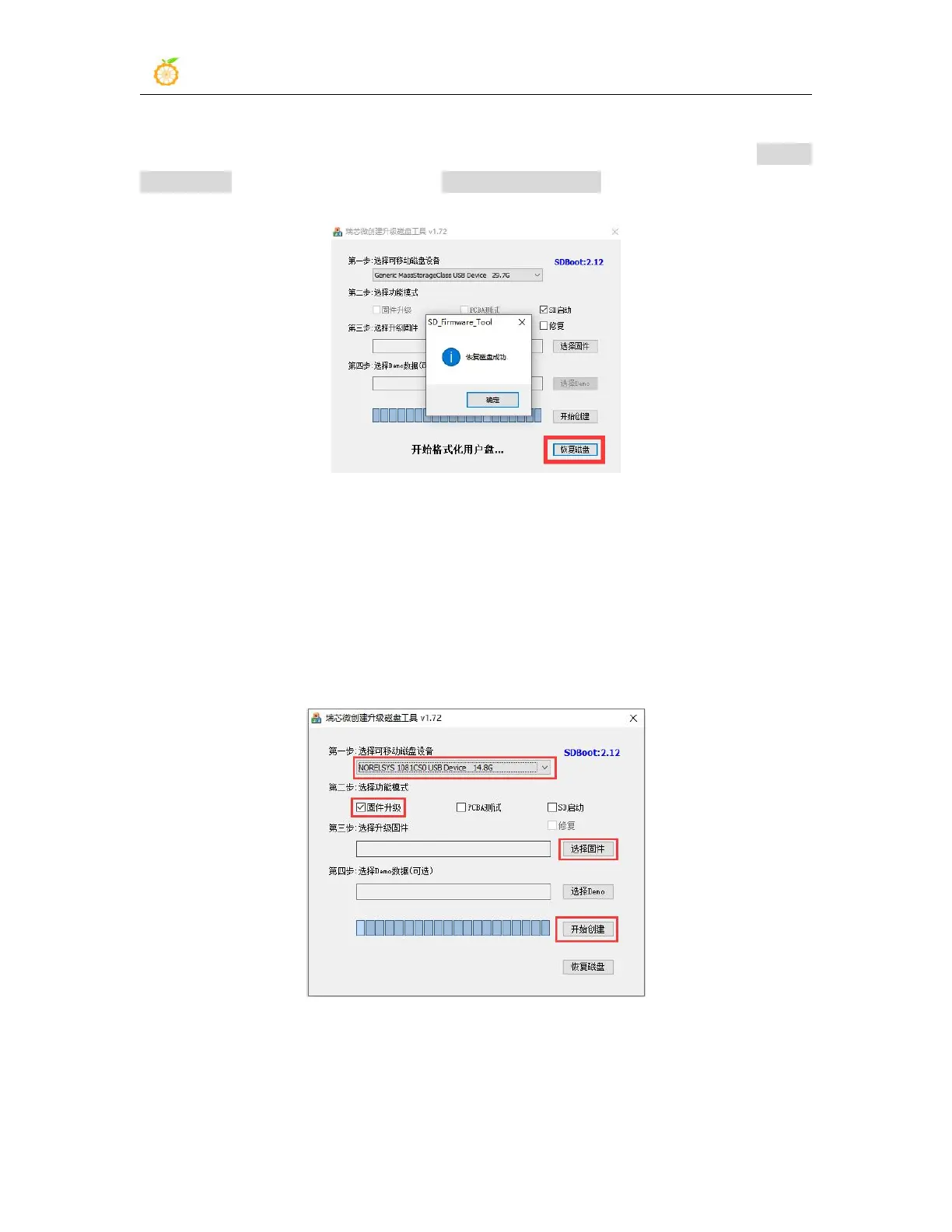
9) After confirming the drive letter, you can format the TF card first, click the restore
disk button in SDDiskTool, or use the SD Card Formatter mentioned above to format
the TF card
10) Then start to write the Android image into the TF card
a. First confirm that the displayed drive letter is the drive letter corresponding to
the TF card under "Select Removable Disk Device"
b. Then select "Firmware Upgrade" in "Select Function Mode"
c. Then select the path of the Android firmware in the "Select Upgrade
Firmware" column
d. Finally click the "Start Create" button to start burning
11) After the burning is completed, the display is as shown in the figure below, and then
you can exit SDDiskTool



 To Next Page