8 Scan Tool User Guide
Software Descriptions
1: General Information
Scan Diagnostic Applications
When you select Scan Diagnostics from the Applica-
tion Manager screen (Figure 1.20
on page 7), the
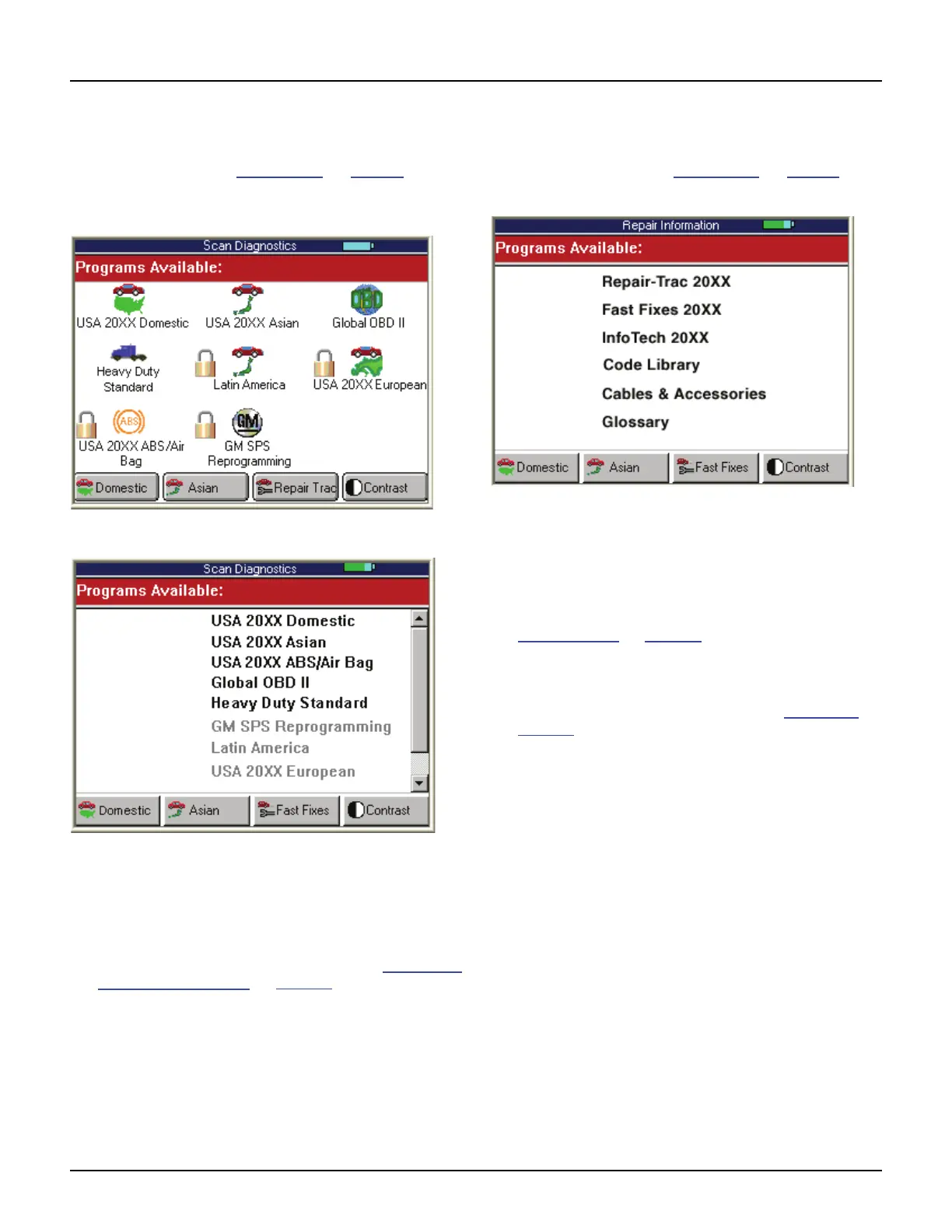
Scan Diagnostics screen appears, as shown in the
examples below.
Figure 1.21: Scan Diagnostics Screen - Graphic User Interface
Figure 1.22: Scan Diagnostics Screen - Classic User Interface
This screen contains options for using the following
software applications:
• Domestic, Asian, ABS/ Air Bag, European, Heavy
Duty, Latin America, and Global OBD II applications
are for vehicle diagnostic testing. Refer to Scan Diag-
nostics Applications on page 15.
• GM SPS Reprogramming applications is for pro-
gramming of GM vehicle control units. Refer to the
separate manual provided with the GS SPS Repro-
gramming application.
Repair Information Applications
When you select Repair Information from the Appli-
cation Manager screen (Figure 1.20
on page 7), the
Repair Information screen appears, as shown below.
Figure 1.23: Repair Information Screen - Classic User Interface
This screen contains options for using the following
software applications:
• Repair-Trac™ contains repair instructions for hard-
to-diagnose “pattern failures.” Simply enter the vehi-
cle information and then view the data. Refer to
Repair Trac™
on page 55.
• Fast Fixes
™ contains vehicle-specific repair solu-
tions for many “likely” or “overlooked” causes of
component problems. Simply enter the vehicle infor-
mation and then view the data. Refer to Fast Fixes
on
page 56
.
• InfoTech is a database of component and vehicle
repair and test instructions. For a complete descrip-
tion, refer to the separate Scope / InfoTech User
Guide.
• Code Library is several databases that contain vehi-
cle-specific lists of diagnostic trouble codes (DTCs)
and their names. Simply enter the vehicle information
and view the DTC descriptions.
• Cables & Accessories is a list of replacement and
optional cables and optional accessories available.
• Glossary is a list of abbreviations and terms.



 To Next Page