58 Scan Tool User Guide
Code Information
10: Pathfinder Troubleshooting
Code Information
The Code Information option lets you view informa-
tion for Diagnostic Trouble Codes for a vehicle being
tested.
1 Follow the steps in Basic Procedure on page 55 to
display the Pathfinder Troubleshooting screen (see
Figure 10.1
).
2 Select Code Information and press the ENTER key.
NOTE: If a Ford selection screen appears, select
from the KOEO and KOER options.
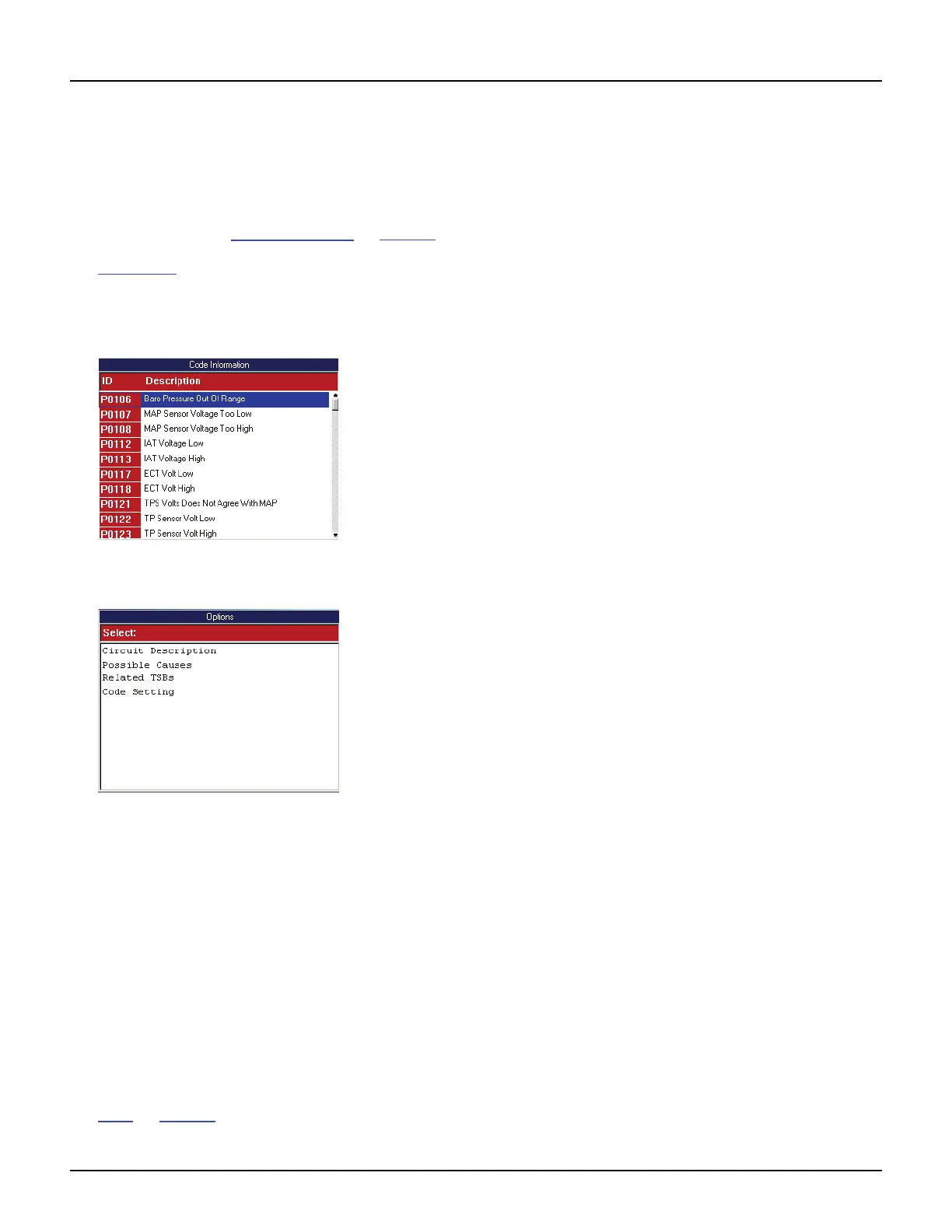
Figure 10.8: Code Information Screen
3 Select a code and press the ENTER key.
Figure 10.9: Options Screen
4 Select an option and press the ENTER key:
• Circuit Description - displays a summary of
the circuit operation for the DTC.
• Possible Causes - lists possible causes for the
DTC.
• Related Technical Service Bulletins (TSBs)
- lists TSBs available for the DTC.
• Code Setting - displays a menu screen for
selecting a failure statement (Rationality, Elec-
trical or Mechanical) to view.
• Code Assist™ - provides Confirmed Fixes™
for vehicle specific OBD II DTC’s.
5 View and optionally print the information. Refer to
Print
on page 46.
6 When finished, use the EXIT key to return.



 To Next Page