Scan Tool User Guide 27
6: Diagnostic Trouble Codes
Overview
The Diagnostics Trouble Codes functions let you
read, review, and clear diagnostic trouble codes
(DTCs) for a vehicle.
NOTE: Optionally, you can use Quick DTC Scan
for Supported Systems
to do a quick DTC scan
For details, refer to Quick DTC Scan (Supported
Systems) on page 21.
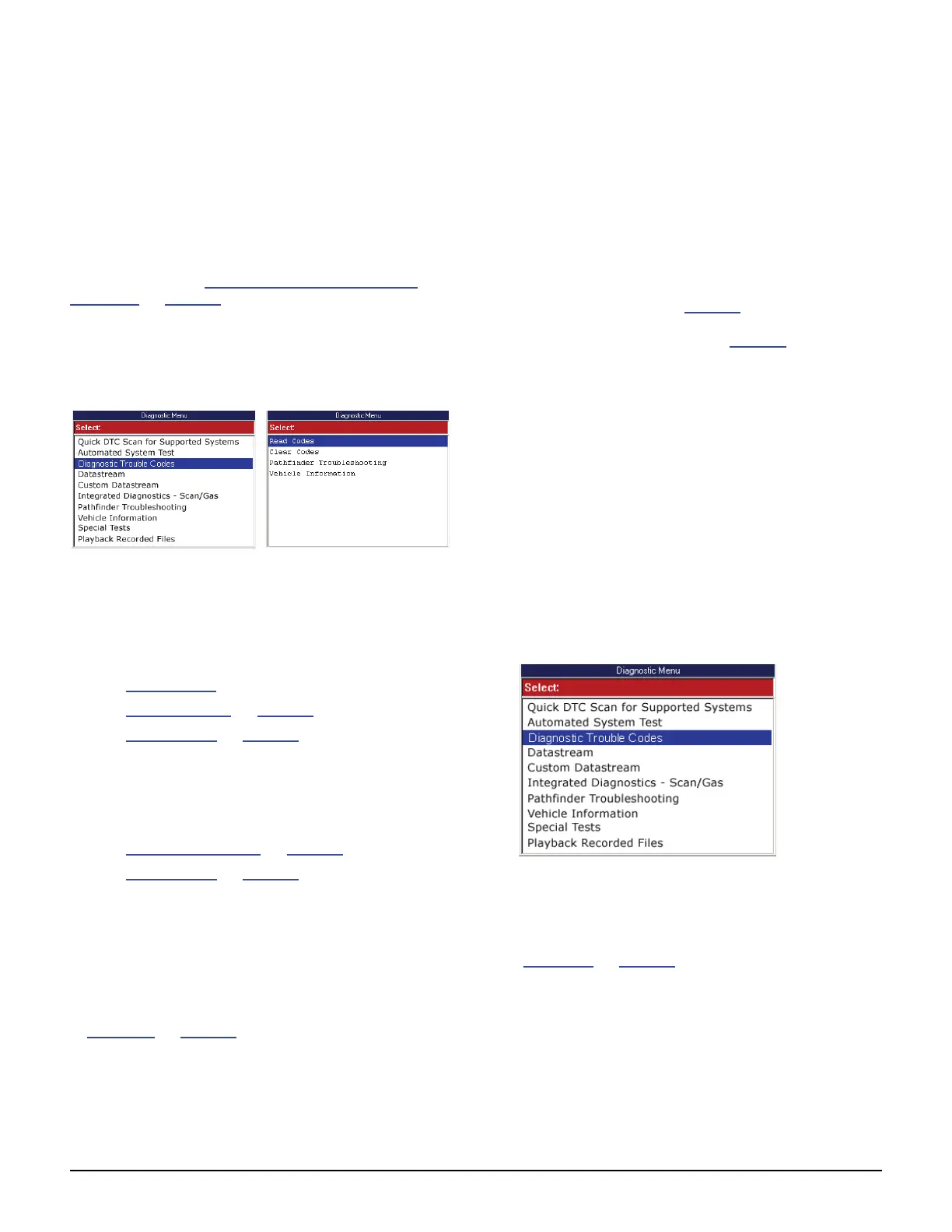
Depending on the vehicle being tested, either
Diagnostic Trouble Codes or Read Codes and
Clear Codes appear on the Diagnostic Menu screen
as shown below in the two example screens.
Figure 6.1: Diagnostic Menu Screen DTC Variations
Diagnostic Trouble Codes (shown on the left)
appears for vehicles that allow reading of DTCs with
a scan tool. Refer to the following sections in this
chapter:
• Read Codes (next column)
• Review Codes
on page 37
• Clear Codes on page 38
Read Codes and Clear Codes (shown on the right)
appear for vehicles that require reading of DTCs by
visually viewing them as “flash codes”. Refer to the
following sections in this chapter:
• Read Flash Codes on page 36
• Clear Codes on page 38
NOTE: The Scan Diagnostic applications have an auto-
matic Diagnostic Code Triggered Record function. For
vehicles with datastream access, if a diagnostic fault
occurs while you are testing a vehicle, the software auto-
matically alerts you with a screen message and creates a
recording for playback. To replay these recordings, refer
to Playback
on page 75.
Read Codes
The Read Codes procedure varies for each vehicle
being tested. This section includes the following
Read Codes procedures:
• Read and Display Codes (below) - this
procedure reads and displays the DTCs in
one procedure.
• Read Codes Only (page 35
)- this procedure
only reads the DTCs. You have to use the
Review Codes procedure (page 37) to display
and view codes after reading them with this
procedure.
• Flash Codes - this procedure provides
instructions for manually reading DTCs by
visually viewing them as “flash codes”.
Read and Display Codes
Use these steps to read and display DTCs for vehi-
cles that allow reading and displaying of codes in one
procedure.
To read and display DTCs, follow these steps:
NOTE: Before performing this procedure, make sure the
vehicle’s ignition key is in the On (Run) position with the
engine off.
Figure 6.2: Diagnostic Menu Screen
1 With the Diagnostic Menu screen displayed, select
Diagnostic Codes and press the ENTER key. This
displays the Diagnostic Trouble Codes menu screen
(Figure 6.3
on page 28).



 To Next Page