60 Scan Tool User Guide
TSB References
10: Pathfinder Troubleshooting
TSB References
The TSB References option lets you look up the
numbers and titles of technical service bulletins for a
vehicle.
1 Follow the steps in Basic Procedure on page 55 to
display the Pathfinder Troubleshooting screen (see
Figure 10.1
).
2 Select TSB References and press the ENTER key.
This displays the TSB References Select TSB screen.
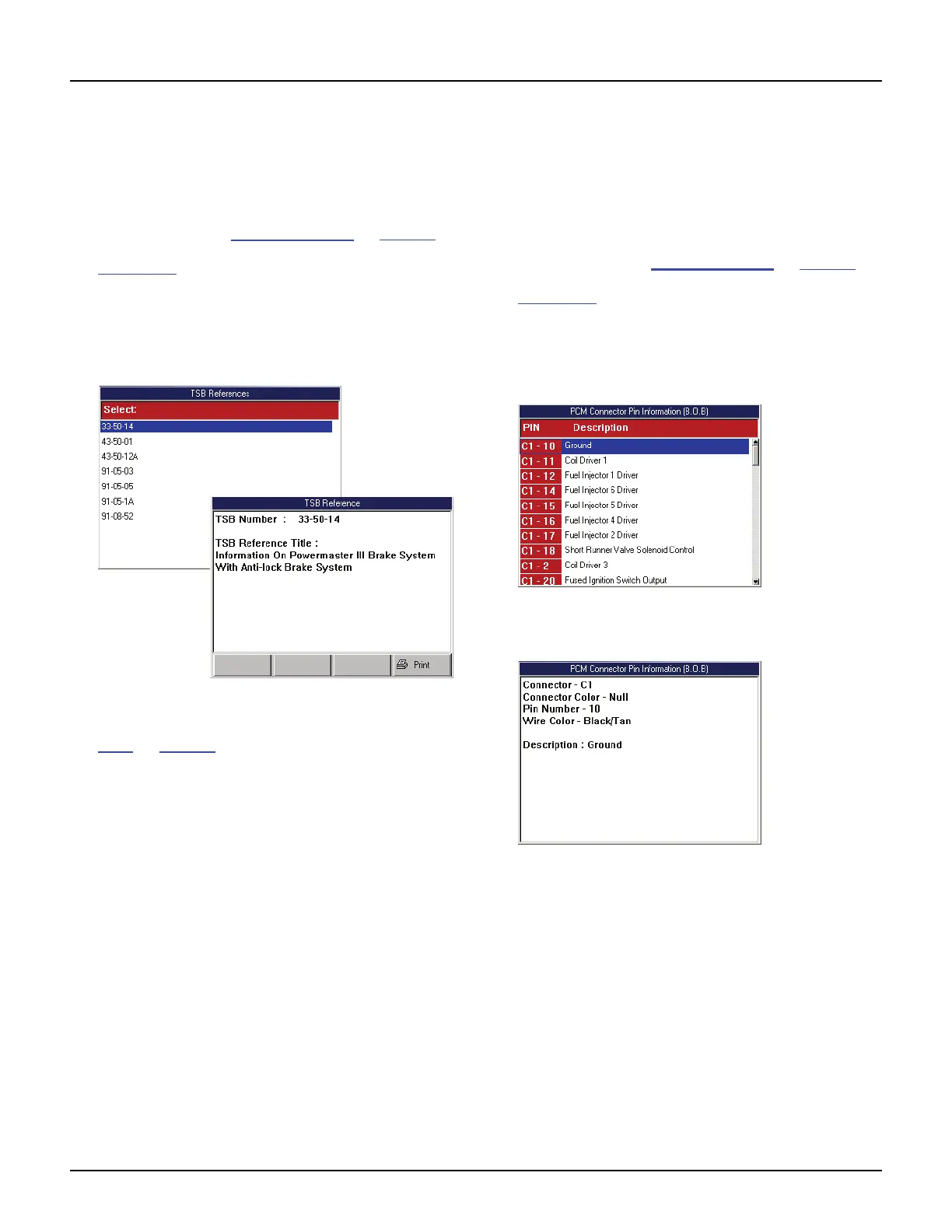
3 Select a TSB to view and press the ENTER key to
display a description of the TSB (shown below).
Figure 10.14: TSB Selection Screen and TSB Reference Screen
4 View the description and optionally print it. Refer to
Print
on page 46.
5 Use the EXIT key to return to previous screens.
PCM Connector Pin Information
(B.O.B)
The PCM Connector Pin Information (B.O.B.) option
lists test values for the sensors located at the break-
out box pin-out terminals.
1 Follow the steps in Basic Procedure on page 55 to
display the Pathfinder Troubleshooting screen (see
Figure 10.1
).
2 Select PCM Connector Pin Information and press
the ENTER key.
3 If a message screen appears, follow the instructions
on the screen and then press the ENTER key.
Figure 10.15: PCM Connector Pin Information Selection Screen
4 Select a PIN and press the ENTER key.
Figure 10.16: PCM Connector Pin Information Screen
5 Use the EXIT key to return to previous screens.



 To Next Page