Scan Tool User Guide 37
Review Codes
6: Diagnostic Trouble Codes
Review Codes
The Review Codes function lets you view DTCs read
from the selected ECU. This function displays DTCs
only after you have used a function that reads codes,
such as Read Codes, KOEO Self-Test, Self-Diag-
nostics, Output State Test, and Wiggle Test. Use
these steps to review trouble codes after initially
reading them.
To review DTCs, follow these steps:
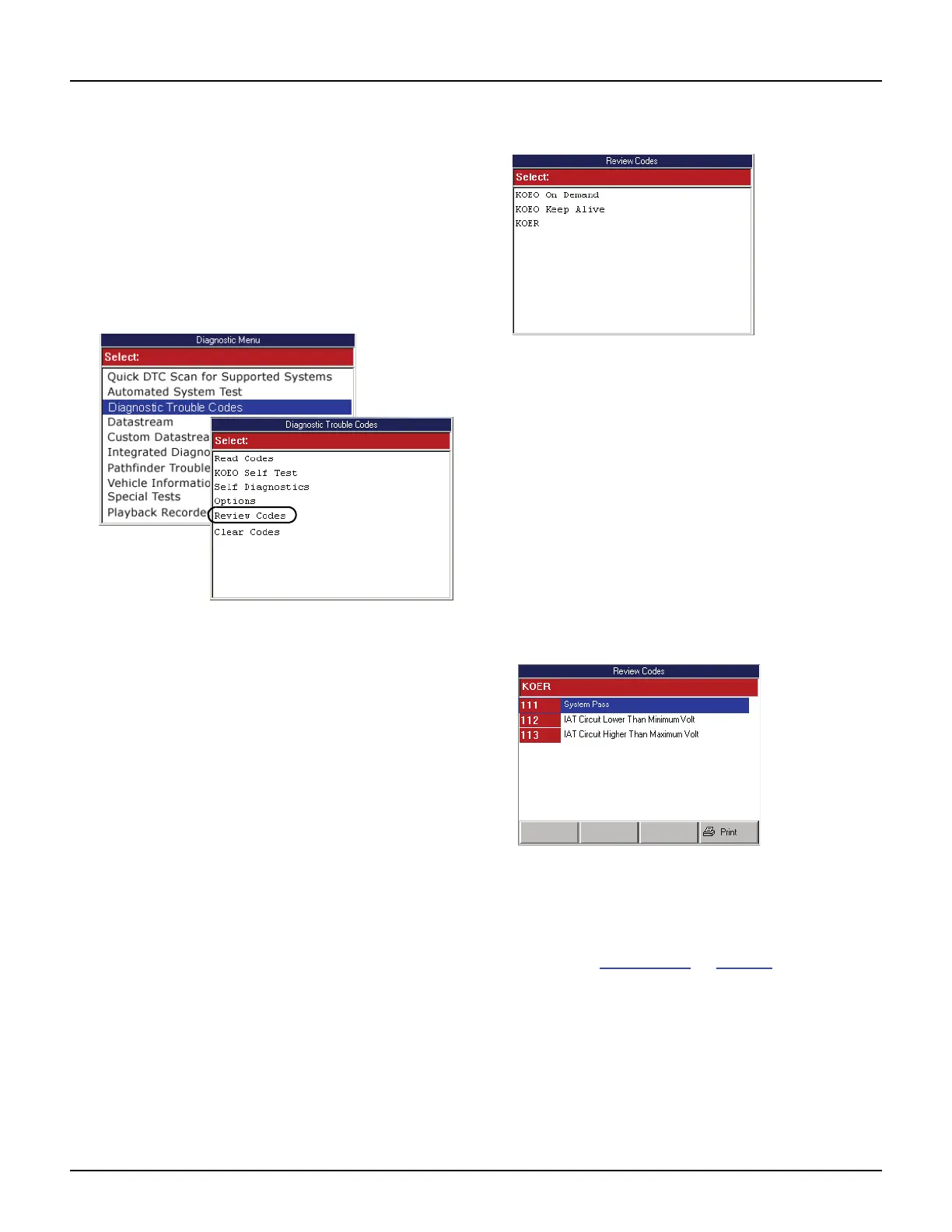
Figure 6.28: Diagnostic Menu Screen and Diagnostic Trouble
Codes Screen
1 With the Diagnostic Menu screen displayed, select
Diagnostic Codes and press the ENTER key. This
displays the Diagnostic Trouble Codes menu screen
(shown above).
2 Select Review Codes and press the ENTER key.
Figure 6.29: Review Codes Select Screen
3 If the Review Codes Select screen appears, select
one of the following options, and then press the
ENTER key to display the codes. (Otherwise, skip this
step.)
• KOEO on Demand — displays DTCs detected
at the time of a KOEO test (also called hard
fault codes).
• KOEO Keep Alive — displays DTCs stored in
the ECU before a KOEO test (also called
current codes).
• KOER — displays codes from a KOER test.
NOTE: If there are no codes to display, a message
screen states that the code library is empty. Press
the OK function key to continue.
Figure 6.30: Review Codes Screen
4 View the list and optionally print it.
5 Use the EXIT key to return to previous screens.
NOTE: After reviewing the codes, if necessary, clear the
codes. Refer to Clear Codes
on page 38. If necessary,
consult the manufacturer’s service manual for the correct
“clear code” method.



 To Next Page