Scan Tool User Guide 83
18: Printing
Screen displays can be printed to a infrared-capable
portable printer or a USB inkjet printer.
Infrared Printer Operation
You can print diagnostic trouble codes, sensor data,
and report summary data from the scan tool to a
Hewlett Packard infrared printer (OTC P/N 3157).
To print data to an infrared printer, follow these
steps:
1 Turn on the battery-powered infrared printer.
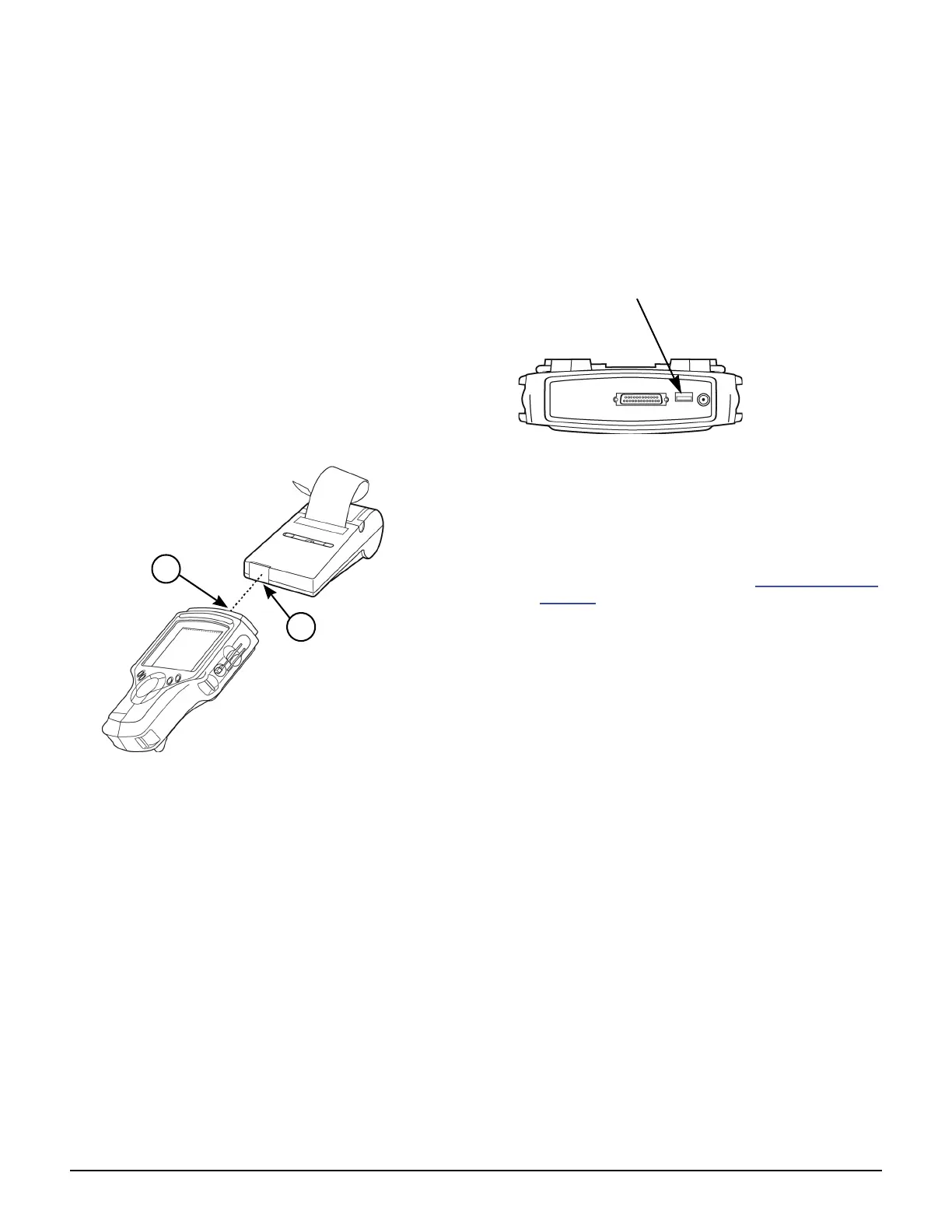
2 Point the scan tool infrared port at the printer’s
infrared port and press the Print function key on the
scan tool.
Item 1 Printer Infrared Port
Item 2 Tool Infrared Port
Figure 18.1: Infrared Port Printing
IMPORTANT: The tool infrared port must remain
pointed at the printer infrared port until the entire print
operation is complete.
USB Inkjet Printer
You can print text and graphics from the scan tool to
to ink-jet printers with built-in PCL 3 (most Hewlett-
Packard Deskjet printers).
To print graphics and text to a USB ink-jet printer,
follow these steps:
Figure 18.2: Scan Tool USB Port
1 Connect a USB cable to the USB port on the tool and
to the USB printer.
2 From the scan tool System Setup screen, select
Printer Selection then USB InkJet Printer. Select
your printer from the list of supported printers
and then press the EXIT key. (See Printer Selection
on page 78
.)
3 Press the Print function key to print a screen or
recorded files.
IMPORTANT: Do not press any keys until the printer
finishes printing.



 To Next Page