Scan Tool User Guide 61
Specifications
10: Pathfinder Troubleshooting
Specifications
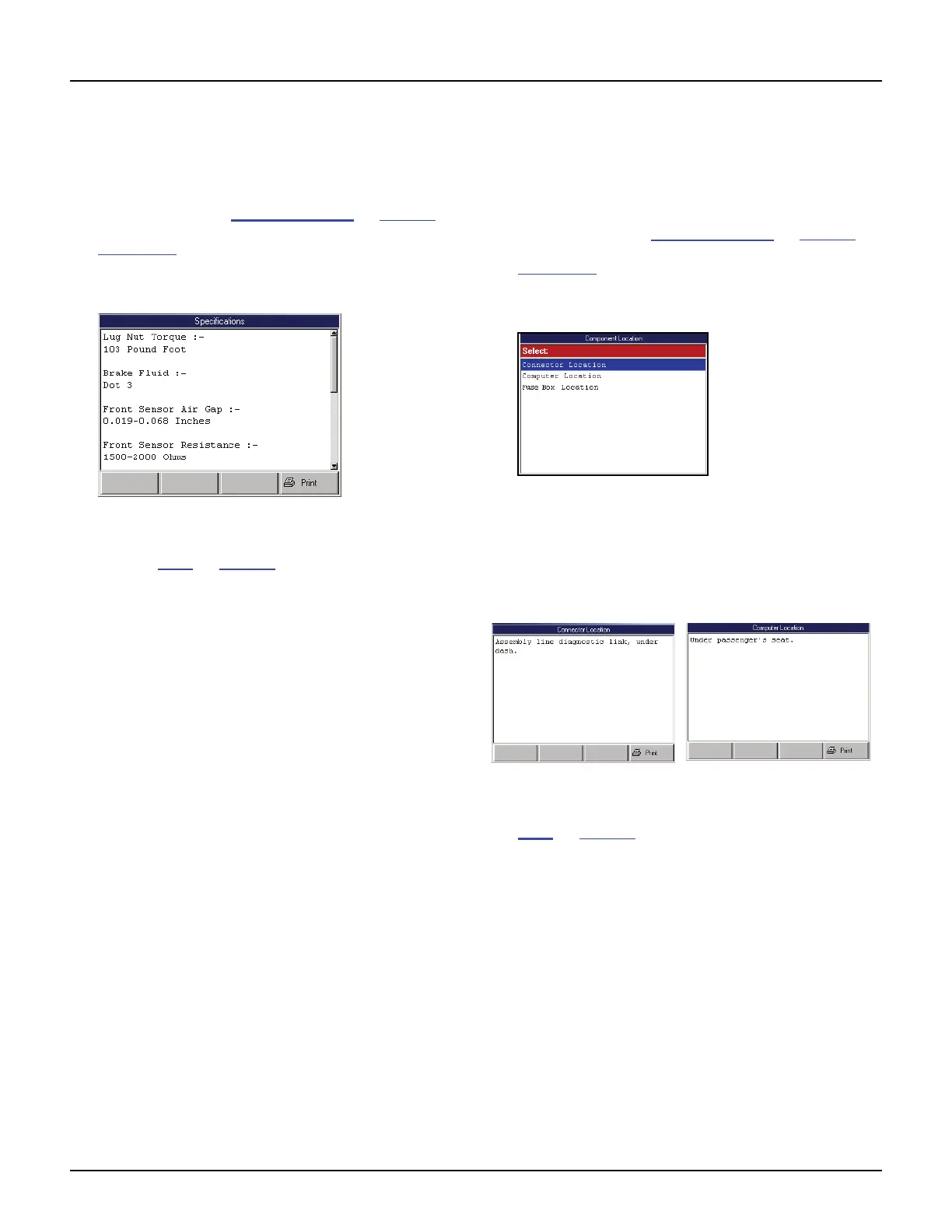
The Specifications option lets you view tune-up,
engine, and system specifications for a vehicle.
1 Follow the steps in Basic Procedure on page 55 to
display the Pathfinder Troubleshooting screen (see
Figure 10.1
).
2 Select Specifications and press the ENTER key to
display the Specifications screen.
Figure 10.17: Specifications Screen
3 View the specifications and optionally print them.
Refer to Print
on page 46.
4 Use the EXIT key to return to previous screens.
Component Location
The Component Location option lets you view a
description of the computer and connector locations
for a vehicle.
1 Follow the steps in Basic Procedure on page 55 to
display the Pathfinder Troubleshooting screen (see
Figure 10.1
).
2 Select Component Location and press the ENTER
key. This displays the Component Location screen.
Figure 10.18: Component Location Screen
3 Select a component and press the ENTER key:
• Connector Location - DLC location.
• Computer Location - ECU location(s).
• Fuse Box Location - fuse box location(s).
Figure 10.19: Component Location Screen Examples
4 View the description and optionally print it. Refer to
Print
on page 46.
5 Use the EXIT key to return to previous screens.



 To Next Page