Scan Tool User Guide 57
Oil Light Reset Test Procedure
10: Pathfinder Troubleshooting
Oil Light Reset Test Procedure
The Oil Light Reset Test Procedure option lets you
view a description of the oil light reset test procedure
for the vehicle.
1 Follow the steps in Basic Procedure on page 55 to
display the Pathfinder Troubleshooting screen (see
Figure 10.1
).
2 Select Oil Light Reset Test Procedure and press the
ENTER key.
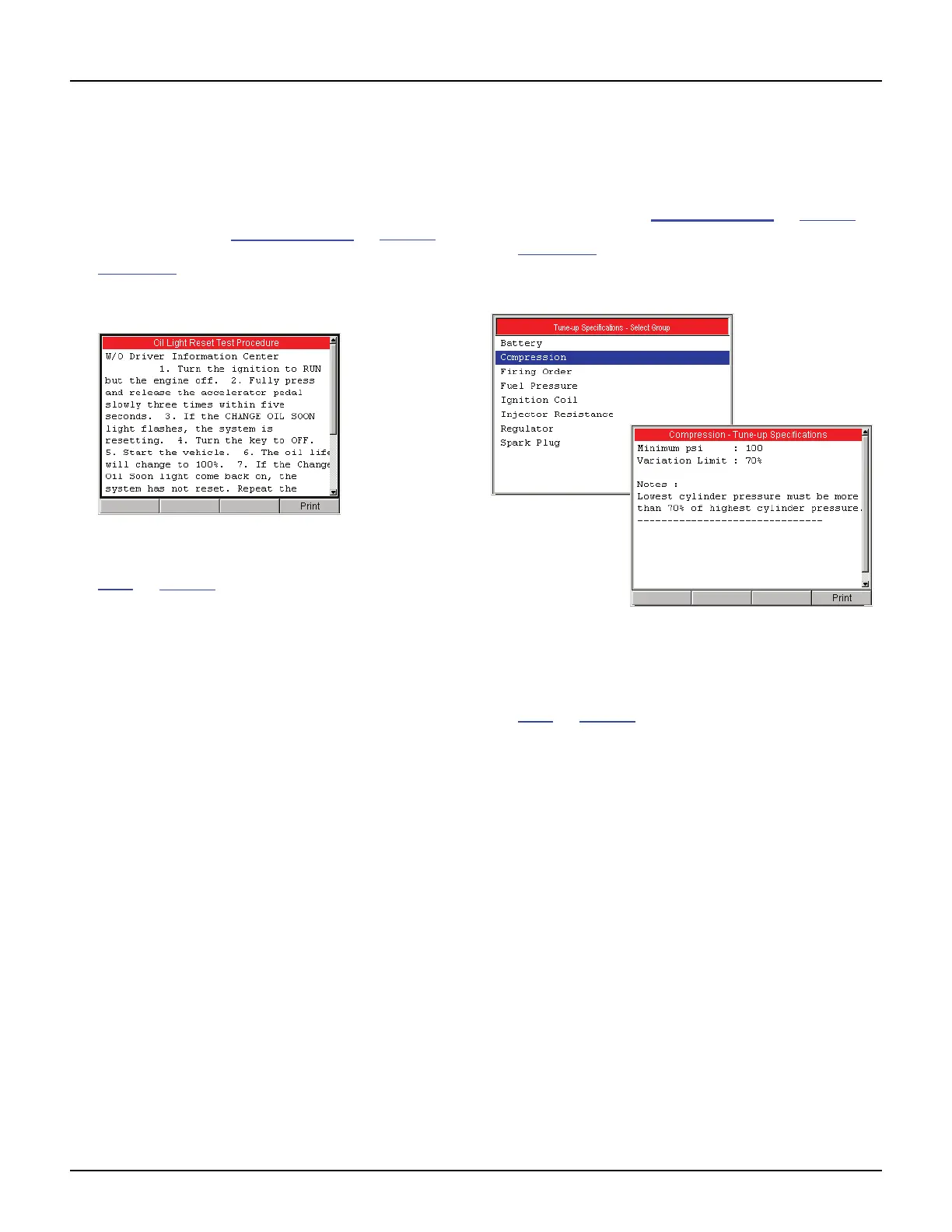
Figure 10.6: Oil Light Reset Test Procedure Screen
3 View the description and print it, if necessary. Refer to
Print
on page 46.
4 Use the EXIT key to return to previous screens.
Tune Up Specifications
The Tune Up Specifications option lets you view a
description of tune up specifications for the vehicle.
1 Follow the steps in Basic Procedure on page 55 to
display the Pathfinder Troubleshooting screen (see
Figure 10.1
).
2 Select Tune Up Specifications and press the
ENTER key.
Figure 10.7: Tune-Up Specifications Screen
3 Select a component group and press the ENTER
key. This displays the specifications (shown above).
4 View the description and print it, if necessary. Refer to
Print
on page 46.
5 Use the EXIT key to return to previous screens.



 To Next Page