38 Scan Tool User Guide
Clear Codes
6: Diagnostic Trouble Codes
Clear Codes
After reading and / or reviewing the diagnostic trou-
ble codes, use the following steps to clear the codes
from the vehicle. If Clear Codes is not an available
menu option, consult the manufacturer’s service
manual for the correct “clear code” method.
NOTE: This Clear Codes function clears the DTCs from
the selected ECU or provides instructions for how to
manually clear the codes from the ECU.
NOTE: For some vehicles, this procedure also clears
codes stored in the scan tool memory.
To clear DTCs, follow these steps:
NOTE: Before performing this procedure, make sure the
vehicle’s ignition key is in the On (Run) position with the
engine off.
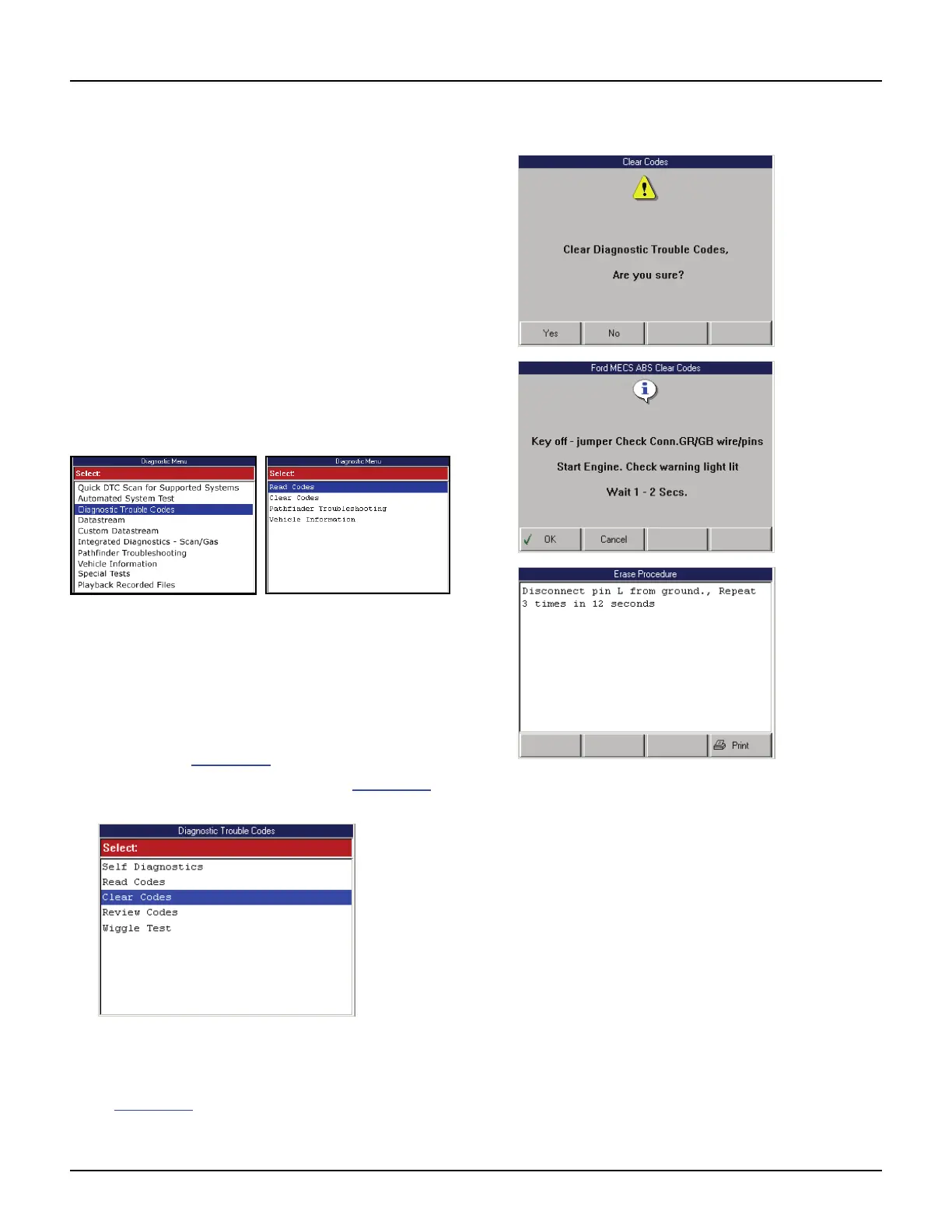
Figure 6.31: Diagnostic Menu Screen DTC Variations
1 With the Diagnostic Menu screen displayed, select
either Diagnostic Codes or Clear Codes and press
the ENTER key.
2 Do one of the following:
• If the Diagnostic Trouble Codes menu screen
appears (Figure 6.32
), go to step 3.
• If an instruction screen appears (Figure 6.33),
go to step 4.
Figure 6.32: Diagnostic Trouble Codes Menu Screen
3 Select Clear Codes and press the ENTER key. This
displays an instruction screen similar to those shown
in Figure 6.33
.
Figure 6.33: Clear Codes Instruction Screen Examples
4 Follow the instructions on each screen that appears
until the procedure is complete.
NOTE: If a screen has instructions but no function
keys, press the ENTER key to continue.
5 When finished, use the EXIT key to return to previous
screens.
6 If the procedure provided instructions for manually
clearing the codes (or an Erase Procedure), use the
instructions to clear the flash codes from the vehicle.
7 Check the codes again. If any codes remain, repeat
the Clear Codes steps. Make sure the vehicle’s
ignition key is in the On (Run) position and the engine
is off.
NOTE: GM supplemental inflatable restraint (SIR) code
52, which indicates the air bag has been deployed, cannot
be cleared. All other codes clear and the SIR dash warn-
ing light turns off.



 To Next Page