64 Scan Tool User Guide
TSB References
11: Vehicle Information
TSB References
The TSB References option lets you look up the
numbers and titles of technical service bulletins.
1 Follow the steps in Basic Procedure on page 63 to
display the Vehicle Info screen (see Figure 11.1
).
2 Select TSB References and press the ENTER key to
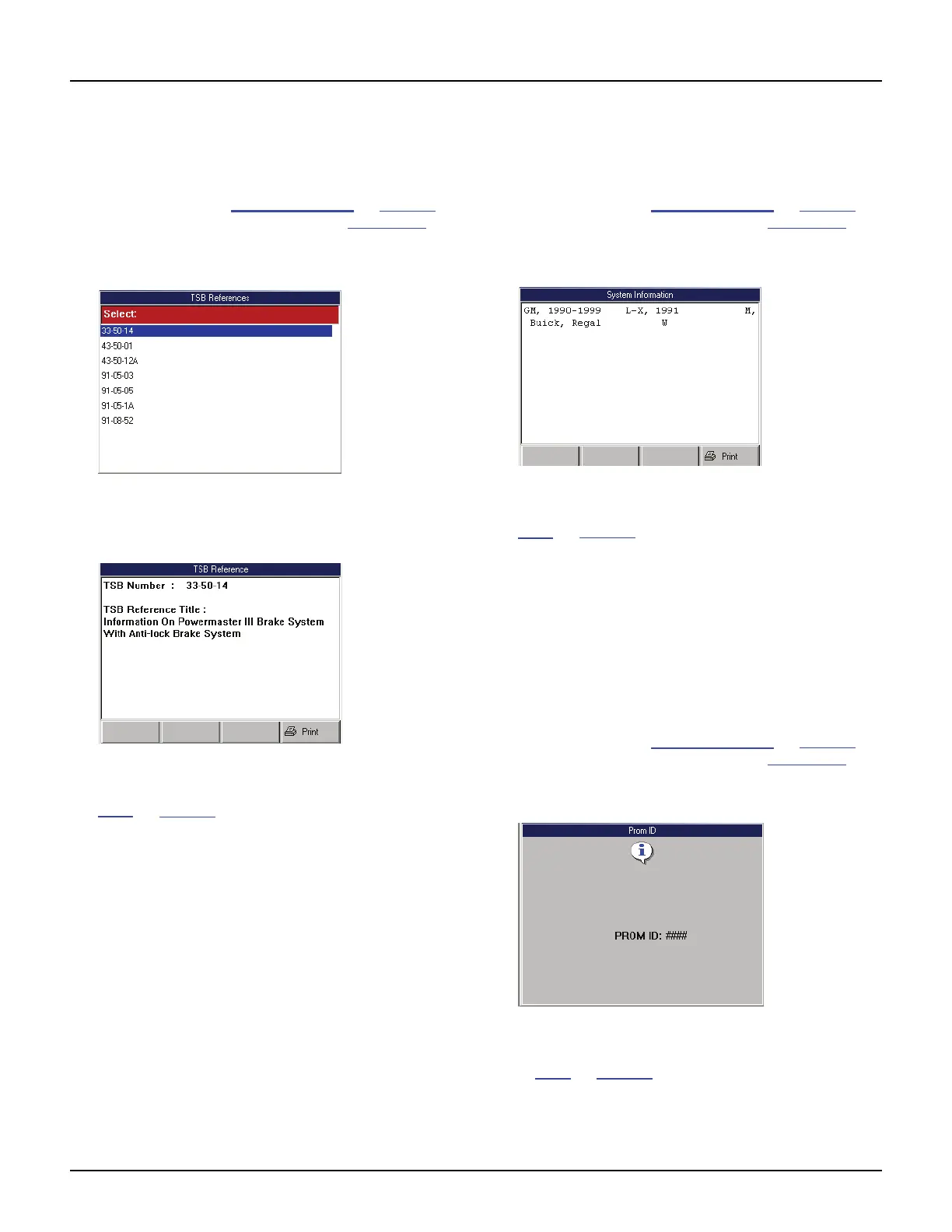
display the TSB References screen.
Figure 11.3: TSB References Screen
3 Select a TSB to view and press the ENTER key to
display a brief description of the TSB.
Figure 11.4: TSB Reference Screen
4 View the description and optionally print it. Refer to
Print
on page 46.
5 Use the EXIT key to return to previous screens.
System Type
The System Type option lets you view the vehicle
description.
1 Follow the steps in Basic Procedure on page 63 to
display the Vehicle Info screen (see Figure 11.1
).
2 Select System Type and press the ENTER key to
display the System Information screen.
Figure 11.5: System Information Screen
3 View the information and optionally print it. Refer to
Print
on page 46.
4 Use the EXIT key to return to previous screens.
PROM Identification (GM)
The PROM Identification option lets you view the
Programmable Read Only Memory (PROM) 4-digit
identification number and additional PROM-related
information.
1 Follow the steps in Basic Procedure on page 63 to
display the Vehicle Info screen (see Figure 11.1
).
2 Select PROM Identification and press the ENTER
key to display the PROM Identification screen.
Figure 11.6: PROM ID Screen
3 View the information and print it, if necessary. Refer
to Print
on page 46.
4 Use the EXIT key to return to previous screens.



 To Next Page