Scan Tool User Guide 69
14: Post Collision Test (Airbag)
The Post Collision Test function is a preset test for
testing air bags after repair.
To perform a Post Collision Test, follow these
steps:
1 Perform the steps in Test Startup and Vehicle
Connection on page 16 to enter the vehicle informa-
tion and display the Diagnostic Menu screen.
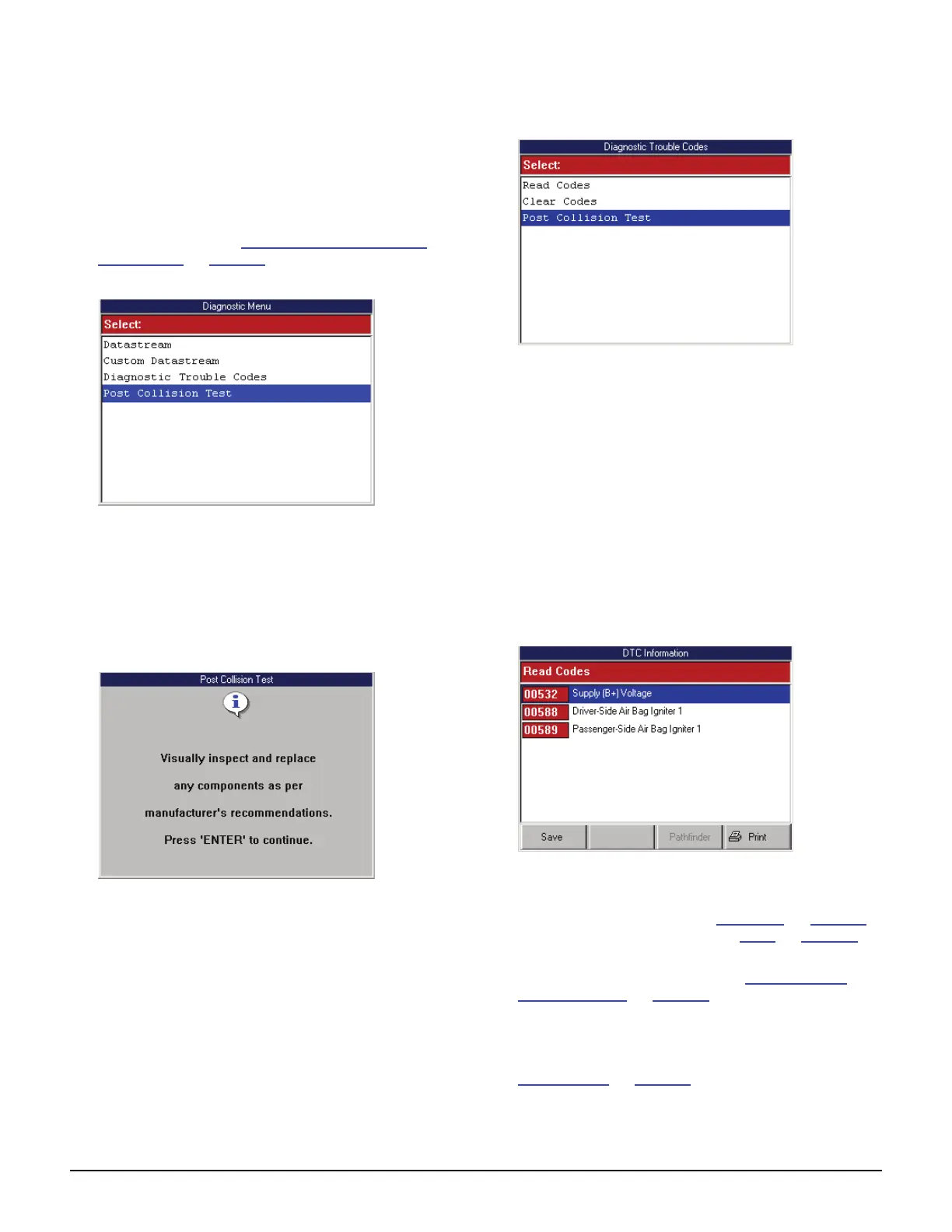
Figure 14.1: Diagnostic Menu Screen
NOTE: For some vehicles, the Post Collision Test option
may be available only after first selecting Diagnostic
Codes. The option then appears on the Diagnostic Trou-
ble Codes menu screen.
2 Select Post Collision Test and press the ENTER
key. This displays an instruction screen.
Figure 14.2: Post Collision Test Screen
3 Read the screen, follow the instructions, and press the
ENTER key.
4 After this, several instruction screens appear. Read
the screens and follow all instructions. Do this until the
Diagnostic Trouble Codes menu screen appears.
Figure 14.3: Diagnostic Trouble Codes Menu Screen
5 Do one of the following:
• If the SIR warning lamp is off, the procedure is
complete. Use the EXIT key to return to previ-
ous screens.
• If the SIR warning lamp is on, continue with the
next step.
6 Select Read Codes from the Diagnostic Trouble
Codes menu screen and press the ENTER key.
NOTE: If the Read Codes menu screen appears,
select Current Codes from the menu and press the
ENTER key.
This displays the DTC Information screen.
Figure 14.4: DTC Information Screen
7 View the list and save or print it, if necessary.
To view a saved file, refer to Playback
on page 75.
For printing information, refer to Print
on page 46.
NOTE: For more information about DTCs and the
DTC Information screen, refer to 6: Diagnostic
Trouble Codes on page 27.
8 Use the EXIT key to return to previous screens.
9 If necessary, use the Clear Codes function to erase
the codes from the vehicle’s ECU. For details, refer to
Clear Codes
on page 38.
10 Do any further air bag repairs and repeat the test.



 To Next Page