Scan Tool User Guide 65
12: PROM ID / Controller ID
PROM ID (GM)
For some GM vehicles, the Programmable Read-
Only Memory Identification (PROM ID) function
displays the PROM ID number and any additional
PROM related information that is stored in the
selected electronic control unit (ECU).
To display the PROM ID information, follow these
steps:
1 Follow the instructions in Test Startup and Vehicle
Connection on page 16 to display the Diagnostic
Menu screen.
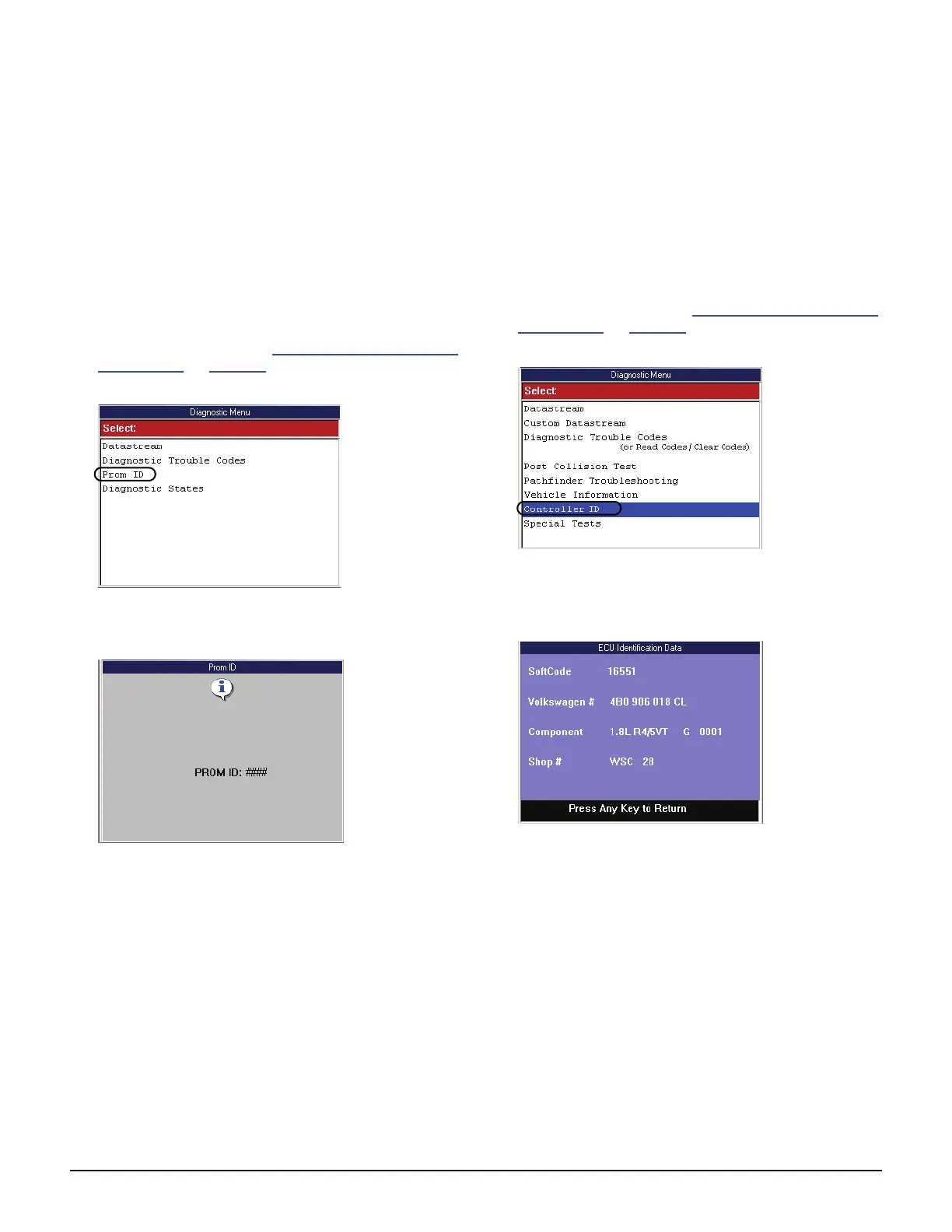
Figure 12.1: Diagnostic Menu Screen
2 Select Prom ID and press the ENTER key.
Figure 12.2: Prom ID Screen
3 View the information.
4 Use the EXIT key to return to previous screens.
Controller ID
The Controller ID function displays identification
information about the selected ECU (Audi and
Volkswagen).
To display the Controller ID information, follow
these steps:
1 Follow the instructions in Test Startup and Vehicle
Connection on page 16 to display the Diagnostic
Menu screen.
Figure 12.3: Diagnostic Menu Screen
2 Select Controller ID and press the ENTER key.
This displays the ECU Identification Data screen.
Figure 12.4: ECU Identification Screen
3 View the data.
4 When finished, use the EXIT key to return to previous
screens.



 To Next Page