28 Scan Tool User Guide
Read Codes
6: Diagnostic Trouble Codes
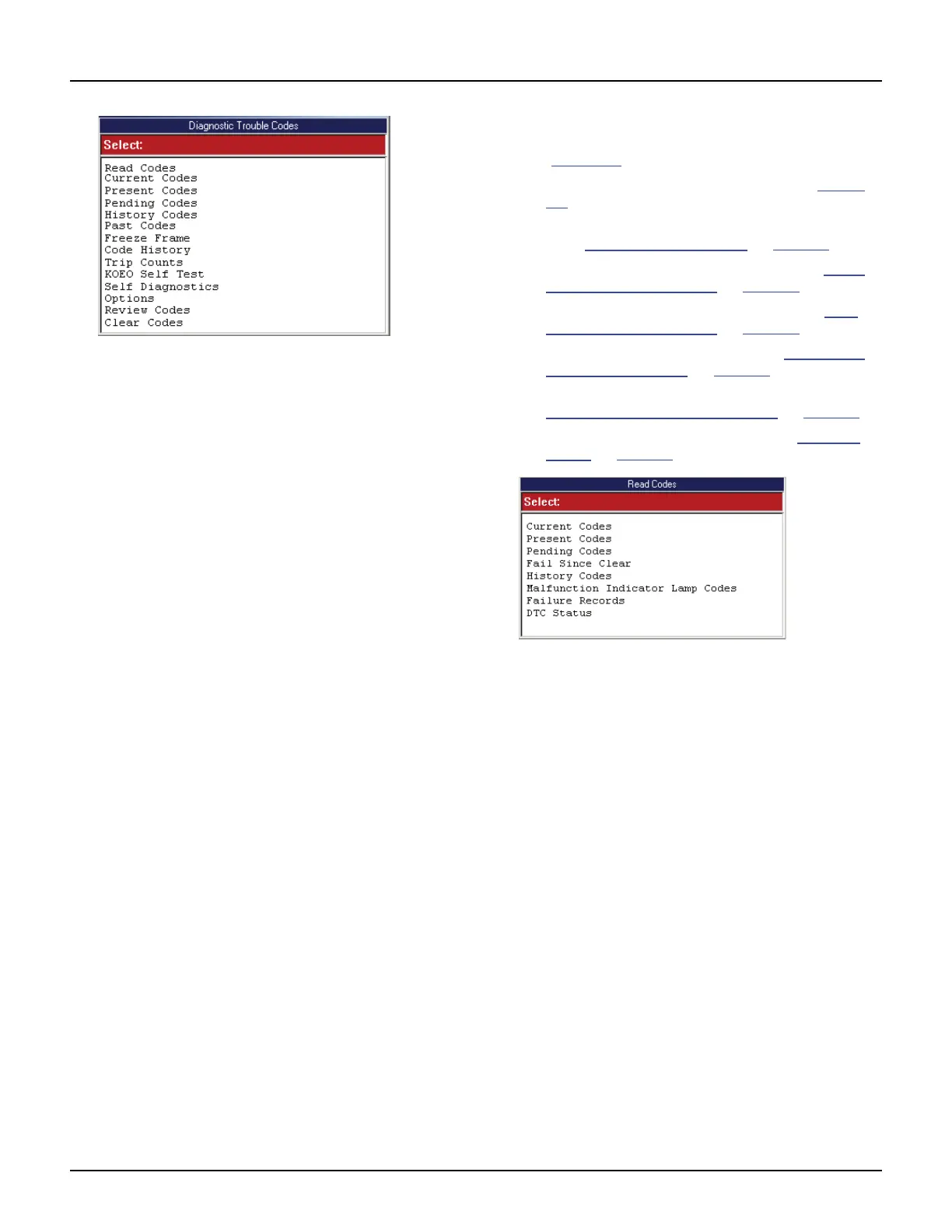
Figure 6.3: Diagnostic Trouble Codes Menu Screen Example
NOTE: The above screen is only an example.
Actual test screens vary by vehicle.
2 Select one of the options that may appear on the
Diagnostic Trouble Codes screen and then press the
ENTER key:
• Read (or Present, Current, Permanent)
Codes — DTCs that have occurred a specified
number of times and indicate a problem that
requires repair.
• Pending (Temporary) Codes — DTCs that
have occurred at least once, but have not
occurred enough times to be considered
“Current.” (use to check recent repairs because
it shows DTCs after only one drive cycle.)
• History (or Past) Codes — intermittent DTCs
that are not currently active.
• Freeze Frame — datastream “snapshots”
automatically recorded by the ECU that show
actual data values at the time DTC(s) occurred.
• Code History — number of engine starts since
DTC(s) were first detected (to see if they are
current or intermittent).
• Trip Counts — number of “trips” since DTCs
were last cleared.
• KOEO — Key-on, engine-off, DTC-reading
function that lets you read MECS slow codes
(without descriptions).
• Self Diagnostics — lets you manually acti-
vate system tests that check for DTCs; Usually
includes a KOEO test and a KOER (key-on,
engine-running) test.
• Options — lets you test the function of the
output relays and lets you do a “wiggle” test to
check for intermittent breaks in circuitry.
3 Do one of the following:
• If the Read Codes menu screen appears
(Figure 6.4
), go to step 4.
• If the DTC Information screen appears (Figure
6.5), go to Step 6.
• If the Freeze Frame Selection screen appears,
go to Freeze Frame (OBD II)
on page 29.
• If the Code History screen appears, go to Code
History (Chrysler/Jeep) on page 30.
• If the Trip Counts screen appears, go to Trip
Counts (Chrysler/Jeep) on page 30.
• If the KOEO screen appears, go to KOEO Self
Test (Ford / Mazda) on page 31.
• If the Self Diagnostics screen appears, go to
Self-Diagnostics (Ford / Mazda)
on page 31.
• If the Options screen appears, go to Options
(Ford) on page 32.
Figure 6.4: Read Codes Menu Screen Example
NOTE: The above screen is only an example.
Actual test screens vary by vehicle.
4 Select one of the following options that may appear
on the Read Codes screen and then press the ENTER
key:
• Current (or Present or Permanent) Codes —
DTCs that have occurred a specified number of
times and indicate a problem that requires
repair.
• Pending (or Temporary) Codes — DTCs that
have occurred at least once, but have not
occurred enough times to be considered
“Current.” (use to check recent repairs because
it shows DTCs after only one drive cycle.)
• Fail Since Clear — current and pending DTCs
that have occurred since the last time DTCs
were cleared from the ECU.
• History (or Past) Codes — DTCs that have
occurred intermittently and are not currently
active.
• Malfunction Indicator Lamp — MIL codes,
which are DTCs for the check engine light.



 To Next Page