– 86 –
Chapter 5 Basic Operations — Memory
2
Select [Misc] in the [Register] column.
f The [Misc] screen is displayed.
[Protect]*
Select a le icon and set this item to [On] to protect the relevant le. The protected le is not deleted even when [Delete]
is selected.
[Rename]* Select [Rename] after selecting a le icon to change the le name using the on‑screen keyboard.
[Delete] Select [Delete] after selecting a le icon to delete the register memory. It cannot be deleted if [Protect] is set to [On].
[Copy From]*
Select the [Copy From] button after selecting the icon of an unregistered register memory, and then specify the register
memory to be the copy source using the on-screen numerical keypad.
Ex) To specify the ninth register memory on the ninth page, input [9.9].
[View] Fixed to icon display.
[Page] Switches pages.
[Close] Closes the [Misc] screen.
* This function will be available in V2.00.00 or higher.
Setting the operation of the multi‑selection panel area
To specify the operation when a register memory is selected, use the <EVNT MEM> button in the multi-selection panel area → [RECALL] mode.
1
Select the <MEM> button → [EVENT MEMORY] → [Register] tab.
2
Select an item in [Direct/Next] in the [Select Panel] column.
[Direct] Plays back the image when the register memory is selected.
[Next] Plays back the image when the [PLAY] button is pressed after the register memory is selected.
Setting details of event memory
The settings of [Register] can be specied in further detail.
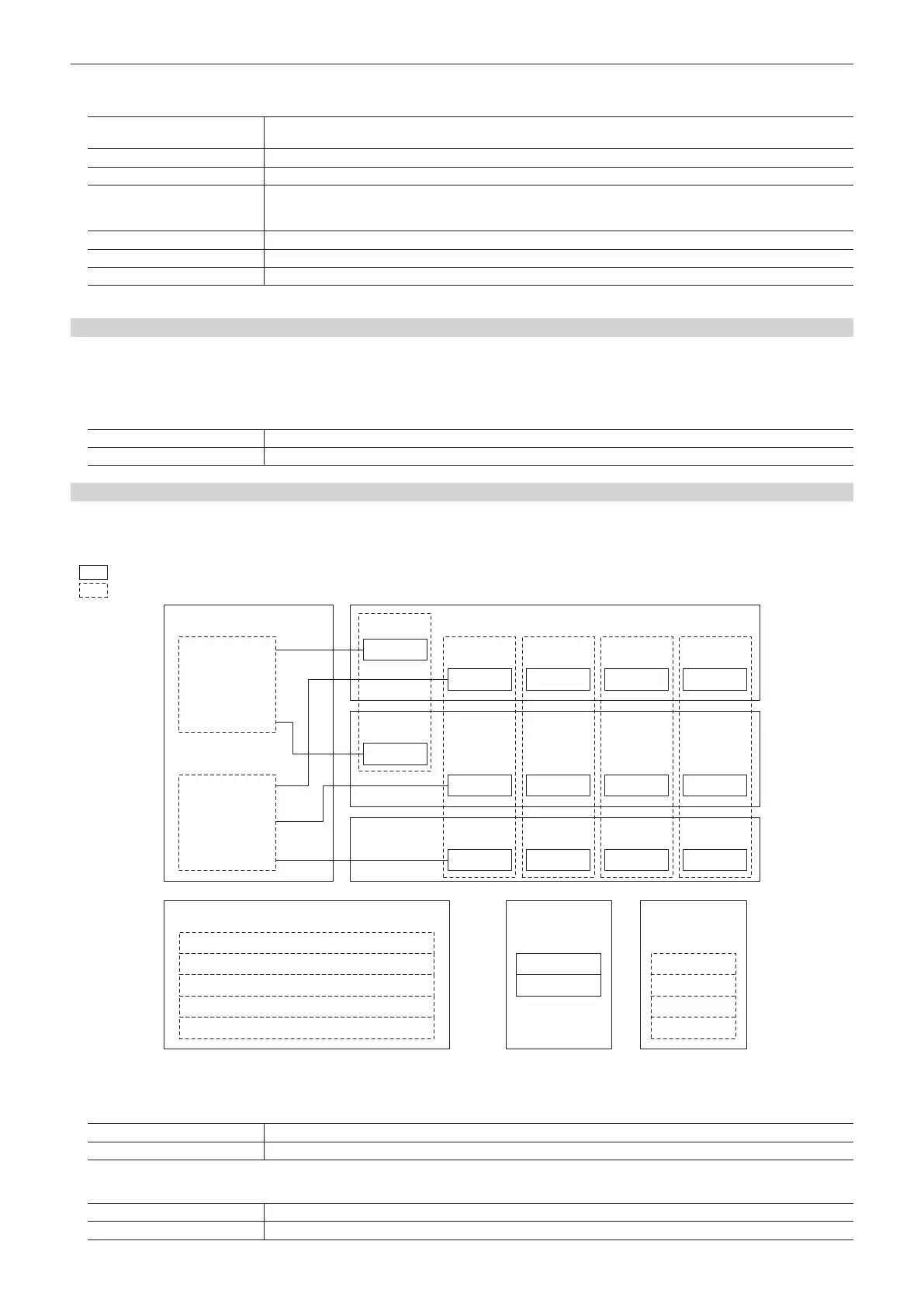
The following gure shows the relationship between the settings of [Register] and the settings of [Detail Select].
f In the following gure, two types of lines show the types of items.
indicates an item to be selected in [Store]/[Recall] in the [Register] column.
indicates an item to be set in the [Detail Select] tab.
[ME1]
[DSK]
[AUX Sel1]: [All], [AUX1] - [AUX16]
[AUX Sel2]: [AUX1] - [AUX16]
[AUX Sel3]: [AUX1] - [AUX16]
[AUX Sel4]: [AUX1] - [AUX16]
[AUX Sel5]: [AUX1] - [AUX16]
CBGD1
CBGD2
[XPT]
[AUX]
Key1 Key2 Key3 Key4
[Key XPT]
[A/B XPT]
[CBGD]
[Clip1]
[Clip]
[Clip2]
[Clip3]
[Clip4]
BKGD
BKGD
[BKGD]
[Key1] [Key2] [Key3] [Key4]
[ME2]
Key1 Key2 Key3 Key4
Key1 Key2 Key3 Key4
1
Select the <MEM> button → [EVENT MEMORY] → [Detail Select] tab.
2
Select an item in [BKGD]/[Key1] to [Key4] in the [Detail ME] column.
[On] Sets as a memory target.
[Off] Does not set as a memory target.
3
Select an item in [A/B XPT]/[Key XPT] in the [Detail XPT] column.
[On] Sets as a memory target.
[Off] Does not set as a memory target.













 To Next Page