Page 3-29
FUNCTIONS
3
Machine Settings
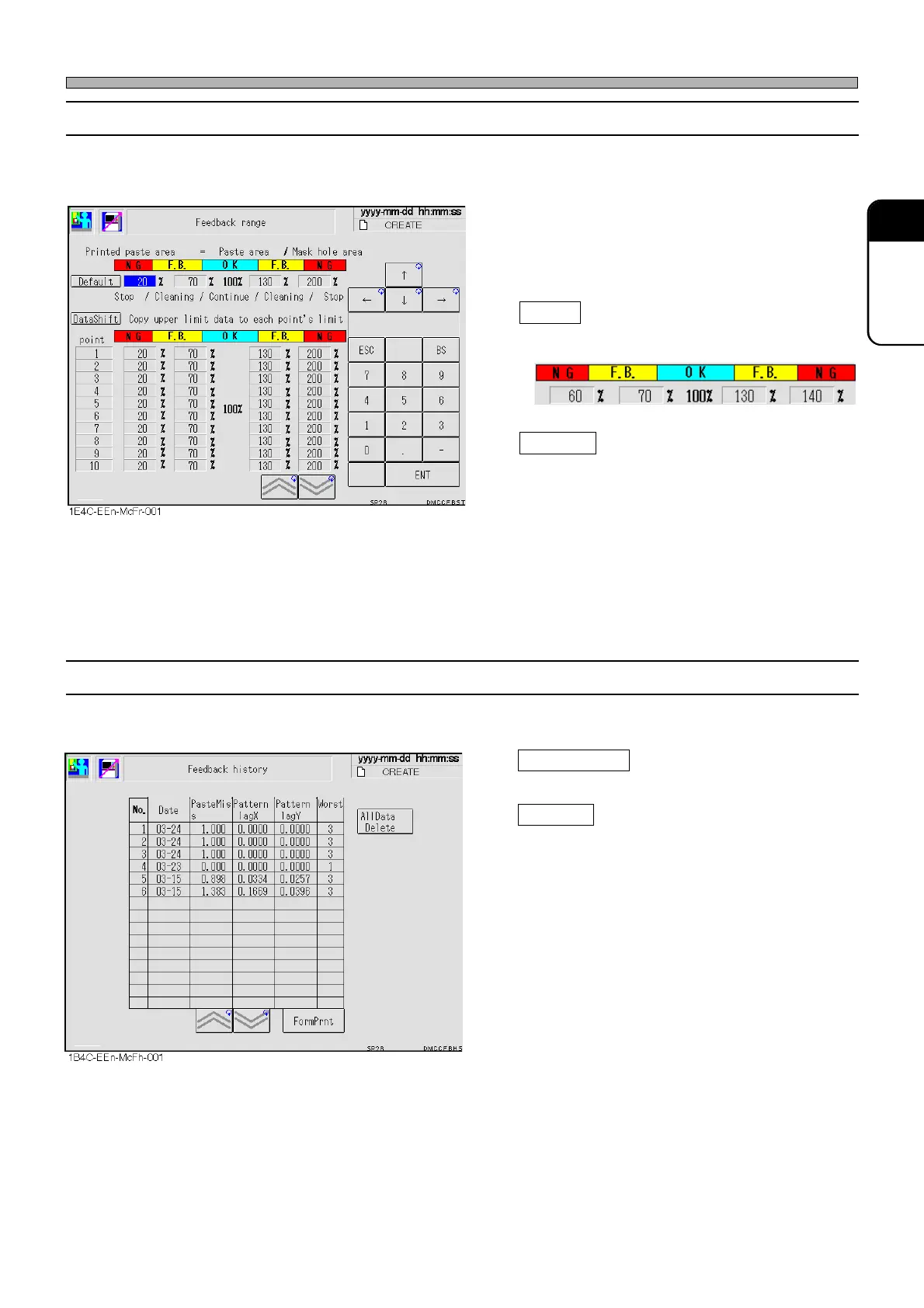
3-5-4 Feedback Range
The condition values for feedback range are displayed all together. You can check and correct
them.
• The printing state is checked by comparing the
area of mask aperture with the one having
printed solder. Set the judgment reference for
that for each point.
Default
Sets the mask data on the upper side as the
default values.
DataShift
Copies the mask data to each point in a lump.
3-5-5 Feedback History
The result history of the printing state recognition is displayed.
All Data Delete
Deletes all the data.
FormPrnt
Prints out all of the recognition results.
1E4C-E-OMA03-A02-02
1E4C-052P












 To Next Page