Page 4-9
DAILY PRODUCTION
4
4-4 During Production
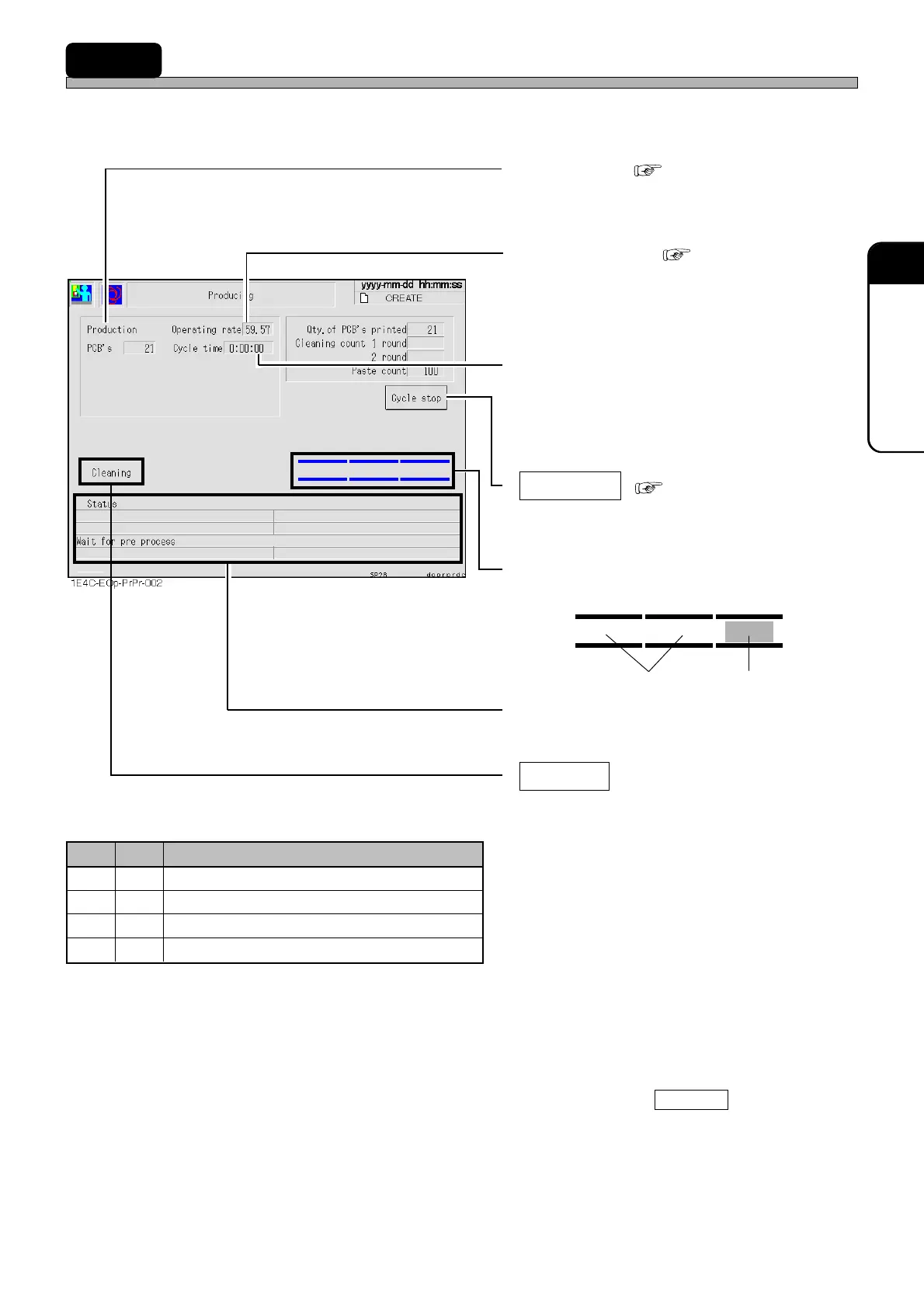
Basic production information and state of operation are displayed.
• Production ( 3-3-1 Run Informa-
tion)
The number of produced boards.
• Operating rate ( 3-3-1 Run Infor-
mation)
Operating rate of this machine.
• Cycle time
Shows the time from when the board is trans-
ported to the board holder until the next board
is transported to the board holder after printing.
• Cycle stop ( 4-5-1 Stop Operation)
Stops production temporarily after printing of
the current board is finished.
• Presence of board
Displays the board on the conveyor.
E.g.)
• Status
The current state of the machine is displayed.
• Cleaning
After printing, mask cleaning is performed.
After cleaning, the machine continues opera-
tion without a stop.
∗ This switch is disabled if the function switch
“Cleaning” is OFF. And operation varies
depending on the cleaning data settings.
∗ Even if mask cleaning is performed by the
cleaning direction, the cleaning count is not
changed. If the timing of the cleaning direction
and that of the cleaning count synchronize, the
cleaning countdown is given priority to than to
the cleaning direction.
• If the counter of 2-stroke cleaning becomes 0
after printing with Cleaning highlighted, 2-
stroke cleaning is performed and the counter is
reset.
No board Board
1E4C-E-OMA04-A01-01
Cleaning Data Operation Flag
The switches are disabled.
After printing, 1-stroke cleaning is performed.
After printing, 2-stroke cleaning is performed.
After printing, 1-stroke cleaning is performed.
OFF
ON
OFF
ON
OFF
OFF
ON
ON
Description
1
Round
2
Round












 To Next Page