Page 6-13
FILE OPERATION
6
File Operation of Floppy Disk
6-2-6 How to Load Recognition Data
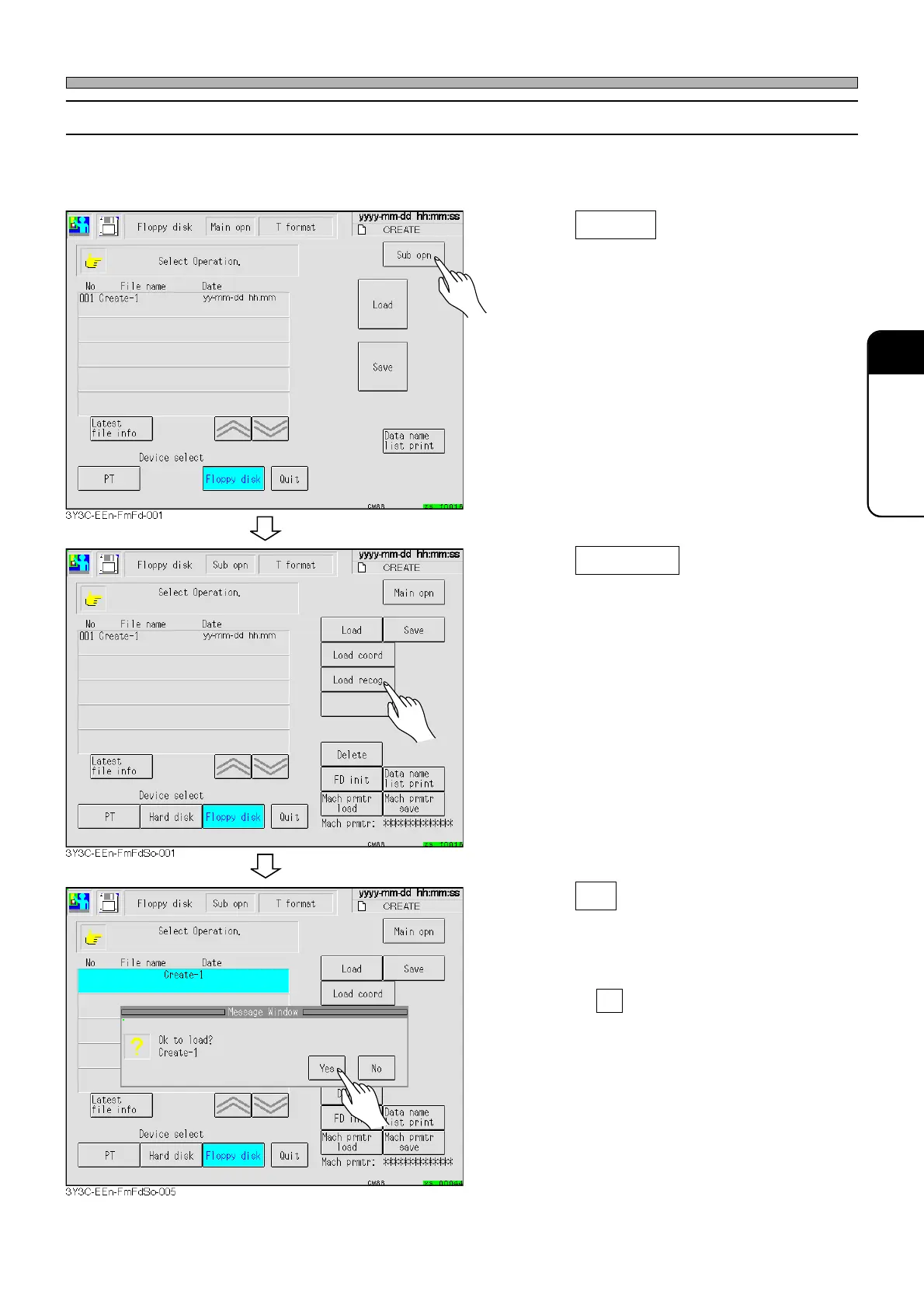
This part describes how to load only the recognition data of the production data in the floppy disk to
the memory of this machine.
1. Press Sub opn .
• The sub operation screen is displayed.
2. Press Load recog .
∗ When there are more than one program data,
select the desired data to be loaded.
(This occurs when the data are in the hard disk
or PT)
3. Press Yes .
• The message indicating data loading appears
and the recognition data is loaded.
∗ Pressing No stops data loading operation.
1E4C-E-OMA06-A01-01












 To Next Page