Page 3-20
Machine Adjustment
3-4-5 Printing Motion
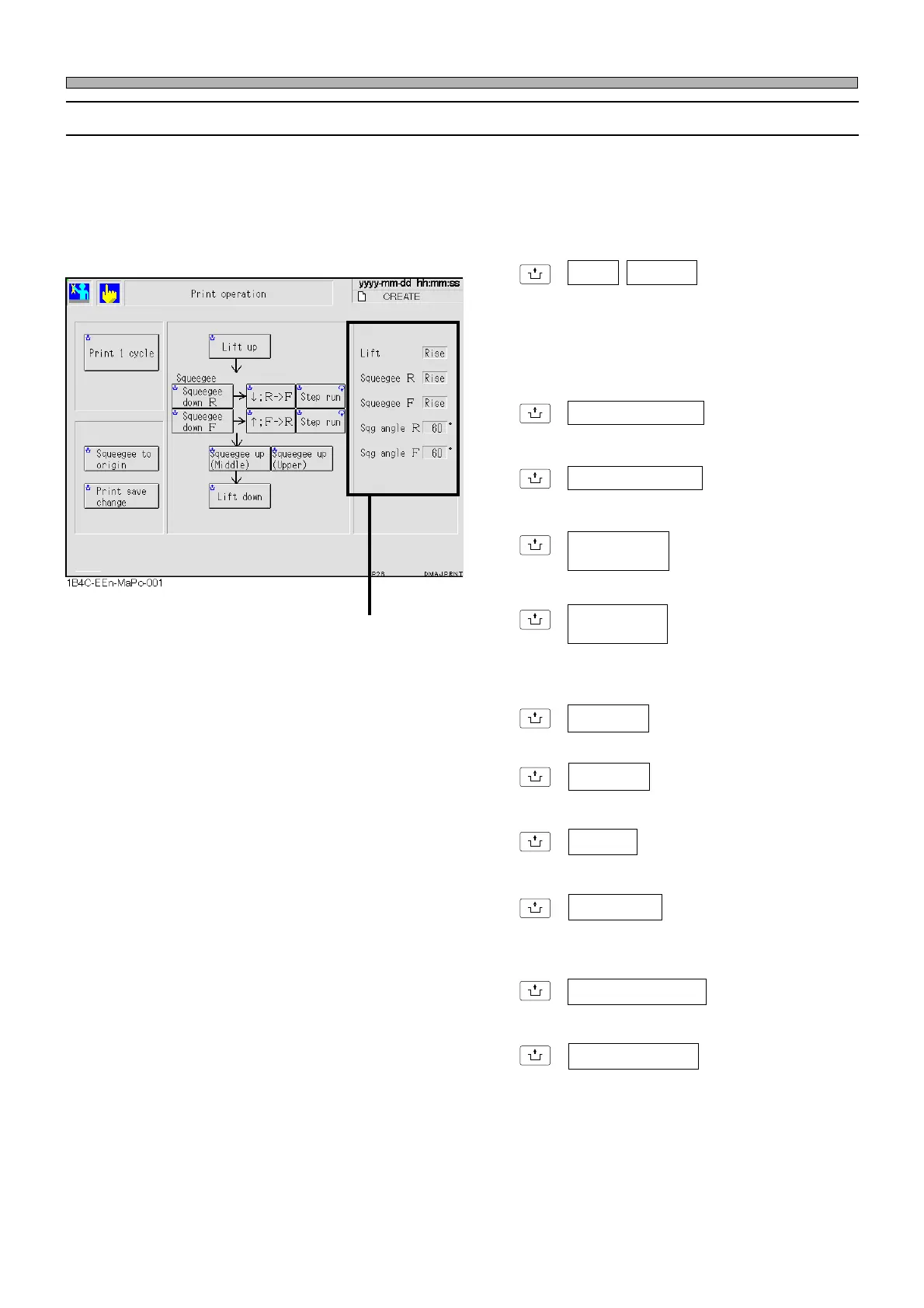
On the “Print operation” menu, you can check the motion at each printing step, such as the up-and-
down motion of squeegee, 1-cycle printing, the up-and-down motion of lift and so on.
∗ Even when the board is not on the center conveyor (board holder), each motion is available.
However, when using this menu while solder is on the mask, be careful if a board is present.
UNLOCK
+ Lift up Lift down
Moves X-Y table to the printing position and
raises and lowers the lift.
The printing position is determined by the
correction value of the printing position data
and the board check.
UNLOCK
+ Squeegee down R
Lowers the rear squeegee.
UNLOCK
+ Squeegee down F
Lowers the front squeegee.
UNLOCK
+
Raises the squeegee to the middle position.
UNLOCK
+
Raises the squeegee to the upper limit posi-
tion.
UNLOCK
+ ↓ ; R → F
Moves the squeegee to the front side.
UNLOCK
+ ↑ ; F→ R
Moves the squeegee to the rear side.
UNLOCK
+ Step run
Moves the squeegee step by step.
UNLOCK
+ Print 1 cycle
Performs the processes from raising the lift to
lowering it successively.
UNLOCK
+ Squeegee to origin
Moves the squeegee to its origin and stops it.
UNLOCK
+ Print save change
Changes the printing start position. Change the
memorized position of squeegee to the oppo-
site side.
The current states of the squeegees and lift are
displayed.
Squeegee up
(Middle)
Squeegee up
(Upper)
1E4C-E-OMA03-A02-01












 To Next Page